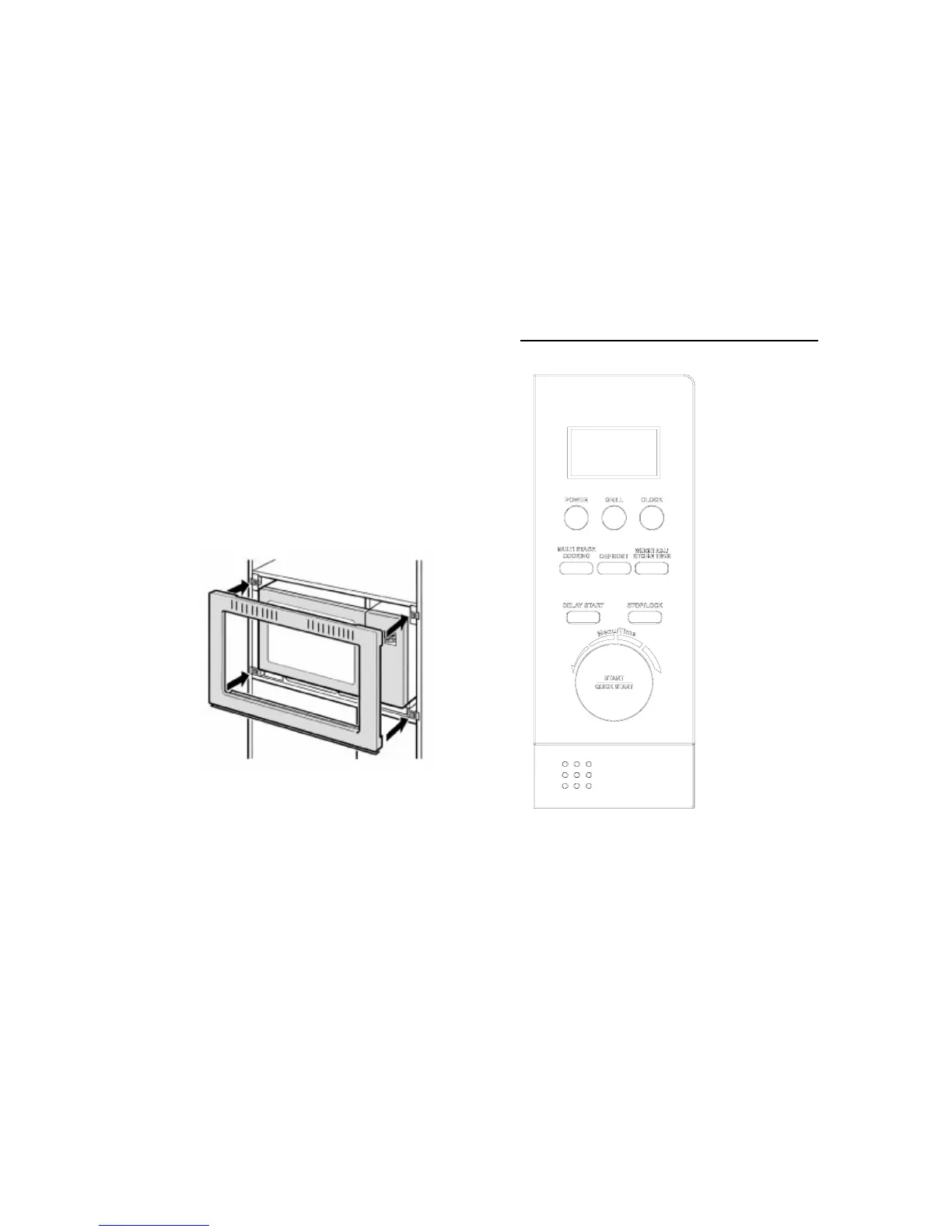
(continued)
Step 4:
Pass the electric chord into & through the cabinet.
Step 5:
Slide in the microwave onto the base panel until it sits firmly. The
microwave legs should rest firmly in the grooves of the base plate.
Step 6:
Attached the external frame starting from the lower 2 clips.
Completed !
Page 8
CONTROL PANEL : WD904SS (continued)
WEIGHT ADJ./KITCHEN
TIMER
After choosing an auto-cooking
menu, use it to specify food
weights or number of servings.
Use to set kitchen timer.
DELAY START
Used to start the oven at a later
time.
STOP/LOCK
Press to cancel setting or reset the
oven before setting a cooking
program and to set the child lock.
MENU/TIME (START/QUICK
START)
Turn the dial to set the oven clock
time and input cooking time.
Turn the MENU/TIME dial to select
an auto-cooking menu.
Touch to start a cooking program.
Simply touch it a number of times
to set cooking time and cook
immediately at full power level.
Page 13



 To Next Page