Intelligent Solar Charge Controller
User s M anual
Please read this instru ction carefully before using it.
This controller is a kind of intelligent and multifunctional solar
charge controller. These serial products adopt customized LCD display
screen, which makes the operation on the interface rather convenient.
All the controlling parameters can be reset exibly to satisfy your dierent
needs. This controller has the following features:
1 Product intr oduction
Visual LCD graphic symbol
Brief key operation
Grade auto switch of system voltage
Intelligent PWM Charging Mode
Auto temperature compensation
Adjustable charging & discharging parameter
Settable working modes of loads
Accumulative function of charging & discharging AH
Protection for battery back discharging
Protection for battery low voltage
Overloading & short-circuit protection
Battery reversed protection
Delayed auto restart after overloading protection
2 Installation Explanation
Installation
Get ready the related tools & cables. We suggest you choose the appropriate cables
2
to ensure the current density 4A/mm and this is good for reducing cable voltage
22
drop. Recommendation 30A using 10mm cable 50A using 16 mm cable.
Check whether installation
place accords with the relative
safety rules. Please avoid installing
and using the controller under
the following conditions: wet,
dusty places or places with
ammable and explosive gases.
Install the controller at the
vertical plane. Please refer to
chapter 5 for more detailed info
about the spacing between the
installing holes. In order to make
the controller have good thermal
dissipation, please spare10cm
above & below the controller.
As shown as the right gure, connect the loads, battery and solar panels with the
controller in order. Pay attention to connect the loads, battery and solar panels right.
Plug the external thermal sensor into the interface of the thermal-sensor on the left
of the controller.
Disassemble: To avoid the accident, please dismantle the solar panels, battery, loads
from the controller in order.
Attention: Connecting the battery reversed will not damage the controller, but will
cause safety risk on your loads.
3. Operation
1. Explanation of LCD Graphic Symbol
stop supplying power for loads
supplying power for loads,
no current in load loop
having current in load loop
load icon
solar panels icon
load light controlling icon
load timing controlling icon
stop charging for battery
charging for battery at full speed
oat charging for battery
normal working state of system
abnormal working state of system
battery capacity display
battery icon
2 . Explanation of button function:
:Interfaces circular toggling button. Use this button can realize the toggling circularly
among the interfaces. The circular order is as follows: as shown as gure 1.
: Parameter adjusting'+'+ button. Besides, under parameter review condition, press
this button for over 5 seconds, and all the parameters will recover to the ex-work
setting state.
:Parameter adjusting'-'button. Besides, at the main interface, this button can turn on
or turn o the load.
28
13.8
V
P V O F F
L O A D
V
O F F
990
A h
LO AD
999
A h
P V
13.0
V
24
h
L O A D O N
20.0
A
L O A D
Battery voltage
(main interface)
battery
temperature
load discharging
current
accumulative
generating AH
Load working
state
ceasing charging
voltage
low voltage
protection poin
accumulative
discharging AH
20.0
A
P V
solar panels
generating current
1 2.6
V
L O A D O N
recovery v oltage
3. Parameter review and setting:
After the controller electries right, it will enter into the displaying interface of
battery voltage. This interface is the main interface of the controller. P ress
button to go through the interfaces of the following parameters. If the interface
can be reset, press button for long( 5 seconds, and the number on the
interface starts to icker), then it enters into the setting interface of this parameter.
After nishing setting, press button for long to exit the setting interface, and the
number stops ickering.
3.1 Battery voltage review
1 2.5
V
VV
As shown as the right gure, the displaying number is the
present battery voltage.
This interface is the main interface, and it shows the
charging & discharging state, battery capacity and
battery voltage.
3.2 Load ON/OFF controlling
At the battery voltage review
interface, you can press button
to turn on or turn o the load, while
this button does not have this function at other interfaces.
3.3 Environmental temperature review
As shown as the right gure, the displaying number is the
surrounding environmental temperature of the controller.
3.4 Review the generating current of solar panels
As shown as the right gure, the displaying number is the
generating current of solar panels.
27.0
A
P V
SOLAR30 12V/24V AUTO WORK
1 0.7
1 2.51 2.5
Be used for the temperature compensation when the
battery ceases charging.
1 2
3 4
5
6
Temperature
sensor
interface
Controller
Solar panels
DC load
Battery
28


 To Next Page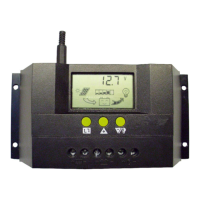


 General