Need help?
Do you have a question about the EFM OLYMPUS and is the answer not in the manual?
Connect earbuds to a phone or media device via Bluetooth following device instructions.
Connect earbuds to a computer, possibly needing a Bluetooth adapter, then search and select.
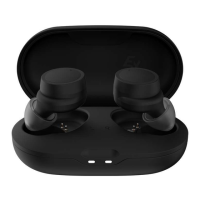
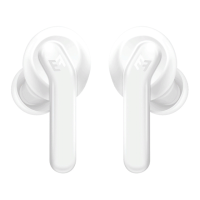
The EFM Olympus Wireless Bluetooth Earphone is a versatile audio accessory designed for on-the-go listening and communication. These earbuds offer a range of features to enhance your audio experience, from hands-free calling to active noise control, making them suitable for various daily activities.
The primary function of the EFM Olympus earbuds is to provide wireless audio playback from compatible devices such as smartphones, computers, and other media players. They connect via Bluetooth, allowing for freedom of movement without the hassle of tangled wires. Beyond music listening, these earbuds also facilitate hands-free communication. Users can answer, end, or reject calls directly from the earbuds, making them a convenient tool for managing phone conversations while multitasking. The integrated microphone ensures clear voice transmission during calls.
A key feature of these earbuds is Active Noise Control (ANC), which helps to reduce ambient noise, allowing for a more immersive listening experience, particularly in noisy environments. This is beneficial for commuters, travelers, or anyone seeking to minimize distractions during their audio playback or calls.
The earbuds are designed with a control module that allows for easy management of various functions. Users can adjust volume, skip tracks (next/previous), play or pause audio, and activate voice commands (Siri or Google Assistant) directly from the earbud controls. This intuitive interface means you don't always need to reach for your connected device to manage your audio or calls.
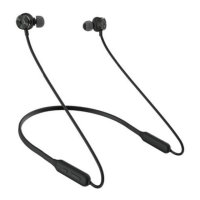
For physical comfort and secure fit, the EFM Olympus earbuds come with different sizes of earbud hooks and earbuds (small, medium, large). This customization ensures that users can find the most comfortable and stable fit for their ears, which is particularly important for activities like exercise. The earbuds also feature magnetic properties, allowing them to snap together when not in use, which can help prevent tangles and make them easier to store around your neck.
Using the EFM Olympus earbuds involves a straightforward pairing process. To connect to a mobile phone or media device, users simply activate Bluetooth on their phone, turn on the earbuds into pairing mode, and then select "EFM Olympus" from the list of available Bluetooth devices. A blue LED will flash slowly to indicate successful pairing. Once paired, the earbuds will automatically reconnect to the device when within range. This allows for seamless transitions between listening to music, watching videos, or playing games.
For computer connections, if the computer does not have built-in Bluetooth, a Bluetooth adapter is required. The pairing process is similar: activate Bluetooth on the computer (or adapter), turn on the earbuds to pairing mode, and then search for and select "EFM Olympus." Once connected, audio from the computer will play through the earbuds.
The control module on the earbuds provides a comprehensive set of functions:
The earbuds are also designed to be IPX4 sweat-proof, making them suitable for workouts and outdoor activities where exposure to sweat or light splashes might occur. This durability adds to their versatility for active users.
Maintaining the EFM Olympus earbuds involves a few key practices to ensure their longevity and optimal performance.
Charging: The earbuds are charged via a Micro USB port. It is recommended to fully charge the device for at least 3 hours before initial use. To charge, connect one end of the charging cable to an AC charger or a USB port on a PC, and the other end to the Micro USB port on the earbuds. A red LED light will indicate that charging is in progress, and it will turn from red to blue once charging is complete. It is crucial to use only the charging cable supplied with the earbuds to prevent damage. If the earbuds have not been used for more than 12 months, they must be recharged. Users are warned against using the USB charger with any other phone jack device.
Cleaning: To clean the earbuds, it is important to avoid using any diluent or volatile liquids, as these can damage the device. A soft, dry cloth is generally sufficient for wiping down the exterior.
Storage: When not in use, the magnetic earbuds can be snapped together, which helps to keep them organized and prevents tangling. Proper storage can protect the earbuds from physical damage.
General Care: Users are advised not to modify, repair, or dismantle the earbuds themselves. Doing so can lead to fire, electric shocks, or a complete breakdown of the device, and such actions will void the warranty. It is also recommended to read the instruction manual thoroughly before using the product to understand all its features and precautions. The earbuds should not be used in hazardous locations.
By following these usage and maintenance guidelines, users can ensure a reliable and enjoyable experience with their EFM Olympus Wireless Bluetooth Earphones.
 General
| Driver Size | 50mm |
|---|---|
| Impedance | 32 Ohms |
| Frequency Response | 20Hz - 20kHz |
| Cable Length | 1.2m |
| Connector | 3.5mm |
| Type | Over-ear |
| Sensitivity | 110dB |

 To Next Page