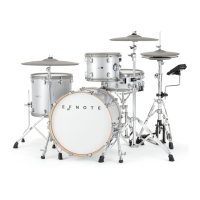
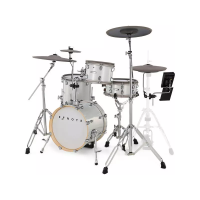
The EFNOTE 3/5 is an electronic drum sound module designed for drummers of all levels, offering a range of features for practice, performance, and recording. It supports both EFNOTE 3 and EFNOTE 5 drum kits, with specific differences in drum kit and user instrument library capacities.
Function Description
The EFNOTE 3/5 serves as the central hub for an electronic drum kit, processing trigger signals from pads and generating drum sounds. It allows users to customize drum kits, manage instruments, practice with a metronome and rhythm box, record performances, and connect to external devices via USB and Bluetooth.
Important Technical Specifications
- Trigger Interface:
- Inputs: Kick, Snare, Tom (1-4), Hi-Hat, Ride, Crash (1-3).
- Supported Zones: Head/Bow (all pads), Rim (Snare, Tom 1-4, Hi-Hat, Ride, Crash 1-3), Side-Rim (Snare), Edge (Hi-Hat, Ride, Crash 1-3), Cup (Ride).
- Note: Side-Rim uses the Side-Rim cable. Ride Cup uses the Ride Cup cable. Tom 4 input can be assigned as Tom 4 or Crash 1 Cup. Crash 3 input can be assigned as Crash 3 or Crash 2 Cup.
- Audio / MIDI Interface:
- Audio Output:
- Line (1/2) Output: 2x TS Phone (+4dBu, Unbalanced).
- Phones (3/4) Output: Stereo Mini-Phone (320 mW + 320 mW @32Ω).
- Audio Input: Stereo Mini-Phone (+2dBu Max).
- USB Audio: 8-ch Output / 2-ch Input (Mac/Windows ASIO, USB 2.0 Hi-Speed).
- Bluetooth Audio Input: A2DP.
- MIDI: USB MIDI In/Out, Bluetooth MIDI In/Out (Bluetooth Low Energy/GATT), MIDI Out: 5-pin DIN.
- Recorder:
- Resolution: 480 TPQN.
- Tracks: 5 (EFNOTE 3) / 15 (EFNOTE 5).
- Capacity: Approx. 8,000 Events/Track.
- Drum Kit Capacity: 50 (EFNOTE 3) / 100 (EFNOTE 5), including preset drum kits.
- User Inst Library Capacity: 50 (EFNOTE 3) / 128 (EFNOTE 5).
- Set List Capacity: 9 lists, 20 slots/list.
- Supported OS for PC/Mac Connection: Windows 10, Mac OS 10.13 (High Sierra), 10.14 (Mojave), 10.15 (Catalina).
- Physical Interface: Touch display, Micro USB (To PC/Mac), Ring illumination, Power (Push) Value knob (Rotate), Linear indicator, Speaker for click (Inside), DC In, Analog audio in (Mini stereo phone), Phones (3/4) output (Mini stereo phone). MULTI-B cable provides Line (1/2) output and MIDI output (5-pin).
Usage Features
- Basic Operation:
- Power On/Off: Simple 1-second push for power on. Power off requires confirmation via a menu to prevent loss of changes. A power save function can automatically turn off the device after a specified period (configurable).
- Home Screen: Displays the current drum kit name and allows quick switching between previous and next kits. A kit list can be accessed for selection, duplication, restoration of preset kits, and deletion of user kits.
- Widgets: Provides quick access to essential settings from the home screen:
- Volume: Adjusts phones output level, analog audio in, USB audio in, and Bluetooth audio in levels.
- Inst Info: Shows the instrument assigned to the pad and its level.
- Click (Metronome): Controls tempo (BPM), beat (time signature), click level, and activates/deactivates the external click speaker.
- Recorder: Records drum performances as MIDI data for sound checks, transfer to DAW, or self-review. Features include selecting target tracks, recording standby, automatic recording, and playback controls (fast forward/rewind).
- Menu System: A comprehensive menu provides access to various screens for detailed configuration:
- Drum Kit Edit: Customize drum kits by editing individual pads (Inst, tone, zone, level, tuning, muffling, pan, ambience, EQ). Virtual pads (VP) can be played for layer functions. Inst settings can be saved to the Inst Library.
- Pad Levels: Dedicated screen for level control of all pads, with visual indicators for clipping.
- Inst Library: Manage user-customized instruments, including renaming, duplicating, and deleting.
- Set List: Organize drum kits for gigs by creating up to 9 set lists with 20 slots each. Configure click settings (tempo, beat) for each slot.
- Click Setup: Detailed configuration of metronome settings, including sound selection and output routing.
- Stroke Scope: Visualizes strike timings against the metronome to assess stroke accuracy. Configurable division and display of specific pads.
- Accuracy Score: Estimates and displays stroke accuracies against the metronome with scores. Configurable timer and pad display.
- Rhythm Box: Provides approximately 100 short drum beat loops for practice, with options to select beats and fix tempo.
- Bluetooth: Connects to smart devices for audio input (A2DP) and MIDI In/Out (Bluetooth Low Energy/GATT). Allows pairing, connecting, and disconnecting devices.
- Trigger Settings: Optimizes pad sensing settings, including input, zone, pad model, sensitivity (Sens A, B, C), threshold, head-rim border, and curve type. Specific settings for HH pedal (model, foot close sens, closed HH tightness) and X-Talk Elimination (cancels cross-talk between pads).
- Settings (System General): Configures LCD contrast and backlight, linear indicator behavior, audio levels (line out, USB out), MIDI channels (multi-channel support for individual pads), power save function, and displays firmware version.
- Audio Routing:
- Audio Pad: Configures audio output routings for each pad to main bus and 8 channel buses (1-4 for analog/USB, 5-8 for USB only). Supports 4 different settings in memory A/B/C/D.
- Audio I/O: Specifies audio in/out routings for click, Bluetooth, audio in, USB in, USB out, line out, and phones out.
- PC/Mac Connectivity: Supports USB Audio (8-channel Output / 2-channel Input) and USB MIDI In/Out. Requires ASIO driver installation for high-quality audio streaming on Windows.
Maintenance Features
- Reset Functions: The "Reset" menu allows for various data and setting resets:
- Reset All Kits: Deletes all kit data and set lists, restoring preset kits.
- Reset Inst Lib: Deletes all instruments in the Inst library.
- Reset Trigger: Initializes all trigger settings to factory settings.
- Reset Audio: Resets all audio routings and memories.
- Reset System: Resets all system parameters.
- Reset ALL: Deletes all data and resets all settings to factory state.
- Demo Mode: If enabled, all data and settings are deleted/initialized automatically every time the sound module is turned on.
- Touch Screen Calibration: Provides a calibration utility to adjust the touch screen in case of incorrect button response. Users are guided to touch specific points on the screen.

 Need help?
 General

 To Next Page