EasyManua.ls Logo

Ei Electronics Ei208DWRF - User Manual

Ei Electronics Ei208DWRF
56 pages
Print Icon
To Next Page IconTo Next Page
Loading...
Instructions
Read and retain carefully for as long as the product is being used. It contains vital information on the
operation and installation of your Alarm. This booklet should be regarded as part of the product.
If you are just installing the Alarm, this booklet must be given to the householder. This booklet is to be
given to any subsequent user.
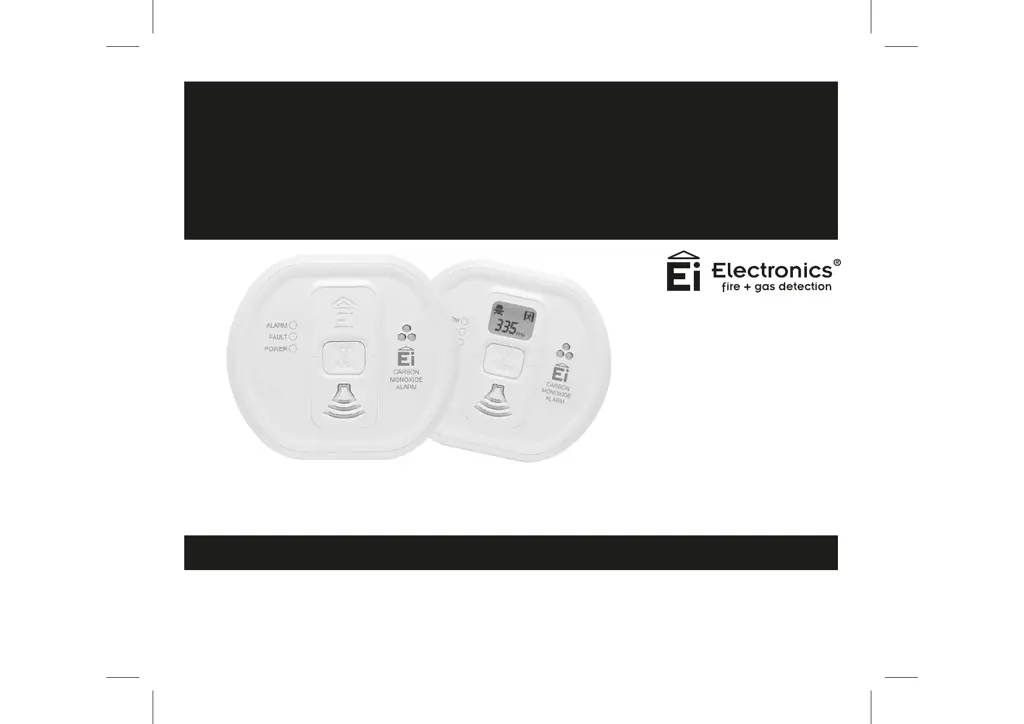
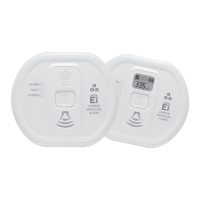
Ei207 / Ei208 Carbon Monoxide Alarm Series
for use in Homes, Caravans, Motor Caravans and Boats
Battery Powered
Carbon Monoxide Alarms
Ei207/208 Series

Other manuals for Ei Electronics Ei208DWRF

Questions and Answers

  • D
    Dr. Ann JohnsonAug 17, 2025
    Why my Ei Electronics Carbon Monoxide Alarm doesn't sound when I press the test button?
    • J
      Jesus GoodAug 17, 2025
      If your Ei Electronics Carbon Monoxide Alarm doesn't sound when you press the test button, ensure the alarm is correctly secured on the mounting plate. Wait 15 seconds after connecting the power before testing. Press and hold the button firmly for at least 5 seconds. If you have Ei207 models, replace the batteries. If the alarm still doesn't sound after these steps, it should be returned for repair or replacement.
  • T
    Thomas BurnettAug 21, 2025
    What to do if Ei Electronics Carbon Monoxide Alarm has sensor fault?
    • D
      denise39Aug 21, 2025
      If your Ei Electronics Carbon Monoxide Alarm detects a sensor fault, it will emit 2 short beeps accompanied by 2 yellow LED flashes approximately every 48 seconds. When this occurs, the alarm must be replaced. If immediate replacement is not possible, you can press the test button to silence the sensor fault beeps for 12 hours. Note that the sensor fault can only be silenced once.
  • G
    George DiazAug 26, 2025
    Why does my Ei Electronics Carbon Monoxide Alarm chirp/beep?
    • J
      Joy HayesAug 26, 2025
      In standby mode, the Ei Electronics Carbon Monoxide Alarm should not sound, beep, or chirp; only the green power LED should flash. The alarm automatically checks the battery, sensor, and electronics periodically. If a fault is detected, the alarm will alert you with short chirps and a flashing yellow LED every 48 seconds. Faults will also be indicated when the test button is pressed.
  • B
    Bethany FernandezSep 3, 2025
    What to do if the Ei Electronics Ei208DWRF alarm does not work with the test button?
    • C
      Christina EllisSep 4, 2025
      If your Ei Electronics Security System alarm doesn't respond to the test button, first ensure the alarm is correctly secured on the mounting plate. After connecting the power, wait 15 seconds before testing the button. When testing, hold the button down firmly for at least 5 seconds. If you have an Ei207 model, try replacing the batteries.
  • J
    Jill WhiteNov 7, 2025
    How to fix low battery fault on Ei Electronics Carbon Monoxide Alarm?
    • M
      Michael StewartNov 7, 2025
      When the battery is starting to get low in your Ei Electronics Carbon Monoxide Alarm, it will beep and the yellow LED will flash about every 48 seconds. For Ei208 models, the entire alarm must be replaced due to its built-in battery. For Ei207 models, check the ‘Replace by’ label on the side. If the date hasn't passed, remove the alarm from its mounting plate, take off the battery cover, and replace the batteries with Alkaline AAA size batteries like Duracell, Panasonic, or Energizer, ensuring correct orientation as shown on the base. Replace the battery cover and remount the alarm to switch it on. Test the alarm after 15 seconds to confirm proper installation and battery status. Replace the batteries before their 'best before' date for optimal performance; typically, they last over 5 year...
  • D
    Drew SmithNov 11, 2025
    What to do if my Ei Electronics Carbon Monoxide Alarm sounds for no reason?
    • A
      Anthony WilliamsNov 11, 2025
      If your Ei Electronics Carbon Monoxide Alarm sounds for no apparent reason, first follow the instructions in “What to do when the alarm sounds“ section. If the problem persists, check for fuel-burning appliances that may be leaking CO gas nearby, even from neighboring properties. Also, ensure there are no fumes or aerosols present, such as paint, thinners, hair spray, chemical cleaners, or damp proofing materials. Outdoor sources of CO, like car engines, heavy traffic, or barbecue fumes, can also trigger the alarm. Additionally, hydrogen sources like charging batteries or devices like Egyptian shisha pipes using coal or charcoal could be responsible. You can press the test/hush button to silence the alarm; however, if it continues to sound, the alarm may be defective and require replacemen...
  • T
    Troy MartinezDec 1, 2025
    Why does my Ei Electronics Security System alarm sound for no reason?
    • A
      Anthony FernandezDec 1, 2025
      Your Ei Electronics Security System alarm might sound for several reasons. Make sure there are no fuel burning appliances nearby that could be leaking CO gas, even from a neighboring property. Also, ensure there are no fumes in the area, such as paint, thinners, hair spray, chemical cleaners, or aerosol sprays, including those used for damp proofing. Outdoor sources of CO, like a running car engine, heavy traffic, air pollution, or barbecue fumes, can also trigger the alarm. Hydrogen sources, such as batteries being charged on boats or in Uninterruptible Power Supplies (UPS), could be the cause. Excessive smoke or fumes from devices like Egyptian shisha pipes that use coal or charcoal could also be a factor. If your alarm has an RF Module, check for issues with other RF interconnected alar...

Ei Electronics Ei208DWRF Specifications

General IconGeneral
BrandEi Electronics
ModelEi208DWRF
CategorySecurity System
LanguageEnglish

Related product manuals