EasyManua.ls Logo

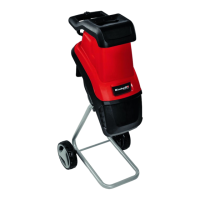
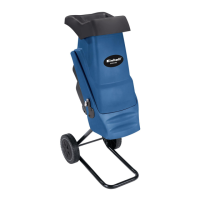
EINHELL GC-RS 2540 - User Manual

EINHELL GC-RS 2540
56 pages
Go to English
Print Icon
To Next Page IconTo Next Page
Loading...
GC-RS 2540
Art.-Nr.: 34.306.20 I.-Nr.: 11015
7
D Originalbetriebsanleitung
Gartenhäcksler
GB Original operating instructions
Electric quiet shredder
F Instructions d’origine
Hacheuse electrique silencieuse
S Original-bruksanvisning
Tystgående elektrisk
kompostkvarn
NL Originele handleiding
Elektrische stille hakselaar
FIN Alkuperäiskäyttöohje
Hiljainen sähkösilppuri
Anl_GC_RS_2540_SPK7.indb 1Anl_GC_RS_2540_SPK7.indb 1 15.07.15 10:3115.07.15 10:31

Questions and Answers

  • R
    robinsonscottJul 27, 2025
    Why is my EINHELL GC-RS 2540 motor not starting?
    • D
      Douglas LeJul 27, 2025
      If the EINHELL Paper Shredder's motor isn't starting, there are a few potential causes. First, check the mains lead, plug, and fuse to ensure there isn't a power failure. If that's not the issue, the motor circuit breaker might have been triggered; in this case, press the Reset button. Finally, make sure the switch for selecting the direction of rotation is not in its center position; set the direction of rotation on the switch.
  • B
    Brittney VelazquezAug 6, 2025
    What to do if my EINHELL Paper Shredder is not drawing in material?
    • B
      bmartinAug 6, 2025
      If your EINHELL Paper Shredder isn't drawing in material, the shredding blade might be running in reverse. Try changing the direction of rotation. Alternatively, there could be a material blockage in the filling funnel. In this case, change the direction of rotation and pull the material out of the funnel. Feed in thick branches again so that the blade does not immediately engage again in the notches it previously cut. Another possibility is that the shredding blade is jammed. Change the direction of rotation to release the jammed material.
  • K
    Kimberly MooreAug 16, 2025
    How to fix EINHELL Paper Shredder if the material is not shredded properly?
    • J
      Jessica CastanedaAug 16, 2025
      If the material is not shredded properly by your EINHELL Paper Shredder, it could be that the counter blade is not set correctly. To resolve this, you should adjust the counter blade.

Summary

Safety Regulations

Warning Sign Description

Explains the meaning of various warning signs and safety pictograms on the machine.

Product Overview

Layout and Components

Identifies and describes the main parts and components of the shredder.

Items Supplied

Lists all items included in the product packaging.

Proper Use and Safety Precautions

Residual Risks

Details potential hazards and necessary safety precautions when using the tool.

Setup and Preparation

Assembly Instructions

Provides step-by-step guidance for assembling the garden shredder.

Mains Connection

Explains how to correctly connect the shredder to the power supply.

Operation

ON;OFF Switch

Instructions for operating the power switch to turn the machine on and off.

Direction Selection Switch

Details on using the switch to control the shredder's cutting direction.

Motor Protection

Explains the motor overload protection mechanism and reset procedure.

Practical Tips

Offers advice for efficient and safe shredding operation.

Adjusting the Counter Blade

Guide on how to adjust the gap between the cutting unit and counter blade.

Maintenance and Storage

Cleaning and Maintenance

Procedures for regular cleaning and maintenance to ensure longevity.

Ordering Replacement Parts

Information on how to order spare parts and required data.

Storage Guidelines

Recommendations for storing the equipment properly.

Troubleshooting

Fault Diagnosis and Remedies

Lists common faults, their possible causes, and suggested solutions.

Disposal and Recycling

Environmental Disposal

Instructions for proper disposal of the equipment and packaging.

Service Information

Service Partners and Consumables

Details on service partners and parts subject to wear or consumables.

Warranty Certificate

Warranty Terms and Conditions

Outlines the terms, conditions, and exclusions of the product warranty.

Conformity Declaration

EU Declaration of Conformity

States compliance with relevant EU directives and standards.

EINHELL GC-RS 2540 Specifications

General IconGeneral
Power2000 W
Product colorBlack, Red
Cutting systemDrum
Rated speed (max)40 RPM
Material throughput- kg/h
Collection box capacity- L
Weight and Dimensions IconWeight and Dimensions
Weight24850 g

Related product manuals