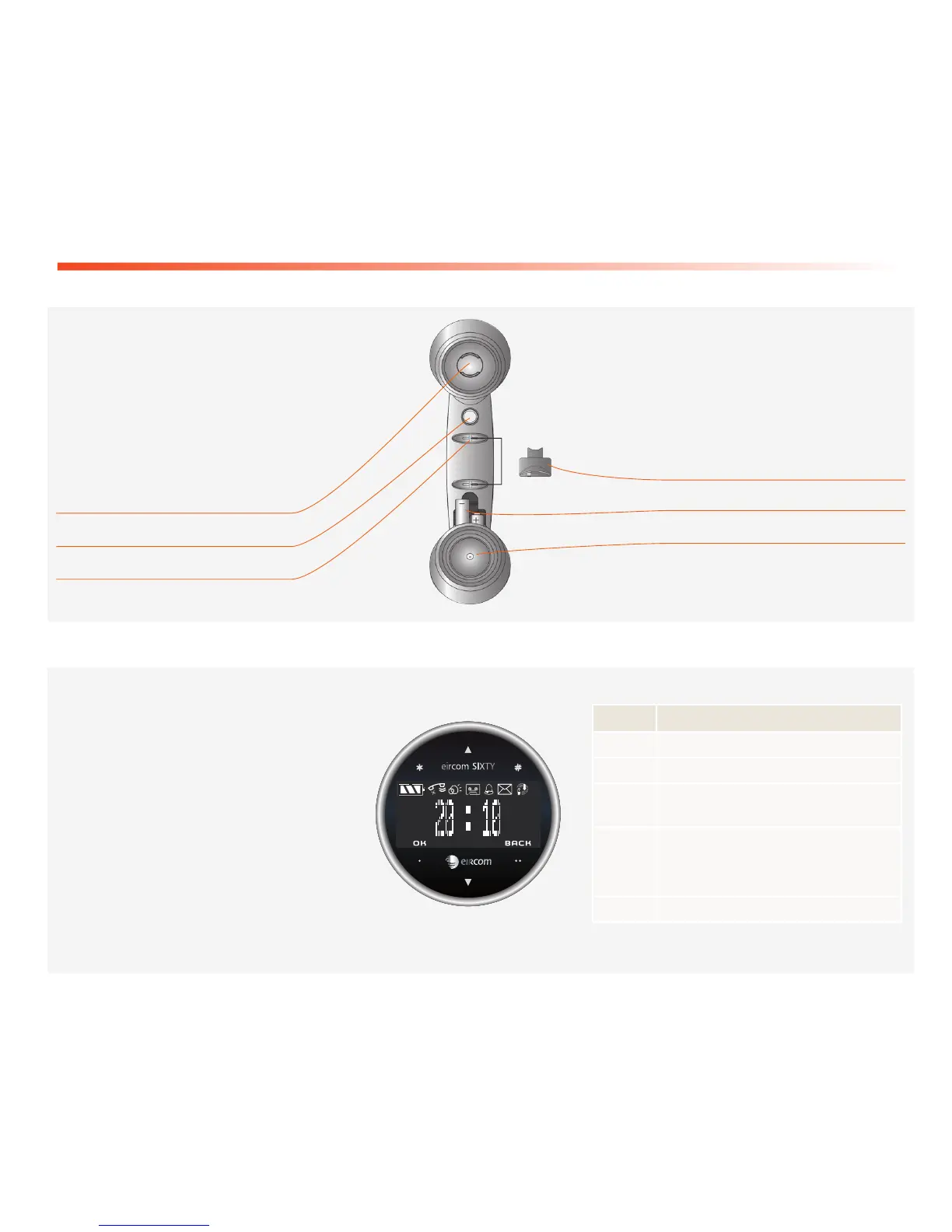
Your handset
Battery cover
Battery compartment
Microphone
Speaker
Handset charging contacts
Hang up / Pick up / Taking line
Your eircom SIXTY has a wireless
handset. The single button on the
handset can be used to hang up or
answer an incoming call.
The handset batteries will charge when the handset is placed in its base
Control panel
The eircom SIXTY has touch keys for
easy access to the menu and settings
functions. The date & time will be
displayed here and you can also see if
you have new voice mails.
Using the touch screen
The screen includes six touch keys,
simply press the icon you wish to use.
Key Function(s)
Scroll up /Go to the menu list
Browse down / Go to the menu list
•
Confirm key: Access a menu / confirm a
selection
••
Back/Exit key: Delete an entry / return to
previous menu
*
Asterisk key
#
# key
The handset has a buzzer that will sound if
there is an incoming call while the handset is
not connected to the base station.



 To Next Page