
 Need help?
Do you have a question about the EisSound 400 Series and is the answer not in the manual?
Overview of the 400 Series product line.
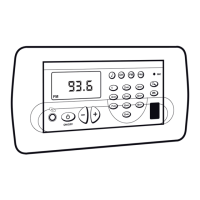
Details on the Master Unit 414A1/A2 controls and functions.
Describes the Program Menu options for the Master Unit.
Lists quick access functions available on the Master Unit.
Explains the Settings Menu options for the Master Unit.
Details the Installation Menu options for the Master Unit.
Overview of the Control Unit 422A1/A2.
Quick reference for Control Unit 428A1+42991.
Quick reference for Control Unit 428A1+42992.
Introduction to the 400 Series sound system.
Lists and describes the components of the 400 Series.
Details the connecting terminals for the system components.
Illustrates the basic wiring diagrams for the system.
Provides general notes for system installation.
Explains the system's programming menus.
Details the music channel configurations.
Detailed information on the Master Unit 414A1/A2.
Describes the operational functions of the Master Unit.
Manual control for system power on and off.
Enables automatic system power on at a set time.
Enables automatic system power off at a set time.
Puts all connected units into standby mode.
Details the operation of the Master Unit's FM tuner.
Allows remote control of sound sources for music channels.
Manages access to the intercom calls channel.
Explains the Master Unit's program menu.
Guides on setting the system's time and date.
Instructions for programming auto power on times.
Instructions for programming auto power off times.
Adjusts FM tuner search sensitivity for the Master Unit.
Guides on deleting FM tuning pre-sets on the Master Unit.
Automatically stores FM stations into memory.
Explains the Master Unit's settings menu.
Selects the display language for the Master Unit.
Allows personalization of the Master Unit's name.
Personalizes the startup message on the Master Unit.
Controls permission for storing/deleting FM tuning pre-sets.
Manages permission for accessing the general standby.
Deletes Master Unit settings, restoring defaults.
Explains the Master Unit's installation menu.
Defines the number of audio channels installed.
Resets installation data to manufacturer defaults.
Displays the Master Unit's software version.
Lists the technical specifications for the Master Unit.
Overview of the Control Units in the system.
Initial setup and identification of control units.
Details on operating audio functions of control units.
Using the 'm' key to adjust music functions on control units.
Operating and storing FM tuner pre-sets on control units.
Configuring the sleep function for control units.
Setting up alarms for the control units.
Details on operating intercom call functions.
Using the 'm' key to enter intercom calls mode.
Details on the electronic baby monitor function.
Enabling the 'Do Not Disturb' function on control units.
Manages permissions for intercom calls.
Overview of the Program Menu for Control Units.
Setting alarms within the Control Unit Program Menu.
Configuring the 'Do Not Disturb' function via Program Menu.
Adjusting intercom call volume via Program Menu.
Configuring auto-response settings via Program Menu.
Configuring the Baby Monitor function via Program Menu.
Selecting the display language via Program Menu.
Adjusting display brightness via Program Menu.
Details on FM tuner operation and pre-sets.
Lists technical specifications for control units.
 General
| Brand | EisSound |
|---|---|
| Model | 400 Series |
| Category | Control Unit |
| Language | English |

 To Next Page