Australia
The product complies with all the requirements needed to carry Regulatory Compliance
Mark (RCM).
Japan
The product contains approved module with MIC ID: 209-J00078
Mexico
IFETEL: RCPEKEK18-1237.
European Union
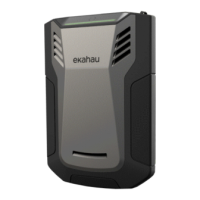
Ekahau declares that Ekahau Sidekick™ is in conformity with the essential requirements
and other relevant requirements of the Radio Equipment Directive 2014/53/EU.
Manufacturer Declaration of Conformity is available at www.ekahau.com/support.
The product with included parts meets the requirements of Directive 2011/65/EU on the restrictions of
the use of certain hazardous substances in electrical and electronic equipment. The product contains
RF transmitter on 2400-2480 MHz with maximum radiated power less than 10.0 dBm (e.i.r.p).
Use of this radio equipment is not allowed in the geographical area within a radius of 20 km from the
centre of Ny-Ålesund, Svalbard, Norway.
The device can be switched on in a special way so that it will fall back to factory settings and load the
factory provided version of the rmware. This might be benecial in case of some trouble e.g device
refusing to start due to failure with upgrading to the newer rmware. When the device is started in
factory mode, it permanently erases the recent upgraded rmware and resets to use the original rm-
ware version. As an indication of this special mode, the status indicator is blinking orange. To continue
the use of Ekahau applications you will likely need to upgrade the rmware again using your Ekahau
application, such as Ekahau Site Survey.
To boot up in the factory rmware mode, please press the power key and keep it pressed long enough
so that the status indicator starts blinking orange. At that moment, you can release power button and
the device will boot up to the factory rmware mode.
Quick troubleshooting
Device does not get charged.
• Make sure your power supply is properly connected.
• Make sure the device is not overheated by letting it cool down.
Device does not get switched on.
• Make sure the battery is charged.
• Make sure the device is not overheated by letting it cool down.
Device does not get connected to computer.
• Check the USB cable is properly connected, especially in the Sidekick unit.
• Check your USB cable is not broken. You may want to try with another cable.
• Make sure you have the latest Ekahau application, such as Ekahau Site Survey software
installed in your computer.
If everything else fails
• You may want to try Factory rmware mode (see above)
Please nd more troubleshooting hints from via www.ekahau.com/support.
Recycling and environmental information
Ekahau encourages owners of information technology (IT) equipment
to responsibly recycle their equipment when it is no longer needed.
The product contains a Li-ion battery which is not user replaceable. In case of need
to replace the battery, please contact Ekahau via www.ekahau.com/support.
Factory rmware mode
Compliance information
Federal Communications Commission (FCC)
This device complies with Part 15 of the FCC Rules. Operation is subject to the following two
conditions: (1) this device may not cause harmful interference, and (2) this device must accept any
interference received, including interference that may cause undesired operation.
This equipment complies with FCC radiation exposure limits set forth for an uncontrolled environment.
End users must follow the specic operating instructions for satisfying RF exposure compliance. This
transmitter meets both portable and mobile limits as demonstrated in the RF Exposure Analysis and
should not be used closer than 5 mm from a human body in portable conguration. This transmitter
must not be co-located or operating in conjunction with any other antenna or transmitter except in
accordance with FCC multi-transmitter product procedures.
Any changes or modications not expressly approved by Ekahau could void the user’s authority to
operate the equipment.
The product contains FCC ID: QOQBT112.
Canada
This device complies with Industry Canada licence-exempt RSS standard(s). Operation is subject to
the following two conditions: (1) this device may not cause interference, and (2) this device must accept
any interference, including interference that may cause undesired operation of the device.
Under Industry Canada regulations, this radio transmitter may only operate using an antenna of a type
and maximum (or lesser) gain approved for the transmitter by Industry Canada. To reduce potential
radio interference to other users, the antenna type and its gain should be so chosen that the equivalent
isotropically radiated power (e.i.r.p.) is not more than that necessary for successful communication.
The product contains IC: 5123A-BGTBT111.
Limited Warranty
All new Ekahau branded Hardware products carry a one-year limited warranty against defects in
materials and workmanship. The warranty terms and conditions are available online at the following
URL: http://www.ekahau.com/hardware warranty/
The Ekahau limited warranty covers Ekahau-branded hardware products only. It does not cover
Software, Services or third parties’ products and/or services.
Customer shall not be entitled to make any claim against Ekahau in respect of the breach of the
Ekahau limited warranty unless the claim is made within one (1) year following shipment. Ekahau shall
not accept any liability for loss of data caused by warranty service.
Legal notices
Ekahau and Ekahau Sidekick are trademarks or registered trademarks of Ekahau in the United States,
other countries, or both.
Service and Support information
Ekahau Inc.
1925 Isaac Newton Square E
Suite 200
Reston, VA 20190
Tel: 1-866-4EKAHAU (1-866-435-2428)
Fax: 1-703-860-2028
Ekahau Europe
Jaakonkatu 5
00100 Helsinki, Finland
Tel: +358-20-743 5910
Fax: +358-20-743 5919
widesign@ekahau.com
www.ekahau.com/support
Copyright © 2018 Ekahau, Inc. All rights reserved.
Maintenance and care
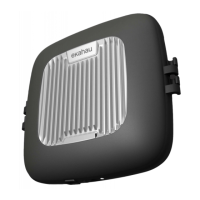
Ekahau Sidekick™ has no user maintainable parts. To clean your device, you may wipe it with soft
damp or dry cloth. If your device gets broken or requires other maintenance, please contact Ekahau
support at www.ekahau.com/support.


 To Previous Page
 Loading...