Need help?
Do you have a question about the Ekahau SIDEKICK 2 and is the answer not in the manual?
Lists the items included in the Ekahau Sidekick 2 box.
Identifies and names the physical parts of the Ekahau Sidekick 2 unit.
Provides step-by-step instructions for the initial setup and connection of the device.
Explains the process and best practices for charging the Ekahau Sidekick 2 battery.
Covers device operation, quick function guide, and status indicator meanings.
Provides advice on operating temperature, usage, and general operational tips.
Lists detailed technical data for Wi-Fi, spectrum analysis, environment, and components.
Guidance on cleaning, upkeep, and entering factory firmware mode.
Solutions for common problems like charging, power on, and connectivity.
Outlines the one-year limited warranty terms and conditions for the hardware.
Provides contact details for Ekahau Inc. and Ekahau Oy for support.
Details FCC and EU compliance statements for the device.
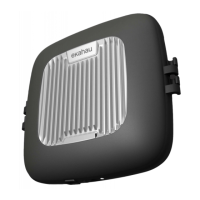
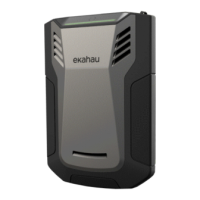
The Ekahau Sidekick 2 is a specialized site survey device engineered for the comprehensive walk-testing of wireless networks, including Wi-Fi / WLAN / 802.11 networks. Its primary function is to facilitate the design, validation, optimization, and troubleshooting of these networks. The device is designed to receive and measure the RF spectrum across 2.4 GHz, 5 GHz, and 6 GHz bands, with a particular focus on analyzing signals from Wi-Fi access points. It is intended to be used in conjunction with other Ekahau-provided Wi-Fi tools and applications, connecting to computers and tablets via a USB cable.
The Ekahau Sidekick 2 is operated with a single power button and its status is communicated through a single indicator light, simplifying its interface. To begin using the device, the carrying strap should first be attached and adjusted to a comfortable length for the user. The device is then connected to a laptop, tablet, or phone via a USB-C cable. It's crucial to ensure the USB connector is inserted correctly and without excessive force to prevent damage. Once connected, the Sidekick 2 is powered on by pressing the power button for two seconds. The indicator light will pulsate yellow during startup, turning green once the device has established a connection with the host device and is ready for use. Users can then launch their Ekahau application on the connected device to begin surveying and analyzing data.
The device is designed for primarily indoor use, with a recommended operating temperature range of +5 °C to +35 °C (+41 °F to +95 °F). Operating outside this range may reduce battery life or cause the device to shut down automatically. During use, the Sidekick 2 may become warm, which is normal given its powerful computing capabilities. Users are advised to avoid unnecessary contact with warm parts if they feel uncomfortable.
For charging, the device is shipped with a pre-charged battery for storage. It is recommended to fully charge the device before its first use. For faster charging, the unit should be switched off. The cooler the device, the faster it will charge. The charging process involves turning off the device, connecting the power supply to the Sidekick 2, and then plugging the power supply into a mains outlet. The indicator light will show the charging progress. Only the power supply and cables provided by Ekahau should be used for charging, and the device should not be left connected to the power supply for unnecessarily long periods.
The Sidekick 2 is designed to be used with Ekahau-provided USB cables and should not be connected to applications or tools not explicitly recommended by Ekahau. Similarly, only Ekahau-provided accessories should be used.
The Ekahau Sidekick 2 contains no user-maintainable parts. For cleaning, the device can be wiped with a soft, damp, or dry cloth. In the event of damage or if other maintenance is required, users should contact Ekahau support.
It is strictly prohibited to open or tamper with the device mechanically, as this poses a risk of injury or death and will void the warranty. Users should not attempt to replace the battery themselves, as it is not designed for user servicing. Instead, Ekahau support should be contacted for battery-related issues.
The device should not be immersed in water, even partially, nor should the power supply. It must be protected from excess moisture, fluids, liquids, heat, fire, smoke, or corrosive substances. Storing the product in high-temperature locations, such as inside a car under direct sunlight, should be avoided to prevent battery leakage or explosion.
Proper air circulation around the front side of the device is important. The device should not be covered, used upside down for extended periods, or placed in enclosed spaces like pockets or bags, as this can lead to overheating and automatic shutdown. The device should also be protected from drops or impacts with hard objects. Children and pets should not be allowed to play with the device.
A factory firmware mode is available for troubleshooting. If the device encounters issues, such as failing to start after a firmware upgrade, it can be booted into factory mode. This process involves pressing and holding the power button until the status indicator blinks blue. In factory mode, the device permanently erases the recent firmware and reverts to the original factory version. After booting in factory mode, users will likely need to upgrade the firmware again using their Ekahau applications.
Ekahau encourages responsible recycling of IT equipment when it is no longer needed. The product contains a non-user-replaceable Li-ion battery. For battery replacement needs, users should contact Ekahau support.
 General
| Wi-Fi Standards | 802.11a/b/g/n/ac/ax |
|---|---|
| Frequency Bands | 2.4 GHz, 5 GHz, 6 GHz |
| Channel Widths | 20, 40, 80, 160 MHz |
| Spectrum Analysis | Yes |
| USB | USB-C |
| Battery Life | Up to 8 hours |
| Humidity | 10% to 90% non-condensing |
| Bluetooth | Bluetooth 5.0 |
| Charging Time | Approx. 3 hours |
| Operating Temperature | 0°C to 40°C (32°F to 104°F) |
| Storage Temperature | -20°C to 60°C (-4°F to 140°F) |

 To Next Page