Front Panel II
5
MIC
ALL 4
ALL 1
ALL 2
ALL 3
ZONE SELECTOR
SOURCE
25
26
27
28
29
30
31
32
18
19
20
21
22
23
24
17
7 8
653
421
9 10
11
12
13
14
15
16
12
3
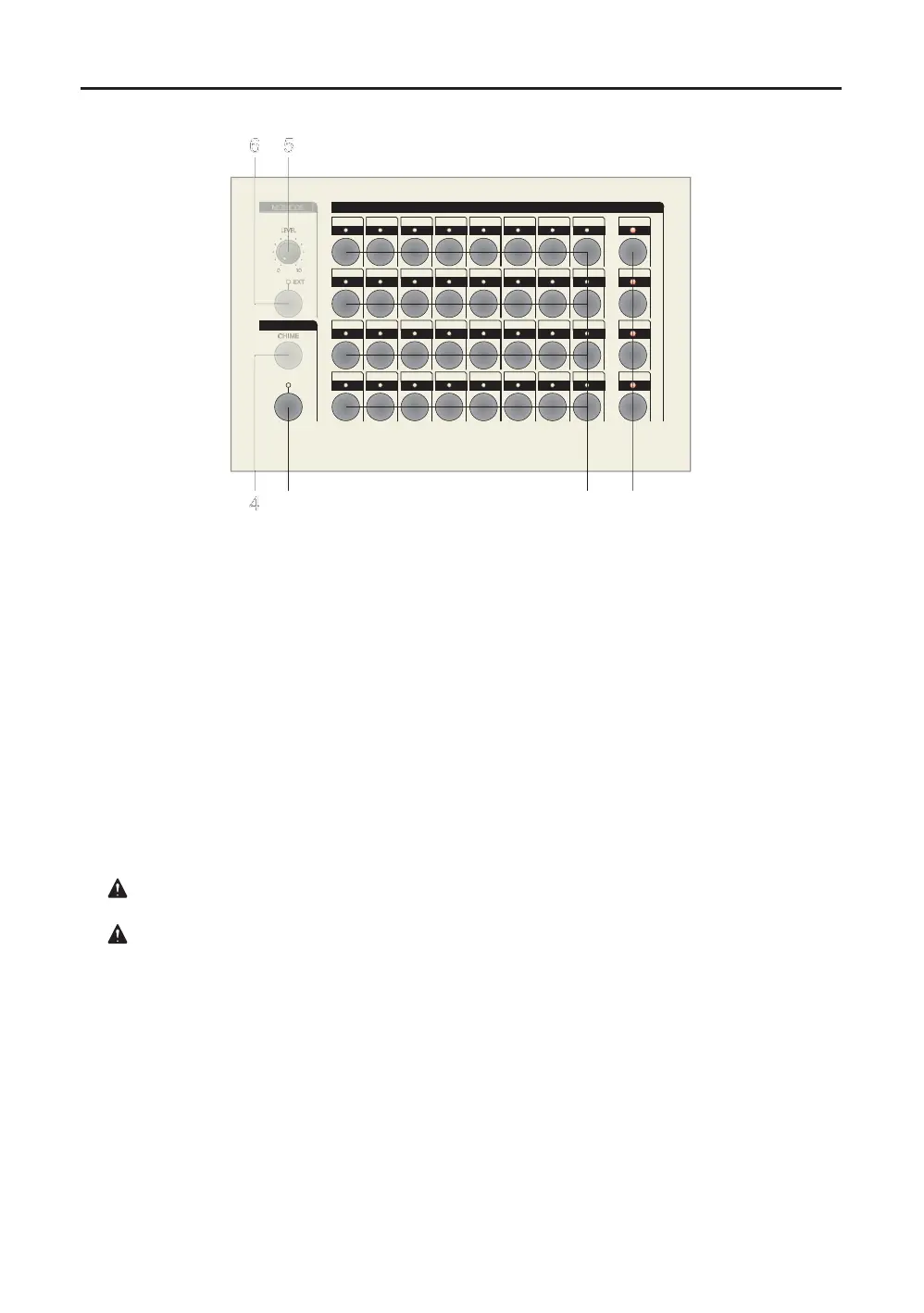
1. ZONE SELECTOR/ALL switch - Control switch with LED indicator.
(ERM-2120=x1, ERM-2240=x2, ERM-2320=x4 each of ALL switches)
Each of "ALL" switch handle to "ON" status relating to definite row direction switch array.
It is not related to each of switch's on or off status when forced on status by specific
ALL switch but return to preset status when release the specific ALL switch.
2. ZONE SELECTOR/CHANNEL SWITCH - Control switch with LED indicator.
(ERM-2120=x12, ERM-2240=x24, ERM-2320=x32 each of channel selector switches)
Each channel switching circuit supports individual switching point between channel out
and combined "REMOTE COM" terminal and one to one correspondence of specific
channel out terminal block on rear panel.
: Please do not apply and switch any high voltage or high current.
All of the switching circuit nominal capacity is up to 48VDC/0.1A into resistive load.
: Please released(push-OFF) all of "ZONE SELECTOR" section switches, after use them.
If not, sometimes interrupted the PA system main program signal when those switches
are maintain "ON" position.
3. SOURCE/MIC switch - Control switch with LED indicator.
This switch controls to attached gooseneck mic on or off.
The internal monitor speaker volume will be -20dB reduced to preventing self acoustical
feedback problem when activate this switch.


 To Next Page
 Loading...