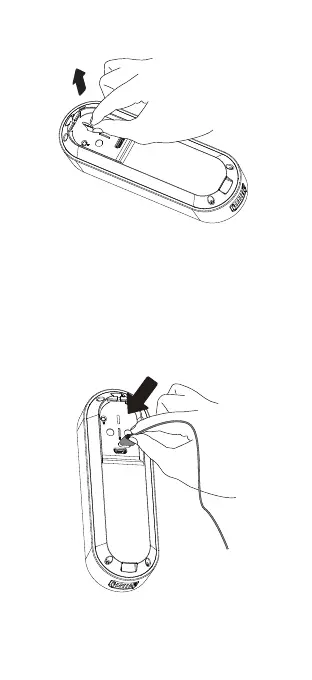
Use a standard micro-USB cable, such as the one
provided in the box. Simply plug it into any 5V1A USB
power source. Your doorbell camera may take
approximately 8-10 hours to fully charge, depending
on whether the USB cable is connected to a USB
port or a wall outlet.
A solid RED light indicates that the doorbell is
charging. When the doorbell is fully charged, the
RED light will turn off.
2. Remove the battery tab
Recharge Your Doorbell Before First3.


 To Next Page