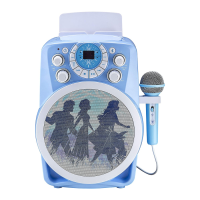
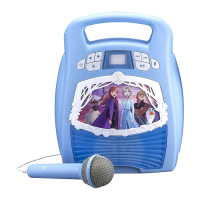
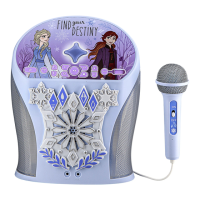
EasyManua.ls Logo

eKids Disney Frozen II - User Manual

eKids Disney Frozen II
6 pages
Print Icon
To Next Page IconTo Next Page
Loading...
Battery Installation
Important Message to Customers
Thank you for purchasing one of our many top-quality electronic products. Please take a moment to read through these instructions to
help you understand the safe and proper way to use this toy to extend its usability.
Keep these instructions for future reference as they contain important information.
Bluetooth +
CDG Karaoke
FR-673 IB_Front side Size: 357 x 201 mm Color: Black Jun. 5, 2019.
What’s Included:
Karaoke Player
1 Microphone AC/DC Adapter RCA Cable
Using AC Power
RESET
RESET
TEST
TEST
CAUTION-ELECTRICALLY OPERATED PRODUCT
NOT RECOMMENDED FOR CHILDREN UNDER 8 YEARS OF AGE. AS WITH ALL ELECTRIC
PRODUCTS, PRECAUTIONS SHOULD BE OBSERVED DURING HANDLING AND USE TO
PREVENT ELECTRIC SHOCK. AC 100~240V, 50~60Hz 0.5 A UL LISTED.
MODE
CDG
BT
AUX
PROG
REPEAT
LIGHT
WAKE
ECHO
A.V.C
MAX
MIN
MAX
MIN
MAX
MIN
MAX
MIN
CDG
PROG PLAY/PAUSE
REPEAT
Model: FR-673
eKids warrants this product to be free from defects in workmanship and
materials, under normal use and conditions, for a period of one (1) year from
the date of original purchase.
Should this product fail to function in a satisfactory manner, it is best to first
return it to the store where it was originally purchased. Should this fail to
resolve the matter and service still be required by reason of any defect or
malfunction during the warranty period, eKids will repair or, at its discretion,
replace this product without charge. This decision is subject to verification of
the defect or malfunction upon delivery of this product to the Factory Service
Center authorized by Customer Service. If service is required, please call
Customer Service at 1-888-TOP-TOYS (867-8697) to obtain a Return
Authorization Number and shipping instructions. A copy of the sales receipt is
required to validate in-warranty coverage.
Disclaimer of Warranty
NOTE: This warranty is valid only if the product is used for the purpose for
which it was designed. It does not cover (i) products which have been
damaged by negligence or willful actions, misuse or accident, or which have
been modified or repaired by unauthorized persons; (ii) cracked or broken
cabinets, or units damaged by excessive heat; (iii) damage to digital media
players, CD’s or tape cassettes (if applicable); (iv) the cost of shipping this
product to the Factory Service Center and its return to the owner.
This warranty is valid only in the United States of America and does not
extend to owners of the product other than to the original purchaser. In no
event will eKids or any of its affiliates, contractors, resellers, their officers,
directors, shareholders, members or agents be liable to you or any third
party for any consequential or incidental damages, any lost profits, actual,
exemplary or punitive damages. (Some states do not allow limitations on
implied warranties or exclusion of consequential damages, so these
restrictions may not apply to you.) This warranty gives you specific legal
rights, and you may also have other rights which vary from state to state.
Your acknowledgement and agreement to fully and completely abide by the
above mentioned disclaimer of warranty is contractually binding to you upon
your transfer of currency (money order, cashier's check, or credit card) for
purchase of your eKids product.
© 2019 eKids LLC.
Questions? Visit www.ekids.com
or call 1-888-TOP-TOYS
1299 Main Street Rahway NJ 07065
© Disney
Printed in China FR-673_060519-B
Limited One Year Warranty
Please heed all warning, read and follow all instructions and keep these
instructions handy for future reference.
Do not use this product near water.
Do not block any ventilation openings. Install in accordance with the
manufacturers instructions.
Heat – This product should be situated away from heat sources such as
radiators, heat registers, stoves or other appliances (including amplifiers)
that produce heat.
Only use attachments/accessories specified by the manufacturer.”
Unplug this product during lightning storms or when unused for long periods
of time.
Damage Requiring Service – This product should be serviced by qualified
service personnel when:
- Plug has been damaged or the unit has been exposed to rain.
- objects have fallen into or liquid has been spilled into the enclosure.
- the unit has been dropped or the enclosure damaged.
- the unit exhibits a marked change in performance or does not operate
normally
Attention should be drawn to the environmental aspects of battery disposal”
No naked flame sources, such as lighted candles, should be placed on
this product.
This product is suitable for use in tropical and/or moderate climates.
WARNING: To reduce the risk of fire or electric shock, do not expose this
product to rain or moisture.
The mains plug of power adaptor is used as the disconnect device, it shall
remain readily operable.
Adult assembly is required.
IMPORTANT SAFETY INSTRUCTIONS
This device complies with Part 15 of the FCC Rules. Operation is subject
to the following two conditions:
(1) this device may not cause harmful interference, and
(2) this device must accept any interference received, including interference
that may cause undesired operation.
NOTE: This equipment has been tested and found to comply with the limits
for a Class B digital device, pursuant to Part 15 of the FCC rules. These
limits are designed to provide reasonable protection against harmful
interference in a residential installation. This equipment generates, uses,
and can radiate radio frequency energy and, if not installed and used in
accordance with the instructions, may cause harmful interference to radio
communications. However, there is no guarantee that interference will not
occur in a particular installation. If this equipment does cause harmful
interference to radio or television reception, which can be determined by
turning the equipment off and on, the user is encouraged to try to correct
the interference by one or more of the following measures:
Reorient or relocate the receiving antenna.
Increase the separation between the equipment and receiver.
Connect the equipment into an outlet on a circuit different from that to
which the receiver is connected.
Consult the dealer or an experienced radio/TV technician for help.
WARNING: Changes or modifications to this unit not expressly approved
by the party responsible for compliance could void the user's authority to
operate the equipment.
This equipment should be installed and operated with a minimum distance
of 20 centimeters between the radiator and your body.
CAN ICES-3 (B)/NMB-3(B)
FCC Radiation Exposure Statement
This device complies with FCC radiation exposure limits set forth for an
uncontrolled environment and it also complies with Part 15 of the FCC RF
Rules. This equipment must not be co-located or operating in conjunction
with any other antenna or transmitter. End-users and installers must be
provide with antenna installation instructions and consider removing the
no-collocation statement.
FCC Information
For Safety & Best Performance:
• Only use the recommended/supplied batteries or equivalent.
• Use alkaline batteries for longer life.
• Do not mix old and new batteries, and do not mix alkaline, carbon-zinc or
rechargeable nickel-cadmium batteries.
• Insert batteries with proper polarity (+/–) as indicated.
• Remove exhausted batteries from product.
• Recharge rechargeable batteries under adult supervision.
• Do not attempt to recharge non-rechargeable batteries.
• Do not open batteries or heat them beyond normal ambient temperatures.
• To prevent battery leakage or damage remove batteries from a product if
it will not be used for a month or longer.
• Use extreme caution handling leaking batteries (avoid direct contact with
eyes and skin). If battery leakage comes in contact with eyes,
IMMEDIATELY flush the eye with lukewarm and gently flowing water for
at least 30 minutes. If skin contact occurs, wash skin with clear water for
at least 15 minutes. Seek medical attention if any symptoms occur.
• Store in cool, dry, ventilated area away from hazardous or combustible
material.
• Do not dispose of batteries in the household trash or fire.
Follow applicable laws and local regulations for the disposal and
transportation of batteries.
Battery Use Cautions & Tips
Cleaning – The unit should be cleaned only using a warm damp cloth.
Do not use solvents, etc.
(Proper use and care of product)
Parents: Examine your unit periodically for conditions that may result in
the risk of fire, electric shock, or injury to persons and that, in an event
such conditions, the product should not be used until properly repaired.
FCC ID: EMO673N
IC: 986B-673N
Installing the Batteries
Using AC Power
This unit also works on AC Power. An adult should plug the
small end of the power adapter (included) into the DC-IN jack
on the back of the unit, and plug the power adapter into the
household AC outlet.
Note: Batteries should always be installed by an adult.
1. Open the battery compartment door located on the back of
the unit.
2. Insert 8 new C batteries in the battery compartment. Make
sure batteries match the + and – as indicated in the
battery compartment diagram.
3. Replace battery compartment door.

Question and Answer IconNeed help?

Do you have a question about the eKids Disney Frozen II and is the answer not in the manual?

Summary

Getting Started and Safety

Electrically Operated Product Caution

General safety precautions for electrically operated products.

Installing the Batteries

Instructions for installing 8 C batteries into the unit.

Using AC Power

Guide to powering the unit using the AC/DC adapter.

Operating the Karaoke Player

Microphone Operation

How to connect and use the microphone for singing.

CDG Mode Operation

Instructions for playing CD and CDG discs with TV output.

Repeat and Program Functions

Using repeat track, repeat all, and track programming features.

Controls and Features Overview

Unit Controls Diagram

Identification of buttons, ports, and features on the karaoke player.

Light Button Functionality

How to use the light button for light patterns and beat detection.

Connectivity and Effects

Bluetooth Pairing

Steps to connect your Bluetooth device for audio streaming.

AUX Mode Connection

Connecting external audio devices via the AUX-IN jack.

Vocal Effects

Using Auto Voice Control and Echo Effect for voice modification.

Safety, Compliance, and Support

Battery Use Cautions & Tips

Guidelines for safe and optimal battery usage and care.

FCC Information

Regulatory compliance details and FCC identification.

Important Safety and Warranty Information

Important Safety Instructions

Essential safety warnings and instructions for product use.

Limited One Year Warranty

Details of the product's one-year limited warranty coverage.

Overview

This document describes the Disney Frozen II Bluetooth + CDG Karaoke machine, model FR-673. It is an electrically operated product, not recommended for children under 8 years of age, and requires adult supervision for handling and use to prevent electric shock. The unit operates on AC 100-240V, 50-60Hz 0.5A and is UL listed.

Function Description:

The device is a karaoke player that supports Bluetooth, CDG, and AUX modes. It allows users to sing along to their favorite music using an included microphone, with vocal effects such as echo and auto voice control. The unit features a light show that pulses along to music. It can be powered by batteries or an AC adapter.

Important Technical Specifications:

  • Power Input: AC 100-240V, 50-60Hz 0.5A (UL Listed)
  • Battery Type: 8 x C batteries (not included)
  • Supported Disc Formats: CD, CDR, CDG
  • Connectivity: Bluetooth, AUX-IN (3.5mm jack), RCA Audio/Video Output (for CDG display on TV), Microphone Jacks (2)
  • Wireless Range: Bluetooth pairing with "Karaoke 673" (passcode '1234' if required)
  • Safety: FCC ID: EMO673N, IC: 986B-673N. Complies with Part 15 of FCC Rules. FCC Radiation Exposure Statement advises a minimum distance of 20 centimeters between the radiator and the user's body.

Usage Features:

Controls and Indicators:

  1. Wake Button: Powers on the unit.
  2. Light Button: Controls the light show LEDs.
  3. LED Power Indicator: Shows power status.
  4. Power ON/OFF: Main power switch.
  5. Echo Effect Rotary: Adjusts echo effect for vocals.
  6. Mode Button (CDG/BT/AUX): Selects playback mode.
  7. Mic Volume Rotary: Adjusts microphone volume.
  8. Previous Track Button: Navigates to the previous track.
  9. LED Display: Shows track number, program number, and mode indicators (e.g., "bt" for Bluetooth, "AU" for AUX).
  10. Stop Button: Stops playback.
  11. Play/Pause Button: Plays or pauses music.
  12. Next Track Button: Navigates to the next track.
  13. Master Volume Rotary: Adjusts overall volume.
  14. Auto Voice Control: Replaces lead singer's voice on multiplex CDG discs.
  15. Program Button: Used for programming tracks.
  16. Repeat Button: Repeats current track or all tracks.
  17. Bluetooth Pairing Button: Initiates Bluetooth pairing.
  18. Random Play: Plays tracks in a random order.
  19. CD Compartment: Top-loading disc tray.
  20. Mode Indicator: Shows the currently selected mode.
  21. Microphone: Included accessory.
  22. Microphone ON/OFF: Switch on the microphone.
  23. Light Show LEDs: Visual effects.
  24. Speaker: Integrated audio output.
  25. Microphone Jacks: Two inputs for microphones.
  26. AUX-IN Jack: 3.5mm input for external audio devices.
  27. RCA Audio/Video Jack: Outputs audio (white/red) and video (yellow) for CDG display on a TV.
  28. DC Power Jack: Input for the AC/DC adapter.
  29. Phone Stand: Not recommended for use with tablets.

Powering the Unit:

  • Battery Installation: Requires 8 new C batteries. An adult should open the battery compartment on the back, insert batteries with correct polarity (+/-), and replace the door.
  • AC Power: An adult should plug the small end of the included power adapter into the DC-IN jack on the back of the unit and the power adapter into a household AC outlet.

Using the Microphone:

  • Connect the microphone to an input jack (25).
  • Turn on the unit and select Bluetooth, AUX, or CDG mode using the Mode Button (6).
  • Slide the switch on the microphone to ON to sing along.
  • Slide the microphone switch to OFF when not in use. Removable slots on the side of the unit allow for microphone storage.

CDG Mode:

  • Plays CD, CDR, and CDG formats.
  • Set the Mode Selector (6) to CDG.
  • Open the disc compartment (19), insert the disc face up, and close the door.
  • Use Play/Pause (11), Stop (10), Previous Track (8), and Next Track (12) buttons to control playback.
  • Connecting to TV for CDG: An adult should connect the included RCA cable (white and red connectors) to the RCA audio output jacks (27) on the unit and to the RCA audio input jacks of a TV. Connect the RCA video cable (yellow connector) to the RCA video output jack (27) on the unit and to the RCA video input jack of a TV. Ensure the TV is set to the corresponding input.
  • Insert a CDG disc and press Play/Pause (11) to display lyrics on the TV screen.

Repeat/Program Buttons:

  • Repeat: Press the Repeat Button (16) once to repeat the current track (LED blinks). Press again to repeat all tracks (LED glows solid). Press a third time to cancel.
  • Program: With CD playback stopped, press the Program Button (15). The "PROG" LED blinks, and the LED display shows the program number. Use Previous Track (8) and Next Track (12) to select a track, then press Program (15) to confirm. Repeat for up to 20 tracks. Press Play/Pause (11) to start programmed playback. Press STOP (10) twice to cancel.

Pairing Your Device Via Bluetooth:

  • Ensure your Bluetooth device is charged and Bluetooth mode is enabled.
  • Turn on the unit and set the Mode Button (6) to BT mode.
  • Press the Bluetooth Pairing Button (17). A tone will sound, and the LED screen will flash "bt".
  • Select "Karaoke 673" on your device. Enter '1234' if a passcode is requested.
  • Once paired, a confirmation tone will sound, and "bt" will glow solid.
  • Stream audio from your Bluetooth device. Use your device or the unit's Play/Pause (11), Previous Track (8), and Next Track (12) buttons to control audio.

AUX Mode:

  • Connect external audio sources (e.g., MP3 players) via the AUX-IN jack (26).
  • Turn on the unit and set the Mode Button (6) to AUX. "AU" will glow solid on the LED screen.
  • Connect one end of a 3.5mm audio cable (not included) into the AUX-IN jack (26) and the other end to the headphone jack of your audio device.
  • Press PLAY on your audio device to start playback. Control tracks from your audio device.

Vocal Effects:

  • Auto Voice Control (14): For multiplex CDG discs, spin the dial to replace the lead singer's voice with your own.
  • Echo Effect (5): Spin the dial to add an echo effect to your voice. Ensure microphone is connected and ON.

Light Button Usage:

  • By default, a repeating light pattern displays when no music is playing.
  • When music plays, the unit activates 'beat detection', and lights pulse to music.
  • Press the Light Button (2) to play the repeating light pattern.
  • Press again to turn lights off.
  • Press a third time to return to the default setting.

Maintenance Features:

Troubleshooting:

  • Fuzzy or Distorted Sound: Check batteries; they may be weak and need replacement with 8 new C batteries.

Cleaning:

  • The unit should be cleaned only using a warm, damp cloth. Do not use solvents.

Battery Use Cautions & Tips (For Safety & Best Performance):

  • Use only recommended/supplied alkaline batteries or equivalent.
  • Do not mix old and new batteries, or different types (alkaline, carbon-zinc, rechargeable nickel-cadmium).
  • Insert batteries with correct polarity (+/-).
  • Remove exhausted batteries.
  • Recharge rechargeable batteries under adult supervision; do not attempt to recharge non-rechargeable batteries.
  • Do not open batteries or heat them.
  • Remove batteries if the product will not be used for a month or longer to prevent leakage or damage.
  • Handle leaking batteries with extreme caution:
    • If contact with eyes, flush immediately with lukewarm, gently flowing water for at least 30 minutes.
    • If skin contact occurs, wash with clear water for at least 15 minutes.
    • Seek medical attention for any symptoms.
  • Store batteries in a cool, dry, ventilated area away from hazardous or combustible material.
  • Do not dispose of batteries in household trash or fire.
  • Follow applicable laws and local regulations for battery disposal and transportation.

Important Safety Instructions:

  • Heed all warnings and follow all instructions. Keep instructions for future reference.
  • Do not use near water.
  • Do not block ventilation openings. Install according to manufacturer's instructions.
  • Keep away from heat sources (radiators, heat registers, stoves, amplifiers).
  • Use only manufacturer-specified attachments/accessories.
  • Unplug during lightning storms or when unused for long periods.
  • Service by qualified personnel is required if: plug is damaged, unit exposed to rain, objects/liquid spilled into enclosure, unit dropped/enclosure damaged, or unit exhibits marked change in performance/does not operate normally.
  • Attention should be drawn to environmental aspects of battery disposal.
  • No naked flame sources (e.g., lighted candles) should be placed on the product.
  • Suitable for use in tropical and/or moderate climates.
  • To reduce risk of fire/electric shock, do not expose to rain or moisture.
  • The mains plug of the power adapter is the disconnect device and must remain readily operable.
  • Adult assembly is required.

Limited One Year Warranty:

  • eKids warrants the product to be free from defects in workmanship and materials under normal use for one year from the date of original purchase.
  • If the product fails, first return it to the store of purchase. If service is still required, eKids will repair or replace the product without charge, subject to verification of defect.
  • Call Customer Service at 1-888-TOP-TOYS (867-8697) for a Return Authorization Number and shipping instructions. A sales receipt is required for warranty coverage.
  • Disclaimer: Warranty is valid only if used for its designed purpose. It does not cover damage from negligence, willful actions, misuse, accident, unauthorized modification/repair, cracked/broken cabinets, excessive heat, damage to digital media players/CDs/tape cassettes, or shipping costs.
  • Warranty is valid only in the USA and does not extend to owners other than the original purchaser.
  • eKids is not liable for consequential or incidental damages, lost profits, actual, exemplary, or punitive damages. (Some states may not allow these limitations).
  • This warranty grants specific legal rights, and other rights may vary by state.
  • Acknowledgement and agreement to the disclaimer of warranty is contractually binding upon purchase.

eKids Disney Frozen II Specifications

General IconGeneral
BrandeKids
ModelDisney Frozen II
CategoryKaraoke System
LanguageEnglish

Related product manuals