16
INITIAL SETUP (CONT.)
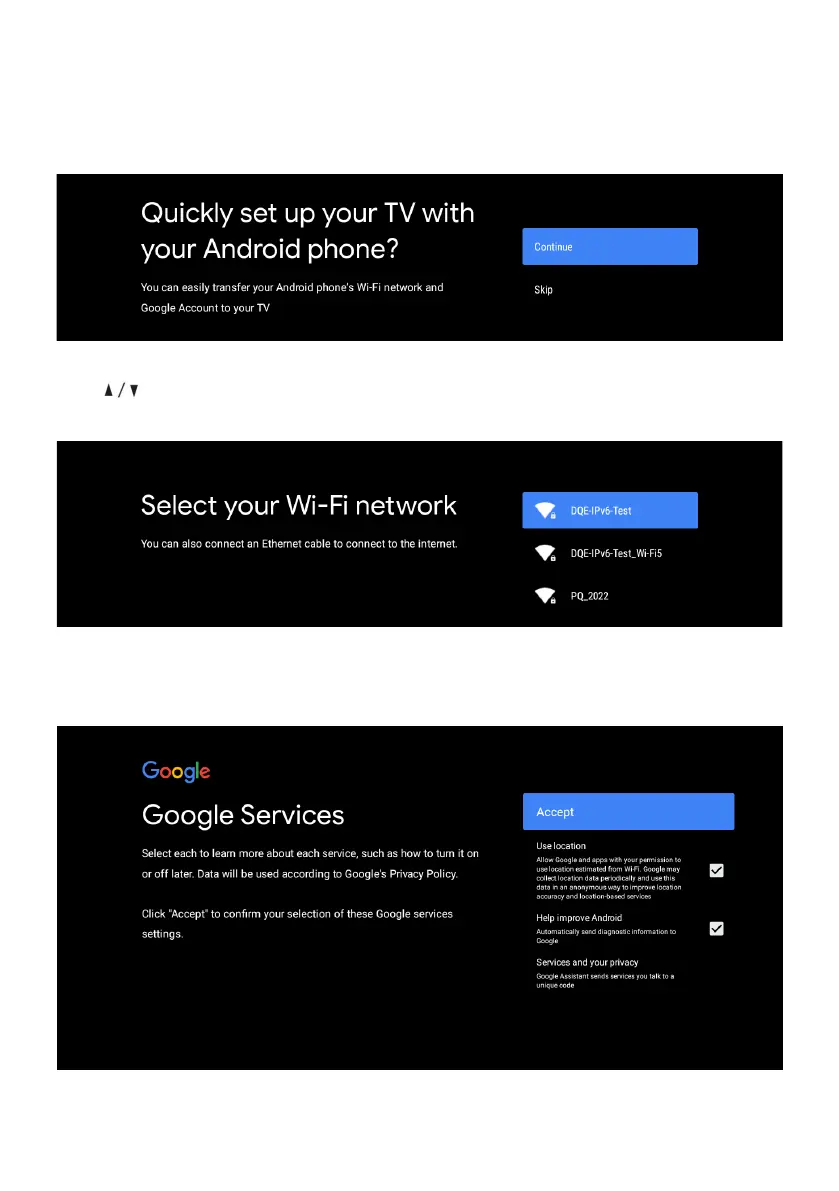
If you just want to use your TV normally, please select “SKIP”
To connect your Android™ smartphone to your TV, Select “Continue”.
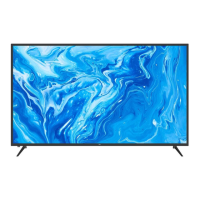
Press to select your Wi-Fi you wish to connect to, enter the password and then confirm
to connect.
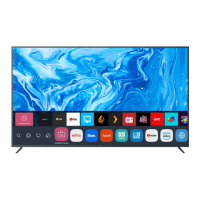
By accepting the Google Terms of Service to improve the product experience, Select “ACCEPT”
to proceed with this condition.


 To Next Page