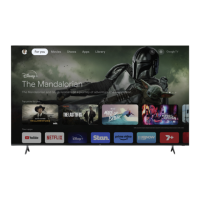
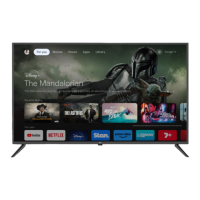
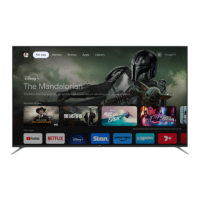
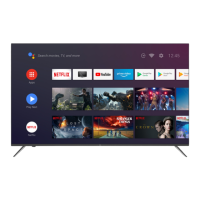
This document is an instruction manual for an EKO 75" 4K Ultra HD Smart TV, model K750USN.
Function Description
The EKO 75" 4K Ultra HD Smart TV is a television designed for home entertainment, offering a large 75-inch display with 4K Ultra HD resolution. It functions as a smart TV, implying built-in internet connectivity and access to streaming applications. The TV supports various input sources, including HDMI, DTV/AV (Antenna), USB, and LAN (Ethernet). It also features PVR (Personal Video Recorder) functionality, allowing users to record and timeshift live TV when a USB storage device is connected. The remote control provides comprehensive control over TV functions, including channel selection, volume adjustment, menu navigation, and direct access to popular streaming apps like Netflix and YouTube.
Important Technical Specifications
- Display Device: 75" 4K Ultra HD Smart TV
- Resolution: 3840 x 2160
- Contrast Ratio: 3000:1
- Luminance: 300 cd/m2
- Colours: 1.07 Billion
- Aspect Ratio: 16:9
- Multimedia Playback Format (USB Mode):
- Music: AAC, M4A, OGG, MP3
- Movie: 3GP, HDR, H.265, H.264, MKV, MP4, MPEG-2, TP, TS, MPG, MPEG
- Photo: JPEG, JPG, BMP, PNG, GIF
- Power Source: 240V ~ 50Hz
- Power Consumption: <280W
- Dimensions:
- With stand: 1682.8 (w) × 304.24 (d) × 1032.9 (h) mm
- Without stand: 1682.8 (w) × 77.5 (d) × 971.37 (h) mm
- Weight:
- Net: 29.3 kg
- Gross: 40.7 kg
- VESA Pattern: 300 (h) x 600 (w) mm
- Connectivity:
- HDMI 1/ARC (Audio Return Channel)
- DTV/AV (Antenna)
- USB 1 (5V-500mA)
- USB 2 (5V-500mA)
- Headphone Jack
- Optical
- LAN (Ethernet/RJ45 Port)
- HDMI 3
- HDMI 2
- VIDEO/Y - PB - PR (Composite/Component In)
- AUDIO LEFT & RIGHT (Audio In)
Usage Features
The TV offers a range of features for an enhanced viewing experience:
- Basic Operations: Users can easily select input sources (DVBT, ATV, AV, Component, HDMI 1/2/3, USB, Home) via the INPUT button and directional arrows on the remote.
- Tuning: The TV supports auto-tuning for DTV channels and manual tuning for both DTV and ATV. An antenna (RF) cable must be connected for tuning.
- Picture Settings: Customizable picture modes (Standard, etc.) and adjustments for Contrast, Brightness, Colour, Sharpness, Tint, and Backlight are available. It also includes an "Open HDR" setting for high dynamic range content, active only in HDMI mode when receiving an HDR signal.
- Sound Settings: Users can select from various sound modes (Standard, Music, Movie, Sports, User) and adjust Equalizer, Balance, Auto Volume Limit, and Surround Sound.
- System Settings: Includes options for Language (Menu/TV language), OSD Time (duration for on-screen display), HBBTV (on/off), and Link Setup (HDMI CEC settings). HDMI CEC allows connected HDMI devices to communicate and partially control the TV and vice versa.
- Lock Function: A parental control feature that allows users to set a 4-digit password (default "0000") to lock channels or content.
- PVR Option: With a USB drive inserted, users can access PVR File System, Start Record, Start Timeshift (to rewind live TV), and view Recorded Files.
- Network Settings: Supports both Wi-Fi and Ethernet connections. Users can scan for Wi-Fi networks, enter passwords, and connect. DHCP is supported for Ethernet. The "Wake On LAN/WLAN" feature allows the TV to be woken up via a mobile phone on the same network segment, particularly useful for apps like YouTube.
- About Section: Provides information about the TV system and includes options for Software Update (USB) and Internet Update Check. A warning is given not to deactivate or terminate Netflix from this section, as it will permanently remove the app.
- Streaming Apps: Direct access to popular streaming applications like Netflix and YouTube is provided via dedicated buttons on the remote. Other "Smart TV Apps" and "MORE" options are also available, navigated using directional arrows.
Maintenance Features
The manual emphasizes several safety and maintenance guidelines:
- General Safety:
- Read the manual thoroughly before use.
- Store the manual, warranty card, receipt, and packaging.
- Follow all instructions and warnings to reduce the risk of fire, electric shock, and injury.
- Do not remove the cover/back of the unit; servicing should only be done by qualified personnel.
- Use manufacturer-recommended cabinets or stands that can safely support the product.
- Ensure the product does not overhang supporting furniture.
- Do not place the product on high furniture without securing both the furniture and the product.
- Do not place the product on cloth or other conductive materials.
- Warn children about climbing on furniture to reach the TV.
- Installation Safety:
- Ensure outlet voltage matches the product rating label.
- Do not use damaged power cords, plugs, or loose outlets.
- Do not plug multiple devices into one outlet.
- Do not bend, twist, or kink the power cord excessively.
- Do not allow anything to rest on or roll over the power cord or antenna cable.
- Keep the power cord away from heat-producing appliances.
- Unplug the TV during lightning storms or long periods of disuse.
- Do not cover ventilation openings or insert objects into slots.
- Disconnect immediately and contact service if unusual odors or smoke are detected.
- Disconnect the power cord from the wall socket when moving the unit or not using it for long periods.
- Environmental Considerations:
- Position the product in a well-ventilated area, away from direct sunlight, heaters, splashes, food, and excessive dust or grease.
- Do not install in confined spaces or near heat sources.
- Do not place liquid-filled containers or small metallic objects on top of the unit.
- Do not use or store flammable/combustible materials near the unit.
- Keep naked flame sources (candles, cigarettes, incense) away from the TV.
- Install the antenna away from high-voltage power lines; professional installation is recommended.
- Maintain a reasonable distance from the wall for ventilation.
- Ensure the mains plug/appliance coupler is readily operable as a disconnect device.
- Cleaning: Do not use chemical or cleaning agents or wet cloths. Use a dry cloth to wipe down from marks and dust, only after unplugging the product.
- Battery Safety (Remote Control):
- Batteries should last about one year.
- Do not mix old and new batteries or different types.
- Remove batteries if not using the unit for a long time.
- Keep batteries away from children and pets; seek medical attention if swallowed.
- Do not expose batteries to excessive heat (sunshine, fire).
- Do not drop or impact the remote control.
- The remote control operates effectively within 5-6 meters.
- Do not expose the remote control sensor to bright light.
- Anchoring: It is strongly recommended to anchor the TV to a wall or suitable surface to prevent serious injury or death from toppling. Fixing devices are not included, and professional advice is recommended for selecting appropriate devices.

 Need help?

 To Next Page
 General