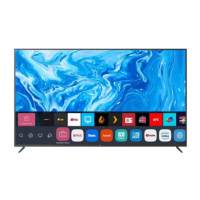
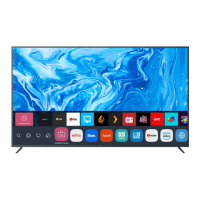
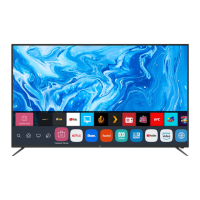
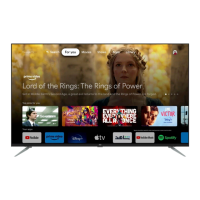
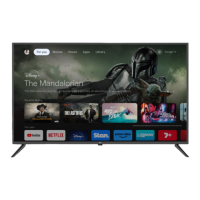
This document is an instruction manual for an EKO Google TV, model K750UGT. It provides comprehensive information on the TV's features, setup, operation, and troubleshooting.
Function Description:
The EKO K750UGT is a Google TV, offering a smart television experience powered by Google's operating system. It integrates various streaming services, personalized recommendations, and voice control via Google Assistant. The TV is designed for home entertainment, providing access to movies, TV shows, apps, and live television. It supports external devices via HDMI and USB, allowing for expanded media consumption and recording capabilities.
Important Technical Specifications:
- Operating System: Google TV™
- HDR (High Dynamic Range): Yes
- Resolution: 3840 x 2160 (4K UHD)
- Display Colours: 1.07 Billion
- Aspect Ratio: 16:9
- Refresh Rate: 60Hz
- ETHERNET / WiFi: Yes/ 802.11 b/g/n/ac
- Multimedia Playback Format (under USB Mode):
- Movie: MPEG1/2/4, H.264, VC1, VP8, VP9, AVS, AVS 2.0, XVID, AV1, Sorenson, Motion JPEG, H.263
- Music: PCM, AMR, LPCM, MPEG1/2/4, FLAC, VORBIS
- Photo: JPEG, BMP, PNG, GIF, WEBP, MPO, JPS, PNS
- Power Source: 110-240V 50/60Hz
- Power Consumption: 290W
- USB: 5V max. 500mA
- Dimensions:
- With stand: 1668 (w) x 367 (d) x 1024 (h) mm
- Without stand: 1668 (w) x 82 (d) x 954 (h) mm
- Weight:
- Net: 23.2 kg
- Gross: 30.7 kg
- Accessories: 1 x Instruction Manual, 1 x Remote Control, 1 x Warranty Card, TV Stands with Screws, 2 x AAA Batteries
Usage Features:
- Initial Setup: The TV guides users through an on-screen setup wizard for language selection, Wi-Fi connection, and Google TV configuration. Users can choose to set up Google TV immediately or proceed with a basic setup for DTV channels.
- Google TV Interface: The home screen provides access to "For you" (personalized recommendations), "Movies," "Shows," "Apps," and "Library." It displays installed apps and allows users to add more.
- Google Assistant: The remote control features a dedicated button for Google Assistant, enabling voice search for movies, shows, music, and control of smart home devices. It also provides weather information and answers questions.
- Remote Control: The included remote control offers standard functions like power, input selection, volume, channel, and navigation. It also has dedicated buttons for popular streaming apps like Netflix, YouTube, Prime Video, and Disney+. The remote uses 2x AAA batteries.
- Connectivity:
- Bottom Ports: VIDEO / AUDIO LEFT & RIGHT (AV IN), RF (ANTENNA IN), HEADPHONES, RJ45 (ETHERNET), OPTICAL, HDMI 3.
- Side Ports: USB 1 (5V 500mA), USB 2 (5V 500mA), HDMI 1, HDMI 2 (eARC).
- USB Connection: Allows for recording, playback of video, music, and photos from a USB storage device.
- PVR (Personal Video Recording): Users can record live TV by pressing "OK" on the remote and selecting "Start recording," provided a FAT32 formatted USB drive is inserted.
- Settings Menu: Accessible via the Profile Icon, it includes options for device name, channels & inputs, display & sound, network & internet, accounts & sign-in, television (system settings), and about (device information, system update, reset).
- Picture Menu: Allows adjustment of Picture Mode (e.g., Movie), WCG (Auto), Screen Brightness, and Advanced Settings.
- Sound Menu: Provides options for Sound Mode (e.g., Standard), Surround Mode, Night Mode, Sound Only, and Advanced Settings.
- System Menu: Includes Accessibility settings (Captions, High contrast text, Text to speech, TalkBack, Switch Access), About (System update, Device name, Reset, Status, Legal information, Model, Android TV OS version), Date & Time, Language, Keyboard, Storage, and Ambient mode.
- Parental Control: Users can set a password to lock channels through the System > Television > Settings > LOCK menu.
- Subtitle Control: Subtitles can be turned off during Live TV by pressing "OK" on the remote, navigating to "Subtitle language," and switching all options to "OFF."
- Android TV Remote Control App: The TV can be controlled via a smartphone app, "Android TV remote control," after pairing.
Maintenance Features:
- General Safety: The manual emphasizes important safety precautions, including proper installation, avoiding exposure to moisture or heat, not tampering with the product, and using recommended accessories. It warns against placing objects on the TV, especially those filled with liquids, and advises caution with batteries.
- Cleaning: To maintain the product, users should only use a dry cloth to wipe it down after unplugging it from the power socket. Chemical or wet cleaning agents are not recommended.
- Troubleshooting (FAQs): The manual includes a section for common problems and their solutions, such as "Ghost" or double images, no power, no picture, sound issues, poor color, snowy picture, horizontal dotted lines, and remote control unresponsiveness.
- Battery Replacement: Instructions are provided for safely replacing the AAA batteries in the remote control, ensuring correct polarity and not mixing old and new batteries.
- Professional Assistance: For wall-mounting, complex repairs, or persistent issues, the manual advises seeking professional assistance or contacting customer support.
- Product Anchoring: It is strongly recommended to anchor the TV to prevent toppling, which can cause serious injury or death. Fixing devices are not included as different surfaces require different attachments.
- Ventilation: Ensure the unit is installed in a well-ventilated area, away from direct sunlight, heaters, and obstructions that could cover ventilation openings.
- Power Cord Care: Avoid bending, twisting, kinking, or placing objects on the power cord and antenna cable to prevent fire or electric shock. Unplug the TV during lightning storms or prolonged periods of disuse.

 Need help?

 To Next Page
 General