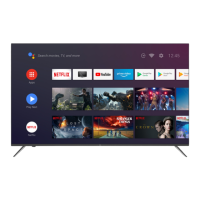
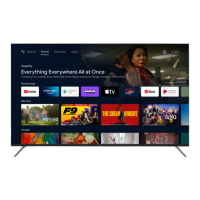
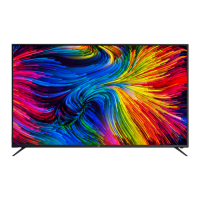
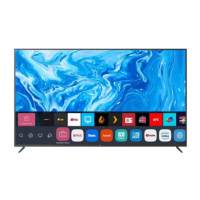
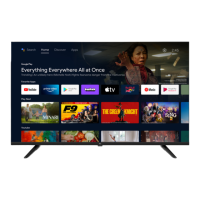
This document is an instruction manual for the EKO 55" 4K Ultra HD Smart TV, model K550USG, featuring Google TV.
Function Description:
The EKO K550USG is a 55-inch 4K Ultra HD Smart TV designed to provide a comprehensive entertainment experience. It operates on the Google TV platform, offering access to a wide range of streaming services, personalized recommendations, and smart home integration through Google Assistant. The TV supports live TV viewing, external device connectivity (such as HDMI devices and USB storage), and various multimedia playback formats. Its smart capabilities allow for voice control, app downloads from Google Play, and casting content from smart devices.
Important Technical Specifications:
- Operating System: Google TV™
- HDR (High Dynamic Range): Yes
- Resolution: 3840 x 2160 (4K Ultra HD)
- Display Colours: 1.07 Billion
- Contrast Ratio: 1200:1
- Aspect Ratio: 16:9
- Refresh Rate: 60Hz
- ETHERNET / WiFi: Yes / 802.11 b/g/n/ac
- Multimedia Playback Format (USB Mode):
- Movie: MPEG, TS, TRP, TP, MP4, MOV, 3GPP, 3GP, AVI, MKV, ASF, DIVX, FLV, SWF, WEBM
- Music: MPEG1, MPEG2, VORBIS, LPCM, FLAC, DTS LBR, DTS XLL, DRA
- Photo: JPEG, BMP, PNG, GIF, MPO, JPEG
- Power Source: 110-240V 50/60Hz
- Power Consumption: 150W
- USB: 5V === max. 500mA (for USB 1 and USB 2 ports)
- Dimensions (With stand): 1231.4 (w) x 223.8 (d) x 772.2 (h) mm
- Dimensions (Without stand): 1231.4 (w) x 81.1 (d) x 712.7 (h) mm
- Weight (Net): 11.13kg
- Weight (Gross): 14.67 kg
- Accessories Included: 1 x Instruction Manual, 2 x AAA Batteries, 1 x Remote Control, TV Stands with Screws, 1 x Warranty Card
- VESA Pattern: 200(w) x 200(h) mm
Usage Features:
- Initial Setup: A guided on-screen wizard facilitates the initial setup, including pairing the Bluetooth remote control, selecting system language, and configuring Google TV or basic TV settings.
- Google TV Interface: The home screen provides a "For You" main page with advertised TV shows, Live TV, installed apps, and personalized content recommendations. Dedicated menus exist for Movies, Shows, and Apps. The "Library" menu displays all installed apps, updates, and more.
- Google Assistant: Integrated voice control allows users to search for shows, movies, music, get recommendations, control smart home devices, manage tasks, and access calendar information by pressing the Google Assistant button on the remote.
- Connectivity:
- Bottom Ports: VIDEO (L/R Audio, AV IN), RF (Antenna In), HEADPHONES, RJ45 (Ethernet), OPTICAL, HDMI 3.
- Side Ports: USB 1 (5V 500mA), USB 2 (5V 500mA), HDMI 1, HDMI 2 (eARC).
- Wi-Fi: Supports 802.11 b/g/n/ac for wireless network connection.
- Remote Control: A comprehensive remote control with dedicated buttons for INPUT, POWER, MEMBER (account management), Google Assistant voice search, SETTING, ARROWS (navigation), OK, BACK, HOME, GUIDE (electronic program guide), VIRTUAL KEYS, LIST (channel list), INFO, VOLUME (+/-), MUTE, CHANNEL (+/-), and quick access to popular apps like NETFLIX, YouTube, Prime Video, and Disney+.
- Google Account Integration: Users can sign in with a Google Account to access Google Play for app downloads, personalized recommendations, and Google Assistant features.
- Channel Installation: Supports scanning for DTV channels using an antenna cable.
- PVR (Personal Video Recording): Allows recording live TV to a USB drive (FAT32 format required).
- Parental Control: Features to set passwords and lock channels for content restriction.
- Settings Menu: Access to various TV settings including Device Name (for Chromecast), Channels & Inputs, Display & Sound (Picture and Audio settings), Network & Internet, Accounts & Sign-in, Television, About (System update, Device name, Reset, Status, Legal information, Model, Android TV OS version), and System (Accessibility, Date & Time, Language, Keyboard, Storage, Ambient mode).
- Accessibility Features: Includes options for Captions, High contrast text (Experimental), Text to speech, Accessibility shortcut, TalkBack, and Switch Access.
Maintenance Features:
- General Safety Guidelines: Detailed instructions on safe installation, handling, and operation to prevent fire, electric shock, and injury. This includes warnings about moisture exposure, tampering, using recommended accessories, avoiding splashes, proper placement, ventilation, power cord care, and lightning storm precautions.
- Battery Replacement: Instructions for replacing AAA batteries in the remote control, emphasizing correct polarity, not mixing old and new batteries, and keeping them away from children and pets.
- Cleaning: Advises using a dry cloth for cleaning and avoiding chemical or wet cleaning agents.
- Troubleshooting (FAQs): Provides solutions for common problems such as "Ghost" or double images, no power, no picture, sound issues, poor picture quality, snowy picture, horizontal dotted lines, and remote control unresponsiveness.
- Software Updates: The "About" menu includes an option for "System update" to keep the TV software current.
- Customer Support: Contact information (phone, email, website, QR code) is provided for product inquiries, technical questions, and in-home warranty support.
- Anchoring Recommendation: Strongly recommends anchoring the product to a wall or suitable surface to prevent serious injury or death from toppling, especially for children. Fixing devices are not included due to varying surface materials.

 Need help?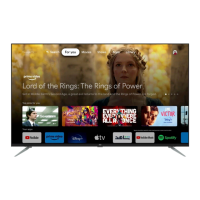

 To Next Page
 General