20
MENUS (Cont.)
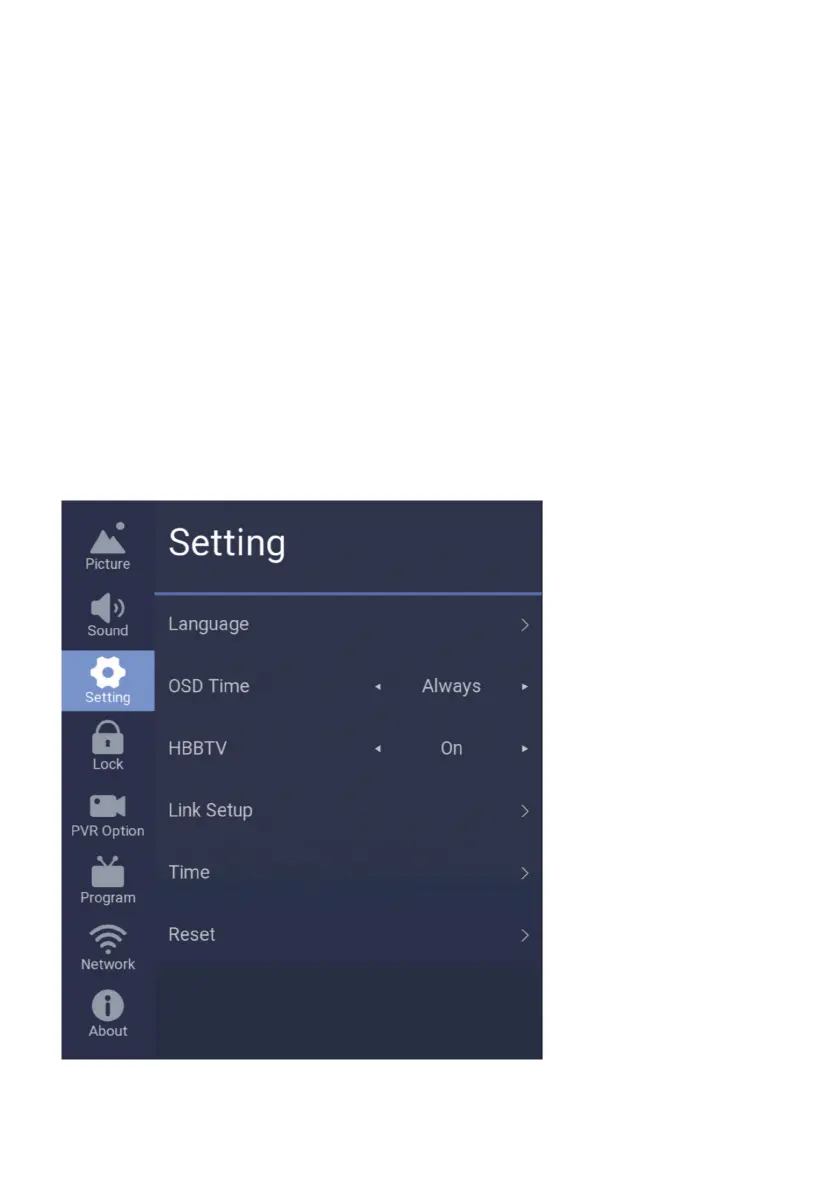
To access TIME settings, press the MENU on your remote control, go to SETTING.
Language: Select Menu/TV language.
OSD Time: How long for OSD/Menu to be displayed on screen when accessed.
HBBTV: Turn on or turn o HBBTV Function.
Link Setup: Link Setup is HDMI CEC Settings,
Select this option to go in and turn on or o HDMI CEC, HDMI ARC,
Auto Power and Auto Standby via HDMI CEC function.
HDMI-CEC allows devices connected to your TV through HDMI ports to
communicate back and forth with your TV. The device connected can
have partial control over the TV, and the TV can have partial control
over the device.
This means you could control your Blu-ray player through your TV remote
SETTING



 To Next Page