6
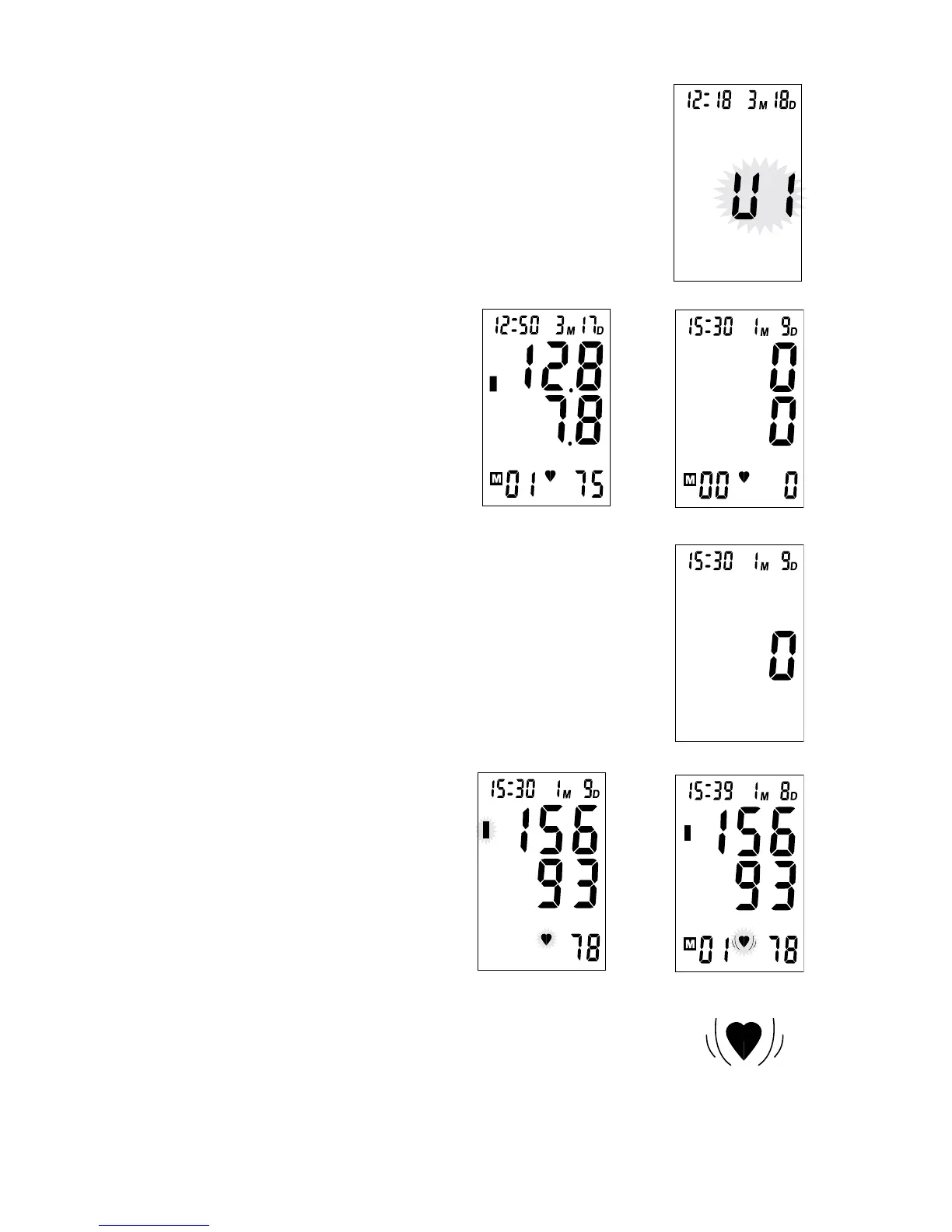
b.Thenthecurrentmemoryusernumber(U1,U2orU3)startsto
ash.Fig.5.PresstheMEMbuttontochangethenumber.
ConrmyourselectionbypressingtheSTARTbutton.Thecurrent
usernumbercanalsobeconrmedautomaticallyafter5seconds
withnooperation.
c.Afterselectingtheusernumber,the
mostrecentresultwillbedisplayed
withdateandtime.Fig.6
Ifnomemoryisstoredfortheuser
numbertheLCDwillshowFig.7
withcurrentdateandtimeifno
memoryisstoredfortheusernumber.
d.Thenthemonitorstartsbyshowingzeropressure.Fig.8
e.Themonitorinatesthecuuntil
sucientpressurehasbuiltup
forameasurement.Themonitor
slowlyreleasesairfromthecu
andmakesthemeasurement.The
bloodpressureandpulserateis
displayedintheLCD.Fig.9
Fig.5
mmHg
Fig.7
mmHg
Fig.6
mmHg
Fig.8
f. Thebloodpressureclassicationindicatorwillashonthescreen.
Fig.8.Theresultwillbeautomaticallystoredforthecurrentuser.
g.Ifthereisanirregularheartbeattheirregularheartbeatsymbolwill
ash.Fig.10&Fig.11
h.Aftermeasurement,themonitorwillturnoautomaticallyafter1
minuteofnooperation.
i. YoucanturnothemonitoratanytimebypressingtheSTART
button.
mmHg
Fig.9
Fig.11
mmHg
Fig.10



 To Next Page