Optional Connections
Connecting to a Computer
Connect the tablet to a computer to transfer files.
1.
Connect your tablet to the computer.
With the included USB cable: Plug the small end of the cable into the USB
2.0 high speed connector of the tablet. Plug the large end of the cable into
an available USB 2.0 high speed port on the computer.
2.
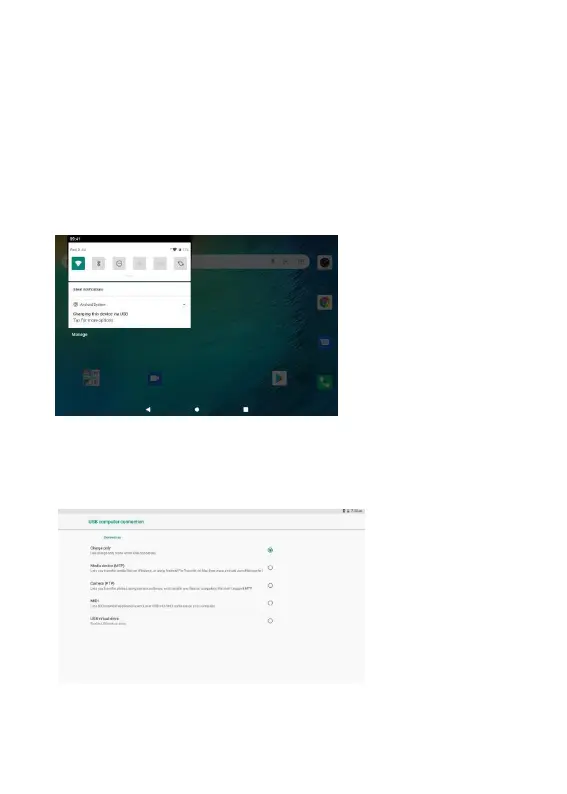
When your tablet is connected, slide down the USB icon then touch
icon USB connected.
3.
Mount the storage.
Touch button Transfer files(MTP) to mount the tablet’s built-in storage.
When it is mounted, you can copy files to or from your tablet.


 To Next Page