Operation Guide
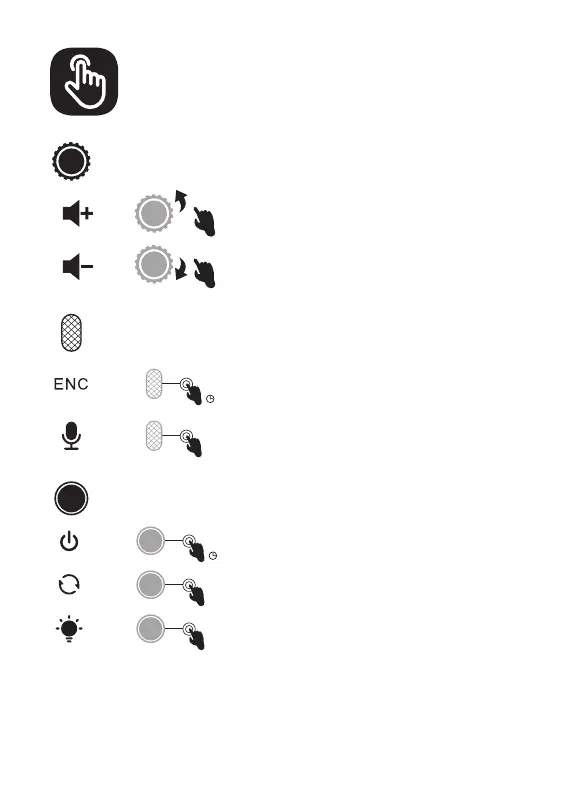
Volume Control Wheel:
Mic Button:
PowerButton:
Wired Mode:
Scroll upward: Volume +
Scroll downward: Volume -
Press for 3 seconds: ENC on / off
Click: Microphone on / off
Press for 3 seconds: Power on / off
When the 3.5 mm audio cable plugs in, the headset will turn off
automaticlly. Only the volume control works while all the other
buttons don't.
Click: Surround Sound on / off
Double-click: Light on / off
x1
x2
x1
3
3″
3″



 To Next Page