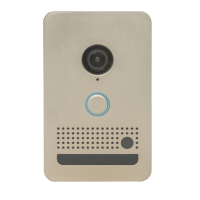
Need help?
Do you have a question about the Elan EL-DB-NI and is the answer not in the manual?
Physical dimensions of the doorbell faceplate and mounting enclosures.
Details on power, Ethernet, and various relay and sensor connections.
Camera resolution, frame rate, field of view, and monitoring integration.
Audio capabilities including full-duplex and processing features.
Passive Infra-Red sensor, IntelliVision analytics, range, and field of view.
Light ring, temperature range, humidity tolerance, and IP protection rating.
Recommended bottom mounting height for optimal video coverage.
Instructions for mounting using a rough-in box and vapor barrier.
Connecting network, power, relay, door sensor, and door chime.
Diagram illustrating various wiring configurations for inputs and outputs.
Steps to mount the doorbell onto the rough-in bracket after connections.
Instructions for surface mounting the doorbell using an optional box.
Wiring standard (TIA568) for Ethernet connections.
Procedure to reset the unit to DHCP or update firmware.
Meaning of light ring colors for connection and status.
Details on defects, exclusions, and duration of the product warranty.
Information on obtaining quality support exclusively through authorized dealers.
 General
| Brand | Elan |
|---|---|
| Model | EL-DB-NI |
| Category | Accessories |
| Language | English |


 To Next Page