
 Need help?
Do you have a question about the Elatec TCP3 3.0.3.1 and is the answer not in the manual?
Illustrates a typical application for extending network device features with a card reader or keypad.
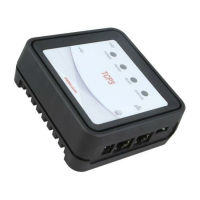
Lists key functionalities and characteristics of the TCP3 converter.
Explains the two network connections and IP configuration options (DHCP/Static).
Details configuring TCP3 for a static IP address, matching an existing printer.
Describes options for positioning the TCP3 unit, including vertical mounting.
Explains connection points for Ethernet cables (Host and Printer ports).
Details connecting USB devices like card readers and power specifications.
Instruction to connect the printer before configuring TCP3.
Explains power options (5V supply, PoE) and LED status indicators.
Describes the 2 optically isolated outputs and 1 input via an 8-pin connector.
Explains the function of the input button for activating features like printing a config page.
Lists necessary steps before discovering devices, including downloading the AdminPack.
Introduces the TCP3 Config tool for discovering and managing devices.
Explains how to discover TCP3 units on subnets other than the user's workstation.
Details how to sort the discovered devices list in the TCP3 Config tool.
Describes the initial screen of TCP3 Config and device discovery process.
Discusses compatibility between TCP3 Config tool and firmware versions.
Introduces the window for configuring network settings with 4 tabs.
Details the network configuration options within the TCP3 Config window.
Explains how to set the hostname and workgroup for TCP3 devices.
Covers DHCP/Static IP settings, DNS, WINS, NTP, and watchdog configurations.
Details settings for USB ports, including newline representation and TCP/IP modes.
Defines how newline characters are handled for USB input.
Explains configuring TCP3 as a server or client for USB data.
Details settings for TCP3 operating in client mode, including remote host and web services.
Configuration for web services with authentication and device ID.
Configures connection based on any received character, preferred for devices without start characters.
Allows connection based on a specific start character from the card reader or keypad.
Configures closing the connection upon receiving a specific disconnect character.
Sets a timeout for closing the connection when no disconnect character is received.
Details system settings like event logging and time zone configuration.
Configures which events (e.g., power applied, DHCP) are logged to a Syslog server.
Allows setting the local time zone for accurate logging timestamps.
Enables changing the password for TCP3 devices.
Explains how to set a custom password for the TCP3 device via TCP3 Config.
How to load saved configurations onto multiple TCP3 devices.
Describes the log window in TCP3 Config for displaying command responses.
Details how to save current configurations to a file for archiving or deployment.
Explains how to load previously saved configurations from a file.
Describes how to reset the TCP3 to factory default settings using a JSON file.
Details the procedure for remotely upgrading TCP3 firmware.
How to update firmware/config of an attached TWN4 reader using TCP3 Config.
Instructions to access the TCP3's web interface via its IP address.
Details network settings like name resolution, IP configuration, and printer IP.
Setting the hostname and workgroup for the TCP3 device.
Specifies the IP address assigned to the attached printer via DHCP.
Details DHCP/Static IP settings, DNS, WINS, NTP, and watchdog for network setup.
Manages SSL certificates for secure web and USB client connections to TCP3.
Manages SSL certificates for secure web and USB client connections to TCP3.
Steps to create CSR or self-signed certificates for secure communication.
Manages certificate authorities for validating web service certificates.
Details USB settings including newline and TCP/IP modes via web interface.
Defines how newline characters are handled for USB input.
Explains configuring TCP3 as a server or client for USB data.
Details settings for TCP3 operating in client mode, including remote host and web services.
Configures connection behavior, character triggers, and timeouts for client mode.
Enables changing the password for TCP3 devices.
Details system settings like event logging and time zone configuration.
Configures which events are logged to a Syslog server and how.
Activates Syslog monitoring, sets server IP, and selects events to monitor.
Defines specific events that trigger log entries.
Sets the local time zone for accurate logging timestamps.
Details the procedure for remotely upgrading TCP3 firmware.
Steps to upload a ZIP file for TCP3 firmware upgrade through the system page.
How to update TWN4 reader firmware/config via the system page using a .bix file.
Displays TCP3 status including version, printer, system, and USB reader details.
Displays TCP3 kernel, software version, hardware revision, and MAC address.
Shows printer IP, connection status, MAC, and serial number.
Displays performance metrics like CPU/RAM usage and uptime.
Shows status of connected USB devices, including VID/PID.
Step-by-step guide for updating firmware using a USB flash drive.
Initial troubleshooting steps to verify power, connections, and device discovery.
Checks for power issues, including LED status and PoE connection.
Tips for correctly connecting network cables, especially the red internet cable.
Ensures the printer is operational and configured correctly before connecting to TCP3.
Addresses issues where TCP3 Config cannot discover devices on different subnets.
Recovery steps for a TCP3 with an unknown static IP address.
Troubleshooting printer homepage access issues, likely due to IP conflicts.
Addresses printer DHCP errors preventing it from getting the correct IP address.
Resolving issues when the printer's static IP does not match the TCP3 configuration.
Troubleshoots issues with card swipes not reaching the authentication server.
Guides for using DHCP logs to debug network issues.
Describes TCP3's network access capabilities and firewall behavior.
Details security measures for USB ports, including firmware verification.
Lists changes and features introduced in various TCP3 firmware versions.
Initial release of the TCP3 firmware.
Details features added in firmware version STD3.0.1.0.
Details features added in firmware version STD3.0.2.0.
Details features added in firmware version STD3.0.3.0.
Details features added in firmware version STD3.0.3.1.
Lists changes and new features for the TCP3 Configuration Tool.
Initial release of the TCP3 Configuration Tool.
 General
| Category | Media Converter |
|---|---|
| Model | TCP3 3.0.3.1 |
| Manufacturer | Elatec |
| Protocols | TCP |
| Power Supply | 5V DC |
| Operating Temperature | 0°C to 50°C |
| Storage Temperature | -20°C to 70°C |
| Humidity | Up to 95 % relative humidity, non-condensing |
| Interface | RJ45 |

 To Next Page