Notice for Use
Thank you for choosing Eleaf products! Please read this manual carefully before use so
as to use correctly. If you require additional information or have questions about the
product or its use, please consult your local agents, or visit our website at
www.eleafworld.com.
Product Introduction
iStick 50W is a super upgraded version based on iStick series batteries, which
can handle up to 10V, 50W MAX with 4400mAh huge battery capacity. It retains
wear-resistant stainless steel thread and elastic connector, and the side charging
port will bring you more convenience. Moreover, the additional temperature alarm
function makes it high-safety even in strong vaping. Great feeling when you hold it
because of its size and the rounded edges.
How to use
Press the rectangle button for five times to turn on the battery, and then long press it to
get a puff. Loosen the button to stop puff.
Switch the VV/VW mode: Press the rectangle button for three times to switch the
VV/VW mode when the battery is on. In VV mode, you can adjust output voltage between
2.0V-10.0V. In VW mode, you can adjust output wattage between 5W-50W.
Adjust the voltage/wattage: Press the up-and-down arrow buttons to increase or
decrease the voltage/wattage.Keep pressingthe up/down arrow button, voltage/wattage
will increase or decrease slowly at first, then they will increase/decrease at a constantly
high speed.The number will stop increasing/decreasing when you loosen the up/down
arrow button.
Temperature Alarm:If the temperature of device is over 70℃, the output will shut off
automatically and the screen will reflect “Temp Protection” for 5 seconds. After that, the
screen will back to normal and then you can continue vaping.
Arrow button lock functionality: Keep pressing up-arrow button and down-arrow
button simultaneously for 2 seconds when the battery is on, then they will be locked and
the screen will reflect “Lock”. Still keep pressing simultaneously for 2 seconds to unlock
them and the screen will reflect “Unlock”. Through these operations, you can protect the
buttons from unintentional presses and prolong their service life.
Switch the display mode:Keep pressing up-arrow button and down-arrow button
simultaneously for 2 seconds when the battery is off, the screen display will rotate 180
degrees. You can view the screen from two kinds of angle through this operation.
iStick 50W
User Manual
the rectangle button
the OLED screendown arrow button
up arrow button
10.0V
50.0W

 Need help?
 General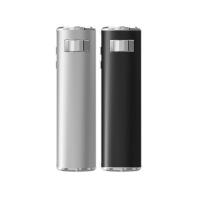

 To Next Page