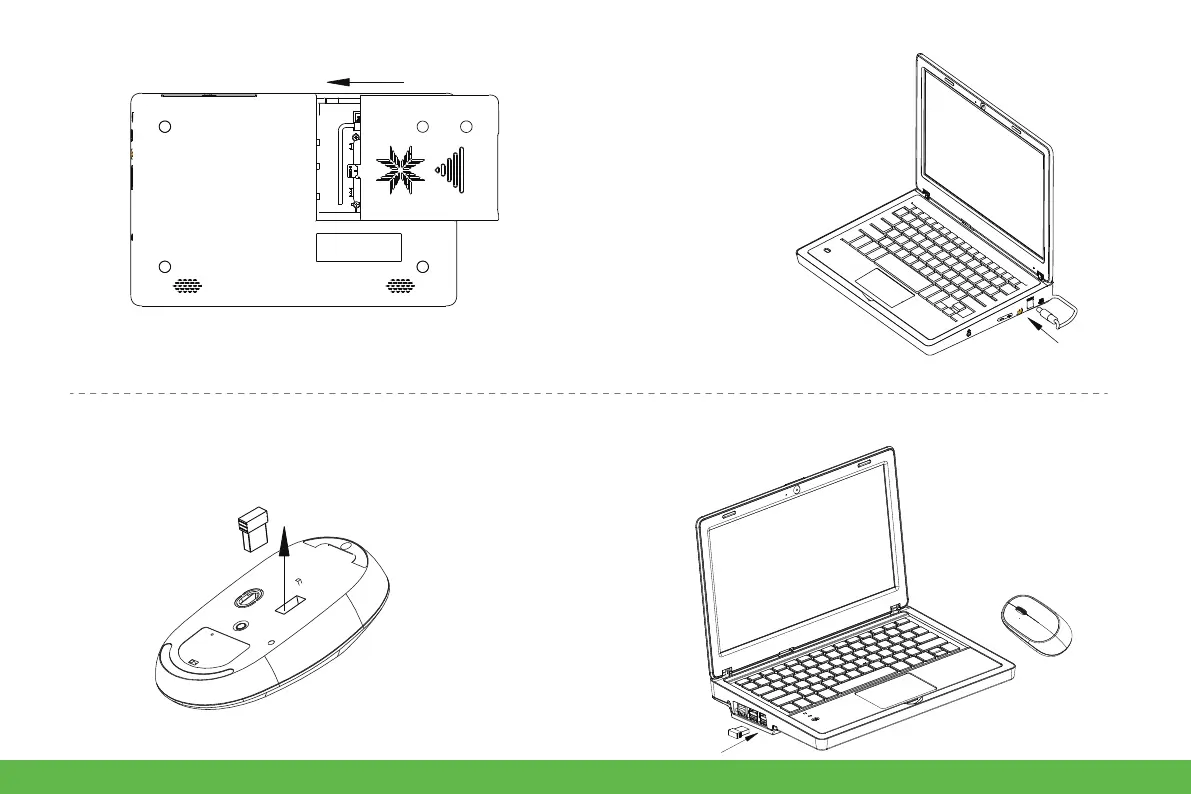
● Keyboard and mouse
7. Close the cover.
1. Remove the wireless receiver in the mouse
compartment .
2. Insert any USB port of the Raspberry Pi.
8. Connect the power supply, Use
the 12V power supply in the
accessories, insert the DC round
head into the DC12V power
supply port.
8


 To Next Page