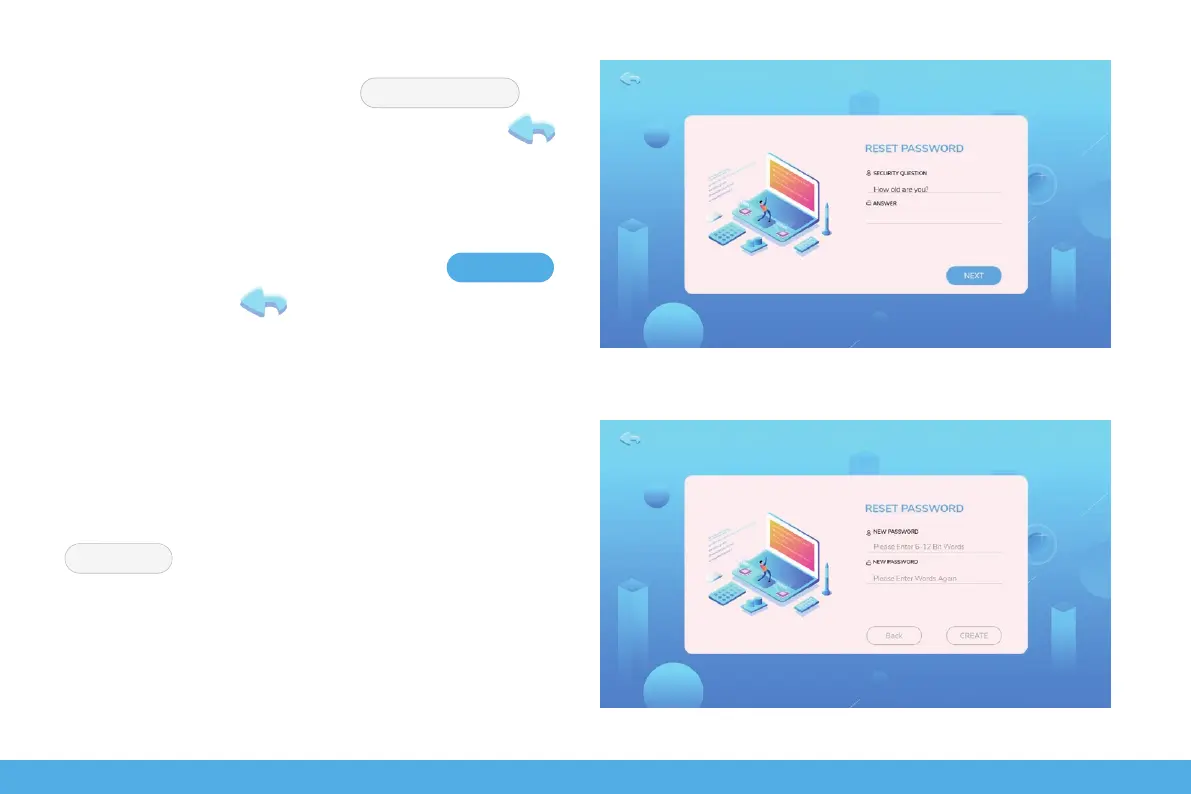
If you forget your password, click on the
login page to go to the password reset page, click
back to the previous step.
Enter the secret question and answer, click to
the next step, click back to previous step.
Enter the new password and confirm it twice, click
complete password reset, go back to the
login page and log in with the new password.
NEXT
CREATE
Forget Password?
Forget password
17


 To Next Page