Connection
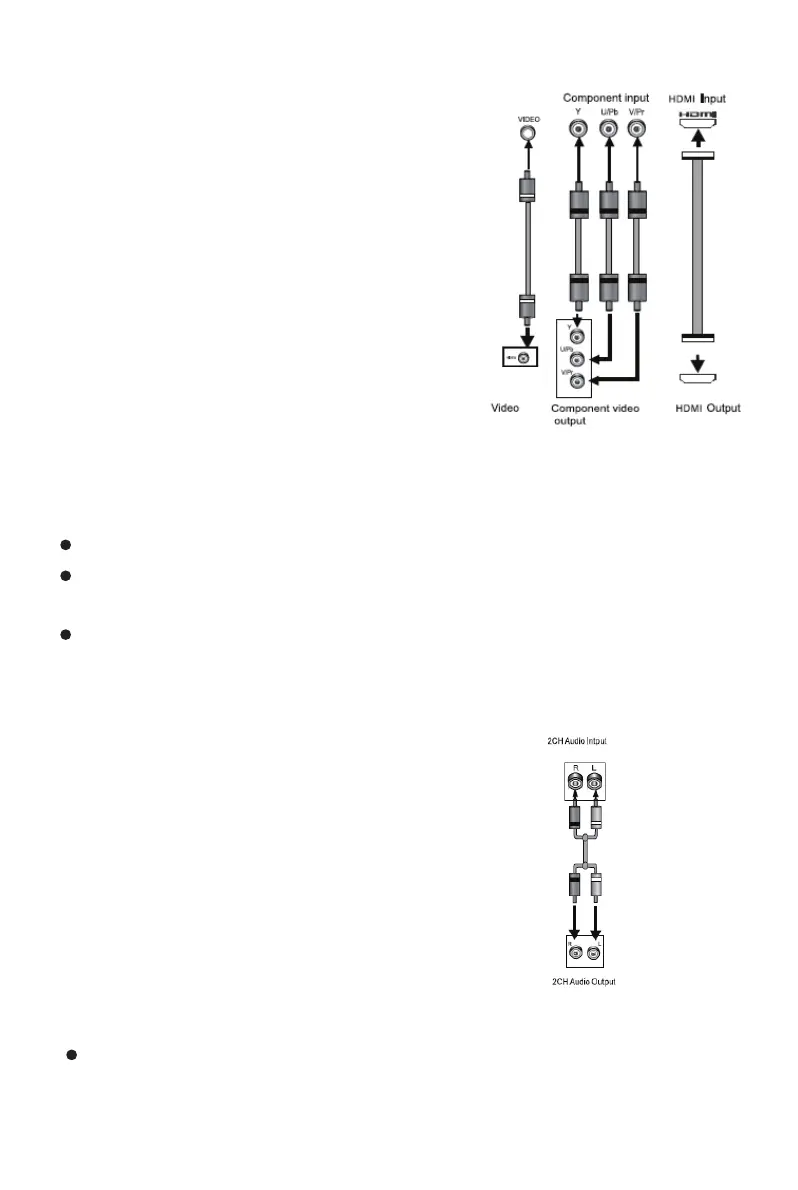
Video system connection
Composite Video
Use the AV cable (yellow terminal) to
connect composite video output of this
unit to the TV/monitor video input.
Component Video
Use 3-core AV cable to connect the
component output terminals of this unit
to the corresponding TV/monitor input.
HDMI (Option)
Use a HDMI cable to connect the HDMI output to the TV/monitor HDMI input
terminal.
Note:
Which connection depends on the TV/monitor input terminal.
Do not use the all connections at one time, otherwise the picture will be
affecred.
Only the physical connection conforms to the video setting can produce the
normal picture (reference to the Video Setup in System Setup).
Connection
Audio connection system
Stereo Audio
Use a pair of AV cables (red for right/white for left)
to connect the stereo audio output of this unit to the
TV if you want to have sound from the TV.
Note:
The physical connection should match with audio output setup
of this unit. Please refer to Audio Setup in System Setup.



 To Next Page