EasyManua.ls Logo

Electra Accessories Scoot-N-Go 88700 - User Manual

Electra Accessories Scoot-N-Go 88700
25 pages
Print Icon
To Next Page IconTo Next Page
Loading...
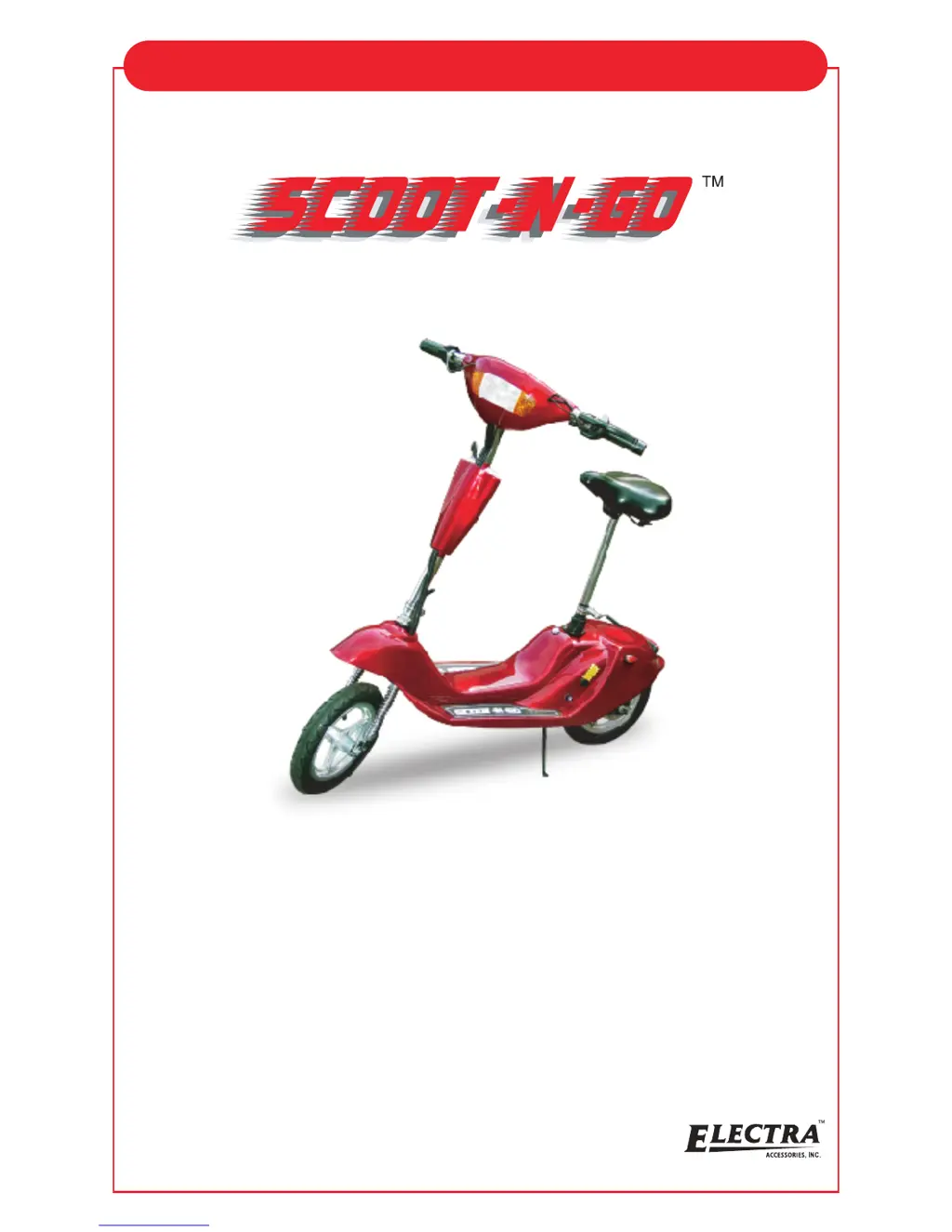
ELECTRIC SCOOTER
Assembly and User's Manual
Model#: 88700 / 88701 / 88702 / 88703 / 88705 / 88615
For the most recent version of this user's manual and for all updated
product information please visit www.electrausa.com or call
Electra Customer Service / Technical Support Toll-Free Number at:
1-888-467-1234
M-F 10am - 9pm EST
NEITHER ELECTRA ACCESSORIES NOR THE RETAIL SELLER OF THE
SCOOT - N - GO™ IS RESPONSIBLE FOR THE CONSEQUENCES OF
FAILURE TO COMPLY WITH STATE AND LOCAL ORDINANCES. THIS SCOOTER IS
NOT INTENDED FOR USE ON PUBLIC STREETS OR HIGHWAYS.
CHECK WITH DMV AND WITH LOCAL AND STATE LAWS AS YOUR CITY,
MUNICIPALITY OR STATE MAY PROHIBIT THEIR USE.
Electra Accessories Inc.
2 Corporate Drive
Cranbury, New Jersey 08512 USA
website: www.electrausa.com
READ THIS MANUAL BEFORE OPERATING YOUR SCOOT-N-GO
TM
ELECTRA ACCESSORIES, INC. STRONGLY SUGGESTS THE
OPERATOR OF THIS PRODUCT BE 16 YEARS OF AGE OR OLDER.

Questions and Answers

  • J
    Jasmine HicksJul 31, 2025
    Why does my Electra Accessories Scooter not accelerate?
    • W
      Wayne Jackson Jr.Jul 31, 2025
      There are several reasons why your Electra Accessories Scooter might not be accelerating. It could be due to an undercharged or completely drained battery, in which case you should charge the battery or replace it. Another cause might be a disconnected or faulty electric throttle; check all throttle connections and wiring, and replace the throttle if needed. Finally, the drive chain may have become unseated, requiring you to reseat it on both sprockets and adjust the tension.
  • T
    tuckershaneAug 9, 2025
    What to do if my Electra Accessories Scoot-N-Go 88700 motor does not run?
    • S
      scottjeremyAug 9, 2025
      If your Electra Accessories Scooter motor isn't running, there are a few potential causes. First, ensure the key ignition is in the ON position. If that's not the issue, check the fuse; a burned-out fuse should be removed, inspected, and replaced with a spare from the tool kit. Lastly, the battery might be undercharged, so charge it for a sufficient amount of time or consider replacing it.
  • B
    brian25Aug 20, 2025
    Why is the driving range shorter than estimated on my Electra Accessories Scoot-N-Go 88700?
    • L
      Linda GonzalezAug 20, 2025
      The driving range of your Electra Accessories Scooter may be shorter than expected due to several factors. Check if the tires are underinflated and inflate them to 45-50 PSI. An undercharged battery can also reduce the range, so ensure it's fully charged or replace if necessary. Poor riding conditions, such as sand, ice, or snow, can impact range. Also, consider the rider's weight, as exceeding 178 lbs can affect performance. Lastly, ensure the drive chain tension is properly adjusted.

Summary

Features and Specifications

General Safety Guidelines & Restrictions

Helmet Use While Riding the SCOOT-N-GO

Regulations and recommendations for wearing protective headgear during operation.

Pre-Ride Safety Checks

Essential safety checks to perform before operating the scooter to ensure proper function and safety.

Post-Ride Procedures

Actions to take after riding the scooter to ensure safety and maintenance.

Assembly Instructions

Front Wheel Installation

Step-by-step guide for correctly attaching the front wheel to the scooter.

Handlebar Installation

Instructions for mounting and securing the handlebars to the scooter's steering column.

Pre-Ride Adjustments

Rear Brake Adjustment

How to adjust the rear brake for proper tension and stopping power.

Battery

Charging the Battery

Detailed steps and precautions for charging the scooter's battery.

Starting Instructions

Service & Maintenance

Troubleshooting

Warranty Information

Electra Accessories Scoot-N-Go 88700 Specifications

General IconGeneral
BrandElectra Accessories
ModelScoot-N-Go 88700
CategoryScooter
LanguageEnglish

Related product manuals