10
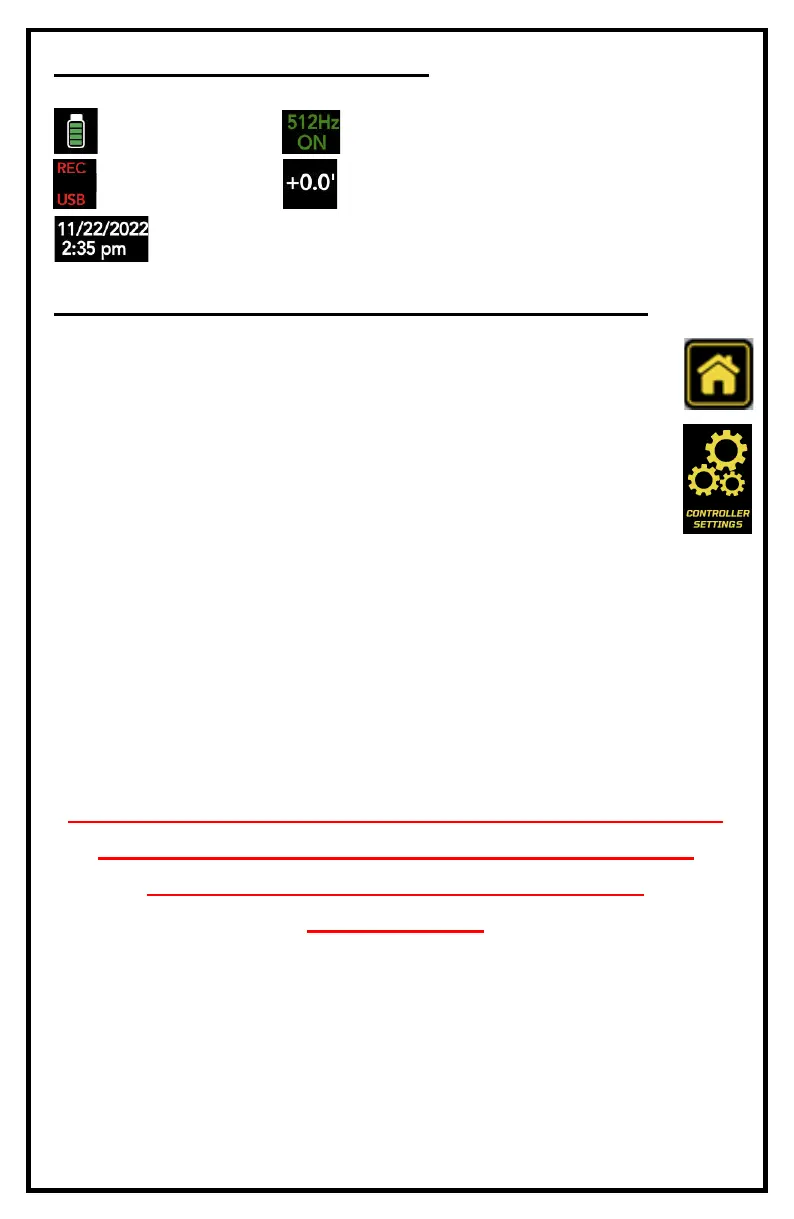
INFORMATION BAR ICONS
SETTING UP YOUR SYSTEM FOR FIRST USE
Your system comes from the factory setup for use using factory de-
fault settings. Should you wish to change any functions or options
press the MENU key then select Controller Options.
In the controller options menu you can change:
• Monitor brightness and contrast. For optimal picture leave
brightness at 10 and contrast at 5
• Manu language (English, Spanish and French)
• Footage measurement in Feet or Meters
• System Time & Date
• Battery extender ON/Off which automatically dims the screen when
the battery is getting low
• Odometer - Note: This cannot be reset. Permanently records the foot-
age that the monitor has recorded since new.
NOTE: YOU MUST SELECT THE CORRECT REEL
AND PUSH ROD SIZE TO ENSURE CORRECT
FOOTAGE COUNTER CALIBRATION.
SEE PAGE 11.
Baery Monitor
Date & Time
Recording Media
Footage (. or m)
Sonde On/O & Frequency


 To Next Page