– PRIMARY SWITCH FUNCTIONS –
PRESETS Encoder – This white knob has three functions:
1. Turn this knob clockwise or counter-clockwise to scroll through the presets,
though it will not load the preset. To load the selected preset, press and
release the PRESET footswitch.*
2. Press and hold the PRESET knob for 3 seconds to save a preset.*
3. Press and release the PRESET knob (without holding it down) to toggle the
Auxiliary functions on and off (the leftmost orange LED will light when
auxiliary functions are on).**
*See the PRESETS section for more on Presets.
**See the AUXILIARY FUNCTIONS sections for more on the auxiliary sound processes:
fuzz and LFO modulation.
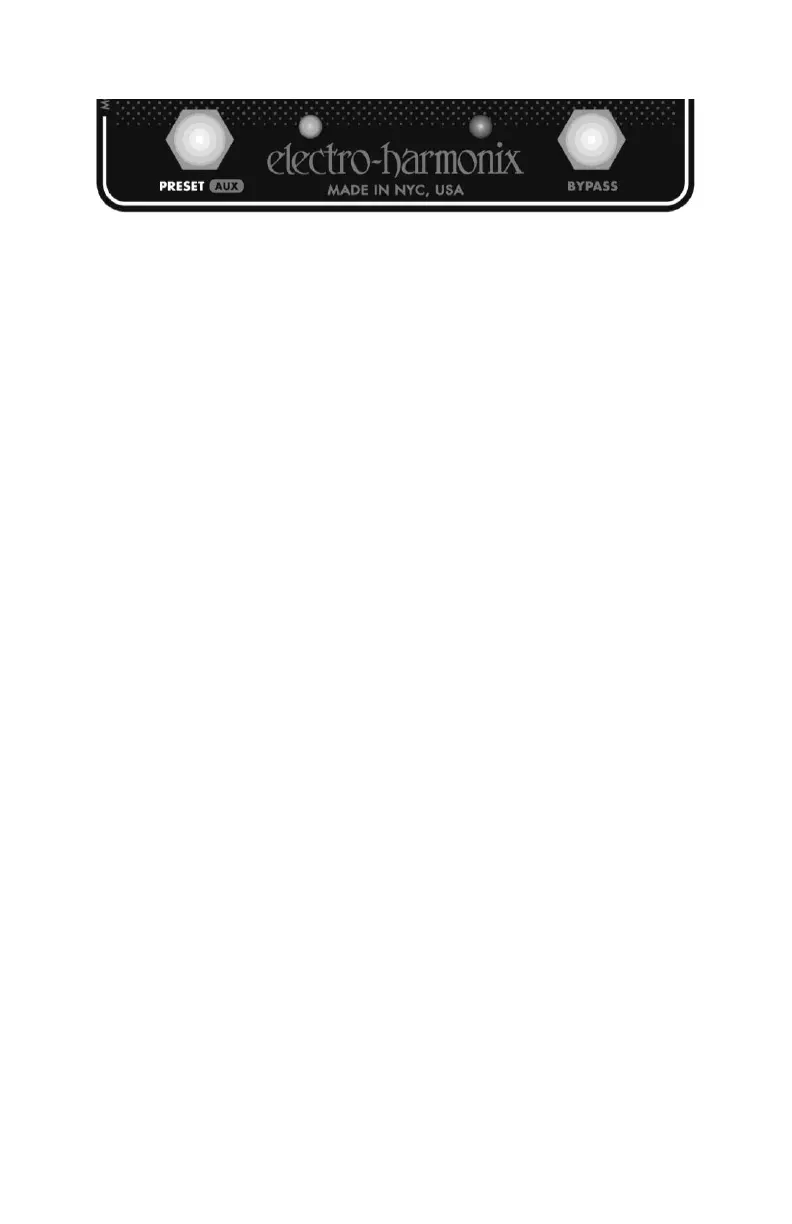
BYPASS Footswitch & LED – Pressing the BYPASS footswitch will toggle the STM
between Effect mode and buffered Bypass mode. The associated red LED, near the
BYPASS Footswitch, will light to indicate Effect mode. When this LED is off, the STM
is in Bypass mode.
PRESET Footswitch & LED – The PRESET footswitch serves two purposes:
1. Press and release the PRESET footswitch to load a selected preset. If a
preset is already loaded, the STM will increment to the next preset in the
LED ladder. The PRESET LED will light up solid, indicating a preset is
loaded. A member of the LED ladder will also illuminate, indicating which
preset is loaded.*
2. Press and hold the PRESET footswitch to enter auxiliary knob edit mode.
While holding the footswitch, turn the knobs to adjust the auxiliary knob
parameters.**
*See the PRESETS section for more on Presets.
**See the AUXILIARY FUNCTIONS sections for more on these secondary knob
parameters.



 To Next Page