BASIC INSTRUMENT CONTROL SETTINGS
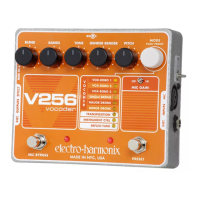
1. Turn the MODE knob until the mode INSTRUMENT CTRL is selected and set the other
parameters as follows:
-BLEND FULLY CW
-BANDS NOON
-TONE NOON
-GENDER NOON
-PITCH 2 O’CLOCK
2. Sing into the mic and you will hear your original vocal pitch. Play a single note line on
your instrument as you sing, you will hear your voice but the pitch will now track the
instrument’s notes.
3. Turn the BANDS knob to 2 o’clock and hear how your voice now slides to new notes as
you play your instrument.
BASIC VOCAL REFLEX-TUNE SETTINGS
1. Turn the MODE knob until the mode REFLEX-TUNE is selected and set the other
parameters as follows:
-BLEND FULLY CW
-BANDS NOON
-TONE NOON
-GENDER NOON
-PITCH FULLY CCW
2. Without playing an instrument sing into the mic. You will hear your pitch being hard
corrected to a chromatic scale.
3. Turn the BANDS knob fully CCW and sing into the mic. You will hear the pitch correction
happen much more gradually giving your vocal performance a more natural sound.





 To Next Page