DC-One
Owner‘s Manual 27
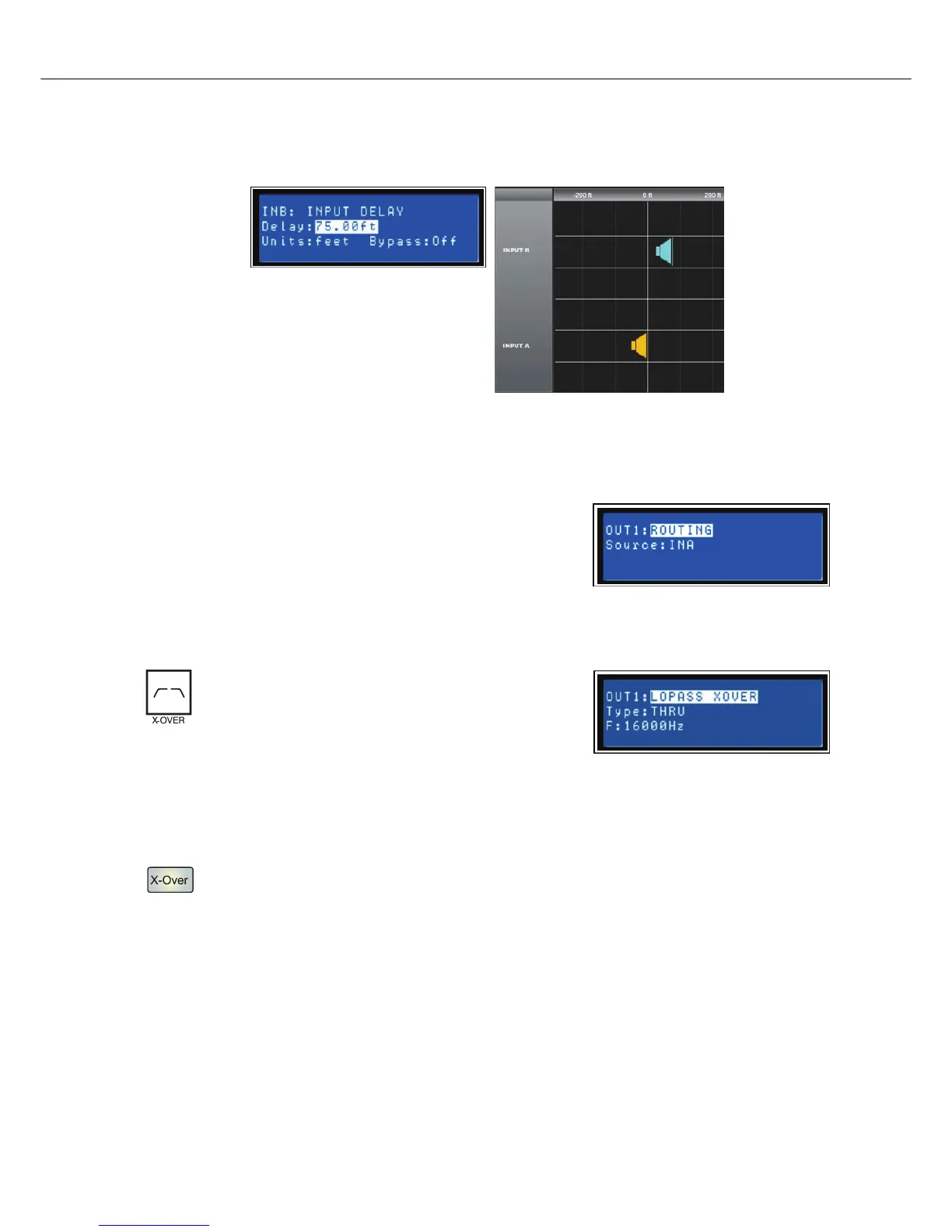
To access the Input Delay, press the Delay button found on the input processing menu. Subsequent button
presses will toggle the display between Input A and Input B. Input delay parameters are accessed using
the <SELECT> button to navigate between Delay and Bypass using the VALUE up/down keys to adjust
values.
Routing
Input selections (In-A, In-B or In-A+B) can be applied to any or all of
DC-One’s six outputs. Choose a desired output channel from the
output menu and press the Edit button to scroll to the Routing
window using the Value up/down arrows.
Using the <SELECT> key to navigate to the Source parameter,
apply a desired input selection to a selected output channel using
the VALUE up/down keys to choose between inputs (In-A, In-B or In-A+B).
Cross-Over (Output Channels)
The DC-One’s crossover is an advanced frequency
division process that is accomplished by applying a
variety of high-pass and low-pass filters to a
predetermined set of crossover points.
Speaker systems are generally made up of several
drivers that are dedicated to a specific range of frequencies that
result in the efficient reproduction of the audio spectrum and a smooth sound. The DC-One crossover
routes frequencies to the appropriate drivers to accurately reproduce sound. The crossover network can
also be used to insure that low-frequency energy is not accidently routed to the mid-range or tweeter
drivers that may result in potential damage.
Available DC-One crossover parameters are Type and Frequency.
To access the Crossover screen, press the X-Over button found on the output processing menu.
Subsequent button presses will toggle the display between OUT1 to OUT6. Use the <SELECT>
button to navigate between the Low Pass/parameters. Adjust the values of each parameter using
the up/down VALUE arrows.
The DC-One Crossover offers a variety of HiPass and LoPass filters depending on the configuration output
selected along with a variety of selectable filters and frequency ranges that are adjustable using the up/
down VALUE arrows.
Type
Type offers list of selectable slopes/response Q’s
Illustration 5.1: Input B Delay is set to 75 feet. In this illustration, speaker array B is said to b 75 feet in front
of Main speaker array A. The effect of air temperature is also automatically calculated for the total delay time
using the Temperature value entered in the Setup Menu.


 To Next Page