EasyManua.ls Logo

Electrolux C290R - User Manual

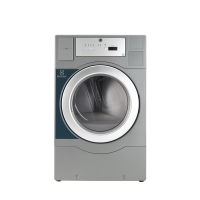
Electrolux C290R
24 pages
Print Icon
To Next Page IconTo Next Page
Loading...
487 03 34 31/EN
2010.06.02
Operating manual
Tumble dryers
PD9
Type N2...
Operating manual in original language

Other manuals for Electrolux C290R

Question and Answer IconNeed help?

Do you have a question about the Electrolux C290R and is the answer not in the manual?

Summary

Safety Precautions

General Safety Information

Covers general warnings, material restrictions, operation rules, gas dryer specifics, and initial setup for safe dryer use.

Operating Panel

Buttons and Symbols

Time Button

Controls drying time, not active on pay machines.

Start;Stop Button

Initiates and halts the drying cycle.

Temperature Button

Allows selection of drying temperature during operation.

Heat Indicator

Shows when the heating element is active.

Selected Temperature Indicators

Lights up to show the chosen drying temperature.

Program Status Display

Displays current program status, time, or cool-down phase.

Instructions for Use

Drying Programmes

Details drying programs based on fabric type and temperature settings.

Load Recommendations

Advises on optimal load sizes for best drying results.

Manual Operation Guide

Step-by-step instructions for operating the dryer manually.

Coin-Operated Operation Guide

Step-by-step instructions for operating the dryer using coins or cards.

Error Codes

General Error Indication

Dryer features automatic error indication via flashing codes.

Motor Overheating Errors (E05;E06)

Indicates potential motor overheating; advises waiting and restarting.

Overfilling Error (E12)

Suggests dryer may be overfilled with wet clothes; advises removing items.

Ignition Control Error (E14)

Relates to ignition control failure; requires manual reset.

Overfilling Error (E15)

Indicates dryer may be overfilled; suggests removing items.

Vacuum Switch Error (E16)

Occurs if start button is pressed when vacuum switch is closed; requires door reset.

Maintenance

Daily Maintenance Checks

Daily checks include drum stopping on door open and starting only via button.

Quarterly Maintenance Checks

Quarterly checks involve ensuring air intakes and exhaust ducts are clear.

Filter Maintenance

Regular filter checks are crucial for optimal function and must be free of lint.

Internal Parts Inspection

Internal wearing parts should be checked and cleaned of lint annually by a skilled person.

Summary

Safety Precautions

General Safety Information

Covers general warnings, material restrictions, operation rules, gas dryer specifics, and initial setup for safe dryer use.

Operating Panel

Buttons and Symbols

Time Button

Controls drying time, not active on pay machines.

Start;Stop Button

Initiates and halts the drying cycle.

Temperature Button

Allows selection of drying temperature during operation.

Heat Indicator

Shows when the heating element is active.

Selected Temperature Indicators

Lights up to show the chosen drying temperature.

Program Status Display

Displays current program status, time, or cool-down phase.

Instructions for Use

Drying Programmes

Details drying programs based on fabric type and temperature settings.

Load Recommendations

Advises on optimal load sizes for best drying results.

Manual Operation Guide

Step-by-step instructions for operating the dryer manually.

Coin-Operated Operation Guide

Step-by-step instructions for operating the dryer using coins or cards.

Error Codes

General Error Indication

Dryer features automatic error indication via flashing codes.

Motor Overheating Errors (E05;E06)

Indicates potential motor overheating; advises waiting and restarting.

Overfilling Error (E12)

Suggests dryer may be overfilled with wet clothes; advises removing items.

Ignition Control Error (E14)

Relates to ignition control failure; requires manual reset.

Overfilling Error (E15)

Indicates dryer may be overfilled; suggests removing items.

Vacuum Switch Error (E16)

Occurs if start button is pressed when vacuum switch is closed; requires door reset.

Maintenance

Daily Maintenance Checks

Daily checks include drum stopping on door open and starting only via button.

Quarterly Maintenance Checks

Quarterly checks involve ensuring air intakes and exhaust ducts are clear.

Filter Maintenance

Regular filter checks are crucial for optimal function and must be free of lint.

Internal Parts Inspection

Internal wearing parts should be checked and cleaned of lint annually by a skilled person.

Electrolux C290R Specifications

General IconGeneral
BrandElectrolux
ModelC290R
CategoryDryer
LanguageEnglish

Related product manuals