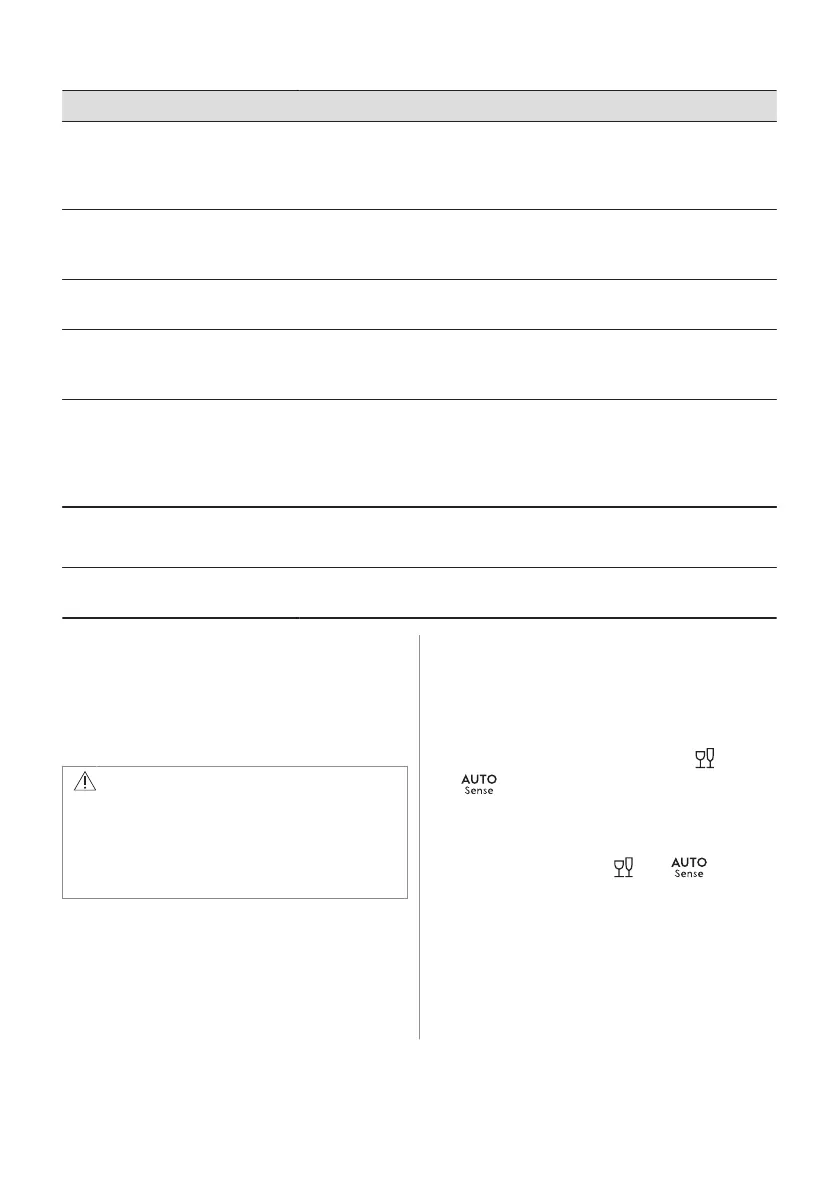
Problem and alarm code Possible cause and solution
Small leak from the appliance door.
• The appliance is not levelled. Loosen or tighten the adjustable feet (if
applicable).
• The appliance door is not centred on the tub. Adjust the rear foot (if ap‐
plicable).
The appliance door is difficult to
close.
• The appliance is not levelled. Loosen or tighten the adjustable feet (if
applicable).
• Parts of the tableware are protruding from the baskets.
The appliance door opens during
the wash cycle.
• The AirDry function is activated. You can deactivate the function. Refer
to "Basic settings".
Rattling or knocking sounds from
the inside of the appliance.
• The tableware is not properly arranged in the baskets. Refer to basket
loading leaflet.
• Make sure that the spray arms can rotate freely.
The appliance trips the circuit-beak‐
er.
• The amperage is insufficient to supply simultaneously all the applian‐
ces in use. Check the socket amperage and the capacity of the meter
or turn off one of the appliances in use.
• Internal electrical fault of the appliance. Contact an Authorised Service
Centre.
The appliance is switched on but
does not operate.
The display shows PF.
• Power supply is out of the operating range. The wash cycle is tempora‐
rily interrupted and resumes automatically once the power is restored.
The appliance switches off during
operation.
• Complete power outage. The wash cycle is temporarily interrupted and
resumes automatically once the power is restored.
Once you have checked the appliance,
deactivate and activate the appliance. If the
problem occurs again, contact an Authorised
Service Centre.
For alarm codes not described in the table,
contact an Authorised Service Centre.
WARNING!
We do not recommend using the
appliance until the problem has been
completely fixed. Unplug the appliance
and do not plug it in again until you are
certain that it operates correctly.
12.1 The product number code
(PNC)
If you contact an Authorised Service Centre,
you need to provide the product number code
of your appliance.
The PNC can be found on the rating plate on
the appliance door. You can also check the
PNC on the control panel.
Before checking the PNC, make sure the
appliance is in the programme selection.
1. Press and hold simultaneously and
for about 3 seconds.
The display shows the PNC of your
appliance.
2. To exit the PNC presentation, press and
hold simultaneously and for
about 3 seconds.
The appliance returns to the programme
selection.
ENGLISH 27



 To Next Page