
 Need help?
Do you have a question about the Electrolux EES69300L and is the answer not in the manual?
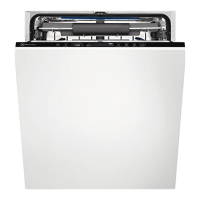
This document is a user manual for the Electrolux EES69300L dishwasher, providing comprehensive information on its functions, usage, and maintenance.
The Electrolux EES69300L is a dishwasher designed for household and similar applications, including farmhouses, staff kitchen areas, offices, and various residential environments. It features a water softener system that removes minerals from the water supply, which can negatively affect washing results and the appliance itself. The water softener level is adjustable based on the local water hardness. The appliance also includes a rinse aid dispenser to improve drying results and prevent streaks and stains.
The dishwasher offers a range of wash programmes, categorized under the "MY TIME" selection bar, allowing users to choose a cycle based on duration and soil level. These programmes include:
Additionally, the appliance features an "AUTO Sense" programme that automatically adjusts the wash cycle based on the degree of soil and the amount of dishes.
The dishwasher incorporates "EXTRAS" options to customize programmes:
A "Beam-on-Floor" light projects onto the floor to indicate the appliance's status: red for a running programme, green for completion, and flashing red for a malfunction. The "ECOMETER" on the control panel visually represents the energy and water consumption impact of the selected programme, with more bars indicating lower consumption. "ECO" specifically highlights the most environmentally friendly programme for normally soiled loads.
The "AirDry" function automatically opens the appliance door during the drying phase to improve drying results. An "Auto Off" function saves energy by automatically switching off the appliance when not operating, either after a programme completes or after 5 minutes of inactivity if a programme was not started.
The EES69300L is designed for intuitive daily use. Before first use, users are guided to adjust the water softener level according to local water hardness, fill the salt container, and fill the rinse aid dispenser. A "Quick" programme without detergent or dishes is recommended to remove manufacturing residuals and initiate the water softener's resin recharge.
Detergent, in powder or tablet form, is added to a dedicated dispenser. For programmes with a prewash phase, a small quantity of detergent can be placed on the inner part of the appliance door. Cutlery should be placed with sharp ends pointing down in the cutlery basket or horizontally in the cutlery drawer. Hollow items like cups and glasses should face downwards.
Programmes are selected using the "MY TIME" selection bar by sliding a finger across it, or by pressing the "AUTO Sense" button for automatic adjustment. EXTRAS options can be activated to tailor the wash cycle. A "Delay Start" function allows users to postpone the programme start for up to 24 hours.
The appliance provides acoustic signals for programme completion, which can be activated or deactivated. Key tones for button presses can also be toggled. A "Latest programme selection" feature can be enabled to automatically select the last used programme and options upon activation.
During operation, opening the door pauses the programme, which resumes from the point of interruption upon closing. However, opening the door for more than 30 seconds during the drying phase (unless by AirDry) will end the programme.
Regular maintenance is crucial for optimal performance and longevity of the dishwasher. The manual outlines several cleaning procedures:
The manual also provides troubleshooting guidance for common issues, such as the appliance not activating, programmes not starting, water filling/draining problems, and unsatisfactory washing/drying results. It advises users to check basic elements like mains plug connection, fuses, water tap, filters, and spray arms. For more complex issues or alarm codes, users are directed to contact an Authorised Service Centre, providing the product number code (PNC) found on the rating plate or accessible via the control panel.
 General
| Type | Built-in |
|---|---|
| Size | Full size (60 cm) |
| Noise Level | 44 dB |
| Height | 818 mm |
| Width | 596 mm |
| Depth | 550 mm |
| Control panel colour | Black |
| Number of washing programs | 8 |
| Drying system | AirDry |
| Cycle time | 240 min |
| Energy consumption per 100 cycles | 84 kWh |
| Delay start | Yes |
| Child lock | No |
| Place settings | 13 |
| Water consumption per cycle | 11 L |
| Programs | Auto, Eco, Glass, Intensive, Quick |


 To Next Page