This document describes the Electrolux EHI645BB and EHI845BB induction hobs, providing comprehensive information on their functions, usage, and maintenance. These appliances are designed for household and similar applications, including staff kitchen areas, farmhouses, hotels, motels, and bed and breakfast environments.
Function Description
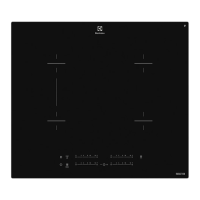
The induction hob features multiple cooking zones, with the EHI845BB model having five and the EHI645BB model having four. Each cooking zone is an induction type, meaning it generates heat directly in the cookware's bottom through an electromagnetic field. A central control panel allows for easy operation of all functions.
The hob includes a "Power function" that provides increased power to induction cooking zones for a maximum of 5 minutes, after which it automatically reverts to a lower heat setting. This function is particularly useful for rapidly boiling large quantities of water. The power management system intelligently distributes power between two cooking zones in a pair, ensuring optimal performance.
A "Bridge function" is available, specifically designed for the two left-side cooking zones. When activated, these two zones operate as a single, larger zone, ideal for use with accessories like the Infinite Plancha. This function can be activated or deactivated via the control panel, allowing the cooking zones to operate independently when not bridged.
The appliance incorporates an "Automatic heat up" function, which temporarily sets the cooking zone to its highest heat setting before reducing it to the desired level, thus accelerating the cooking process.
The hob also features a "Stop+Go" function, which sets all active cooking zones to the lowest heat setting. This is useful for temporary interruptions during cooking, as it maintains warmth without continuing to cook. While "Stop+Go" is active, the timer function remains operational.
For enhanced safety, the hob includes a "Lock" function that prevents accidental changes to the heat settings while cooking zones are active. Additionally, a "Child safety device" prevents unintended operation of the hob altogether. Both functions are activated and deactivated through specific sequences on the control panel.
A notable feature is the "Hob2Hood" function, an advanced automatic system that connects the hob to a compatible rangehood via an infrared signal. This allows the rangehood's fan speed to adjust automatically based on the hob's mode setting and the temperature of the hottest cookware. Users can also manually control the fan speed from the hob. The rangehood's automatic light activation can also be configured through this function.
The "OptiHeat Control" is a 3-step residual heat indicator, displaying the level of residual heat on the glass ceramic surface. While induction zones heat cookware directly, the glass ceramic can still become hot from the cookware, and this indicator helps prevent burns.
The hob is equipped with various timer functions. A "Count down timer" allows users to set a specific duration for cooking, after which the cooking zone automatically switches off. A "Count up timer" monitors the elapsed time a cooking zone has been operating. A "Minute minder" can be used independently of the cooking zones to set a general reminder.
The appliance also features an "OffSound Control" function, allowing users to deactivate or activate the acoustic signals for various operations, such as touching the control panel or when timers elapse.
Usage Features
To activate the appliance, users touch the designated sensor field for 1 second. The appliance automatically deactivates under several conditions, including when all cooking zones are turned off, no heat setting is selected after activation, spills or objects are detected on the control panel for an extended period, the appliance overheats, incorrect cookware is used, or a cooking zone remains active without a heat setting change for too long.
Heat settings are adjusted by touching the control bar, allowing for precise control over cooking intensity. The "Power function" is activated by touching the 'P' sensor, and deactivated by selecting any heat setting between 1 and 14.
The "Bridge function" is activated by touching the designated sensor. Heat settings for the bridged zones are adjusted by touching any of the control sensors. Deactivating the "Bridge function" allows the zones to operate independently again.
The "Automatic heat up" function is initiated by touching 'P' and then immediately selecting the desired heat setting. To stop this function, the heat setting must be changed.
The "Stop+Go" function is activated by touching its sensor, and deactivated by touching it again, returning the zones to their previous heat settings.
The "Lock" function is activated by touching its sensor for 4 seconds, and deactivated by touching it again. The "Child safety device" is activated by starting the hob, not setting heat settings, and then touching the lock sensor for 4 seconds. It is deactivated by repeating this process. For a single cooking session override, the hob can be started, the lock sensor touched for 4 seconds, and a heat setting selected within 10 seconds.
For the "Hob2Hood" function, manual fan speed control is accessed by touching the designated sensor. Subsequent touches increase the fan speed, while reaching the intensive level and touching again sets the speed to 0. The automatic mode can be changed by deactivating the appliance, touching the lock sensor for 3 seconds twice, touching the Hob2Hood sensor a few times until the mode indicator appears, and then using the timer's '+' button to select a mode.
The "Count down timer" is set by selecting a cooking zone, then using the timer's '+' button to set the desired time. The "Count up timer" is started by selecting a cooking zone and then using the timer's '-' button. The "Minute minder" is set by touching the timer sensor and then using '+' or '-' to select the time. All timers can be stopped by touching the timer sensor.
Maintenance Features
Regular cleaning of the appliance is crucial to prevent surface deterioration. The hob should be cleaned after each use, and cookware with clean bottoms should always be used. Scratches or dark stains on the glass ceramic do not affect the appliance's operation.
For immediate removal of dirt, such as melted plastic, foil, or sugary food, a special scraper for glass should be used at an acute angle.
Once the appliance has cooled sufficiently, limescale rings, water rings, fat, stains, shiny metallic discolorations, and other marks can be removed using a special cleaning agent for glass ceramic or stainless steel. The appliance should then be cleaned with a moist soft cloth and neutral detergent, followed by drying with a clean cloth. Abrasive products, cleaning pads, solvents, or metal objects should not be used. Water spray and steam are also not recommended for cleaning.
The manual also provides troubleshooting guidance for common issues, such as the appliance not activating, acoustic signals sounding, residual heat indicators not appearing, or the Hob2Hood function not working. For example, if the appliance does not activate, it suggests checking if multiple sensor fields were touched simultaneously or if water/fat stains are on the control panel. If an error message like 'E4' appears, it indicates issues like dry-boiling cookware or incorrect cookware, and advises deactivating the appliance, removing hot cookware, and reactivating after 30 seconds.
The document emphasizes that damage caused by misuse, such as broken glass or scratches, is not covered under warranty. If issues persist after troubleshooting, users are advised to contact their dealer or customer service, providing data from the rating plate and any error messages.


 To Next Page
 General