This document is a user manual for an Electrolux EIV734 induction hob, providing comprehensive instructions for its installation, daily use, care, and troubleshooting. The hob is designed for household use and incorporates several advanced features to enhance the cooking experience and ensure safety.
Function Description
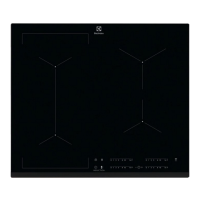
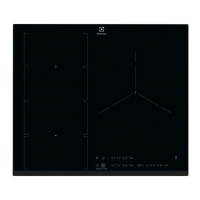
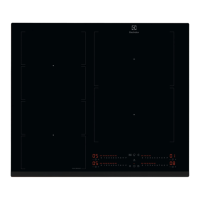
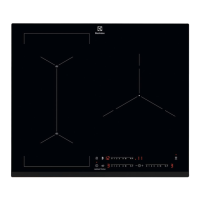
The Electrolux EIV734 is an induction hob with multiple cooking zones, each capable of generating heat directly in the cookware through a strong electromagnetic field. This method ensures rapid heating and energy efficiency. The hob features a control panel with sensor fields that allow users to operate various functions.
Key functions include:
- ON/OFF: To activate and deactivate the hob.
- Heat Setting Display: Shows the current heat setting for each cooking zone, ranging from 0 (deactivated) to 14.
- Pause Function: Temporarily sets all operating cooking zones to the lowest heat setting, locking other control panel symbols. This is useful for interruptions during cooking.
- Automatic Heat Up: Accelerates the heating process by operating a zone at its highest setting initially, then automatically adjusting to the desired heat setting. This function is only available when the cooking zone is cold.
- PowerBoost: Provides additional power to induction cooking zones for a limited period, ideal for boiling large quantities of water quickly. After the boost period, the zone automatically reverts to its highest heat setting.
- Timer Functions:
- Count Down Timer: Allows users to set a specific cooking duration (00-99 minutes) for individual cooking zones. An acoustic signal sounds when the time ends, and the zone deactivates.
- CountUp Timer: Monitors how long a cooking zone has been operating, displaying the elapsed time in minutes.
- Minute Minder: A standalone timer that can be used when the hob is activated but cooking zones are not operating. It signals with an acoustic sound when the set time finishes.
- Bridge Function: Connects two left-side cooking zones to operate as a single, larger zone, accommodating oversized cookware. The cookware must cover the centers of both zones.
- Hob²Hood Function: An advanced automatic function that connects the hob to a special hood via an infrared signal communicator. The hood's fan speed is automatically adjusted based on the hob's mode setting and the temperature of the hottest cookware. Users can also operate the fan manually from the hob.
- Lock Function: Locks the control panel during cooking to prevent accidental changes to heat settings.
- Child Safety Device: Prevents accidental operation of the hob by locking the control panel. This function can be overridden for a single cooking time if needed.
- OffSound Control: Allows users to deactivate or activate the hob's acoustic signals.
Usage Features
The hob's operation is intuitive, relying on touch-sensitive sensor fields.
- Activating/Deactivating: Touch the ON/OFF sensor for 1 second.
- Setting Heat: Touch the control bar at the desired heat setting or slide a finger along it.
- Cookware Placement: Place cookware in the center of the selected zone. Induction zones automatically adapt to the cookware's bottom dimensions. For the Bridge function, cookware must cover the centers of the two connected zones.
- Automatic Switch Off: The hob automatically deactivates under certain conditions, such as prolonged inactivity, spills on the control panel, overheating, or incorrect cookware use.
- Power Management: If multiple zones are active and the total power consumption exceeds the supply limit, the hob automatically divides the available power among the cooking zones to protect the house installation's fuses. The last selected cooking zone is prioritized.
- Hob²Hood Operation: To activate automatic operation, set the mode (H1-H6). The hood's fan speed and light will adjust based on cooking activity. Manual fan speed adjustment is also possible.
Maintenance Features
Regular care and cleaning are essential to maintain the hob's performance and appearance.
- General Cleaning: Clean the hob after each use. Always use cookware with a clean base to prevent scratches. Scratches or dark stains do not affect hob operation.
- Cleaning Agents: Use a special cleaner suitable for hob surfaces and a special scraper for the glass. Avoid abrasive products, solvents, or metal objects.
- Immediate Removal of Spills: Immediately remove melted plastic, plastic foil, sugar, and sugary foods with a special hob scraper while the hob is still warm (but be careful to avoid burns).
- Cool-Down Cleaning: Once the hob is sufficiently cool, remove limescale rings, water rings, fat stains, and shiny metallic discoloration using a moist cloth and a non-abrasive detergent. Wipe dry with a soft cloth.
- Metallic Discoloration: For shiny metallic discoloration, use a solution of water with vinegar and clean the glass surface with a cloth.
- Avoidance: Do not use water spray or steam to clean the appliance. Do not use abrasive cleaning pads.
- Professional Service: For repairs or if the supply cord is damaged, contact an Authorized Service Centre. Use only original spare parts.

 Need help?
 General


 To Next Page