3:31B@=:CF product description & before first use
8
=<B@=:>/<3:
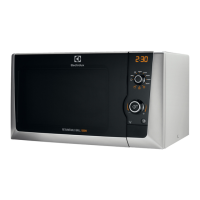
1 Digital display indicators
Grill
Microwave
Dual
Clock
Cooking stages
2 AUTO COOK indicators
3 AUTO COOK button
4 AUTO DEFROST button
5 POWER LEVEL button
6 GRILL button
7 TIMER/WEIGHT knob
8 START/+30 button
9 STOP button
10 DOOR OPENING button
34=@347@ABCA3
Plus/Minus
Auto Defrost bread
Auto Defrost
Weight
&3BB7<5B631:=19
The oven has a 12 and 24 hour clock.
F/;>:3
To set the clock to 11:30 (12 hour clock).
1. Plug in the oven.
2. The display will show: .
3. Rotate the TIMER/WEIGHT knob to
adjust the hour.
4. Press the START/+30 button once
then rotate the TIMER/WEIGHT knob
to adjust the minutes.
5. Press the START/+30 button.
6. Check the display: .
;>=@B/<B
1. You can rotate the TIMER/WEIGHT
knob clockwise or anti-clockwise.
2. If you touch the stop key the time will
be automatically set to .





 To Next Page