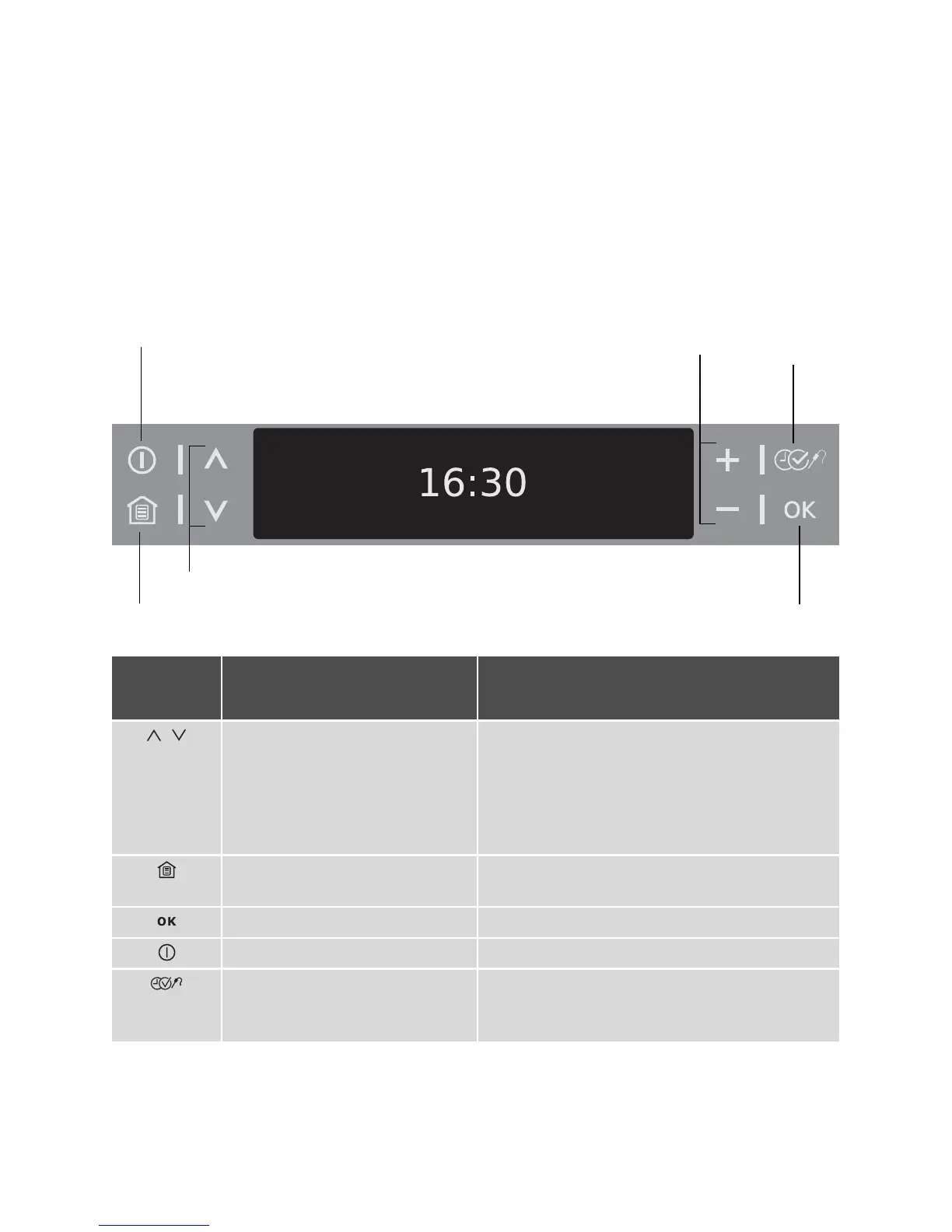
description of the appliance electrolux 9
Touch Control sensor fields
The appliance is operated using Touch
Control sensor fields. You control the
functions by touching the sensor fields.
When you are using the controls
make sure that you only touch one
sensor field. If your finger is applied
too flat, a neighbouring sensor field
could be touched as well.
On/Off
Set values
Main menu
Scroll
Select
options
Confirm
Sensor
field
Function Comment
, To move down and up in the
menu.
When a function is active:
•
Press once: Change to the higher menu
(function remains active), after 5 seconds
move again into the active menu option
•
Press twice: Up and down in the higher
menu (function switches off)
To display main menu. Functions set switch off
(except for countdown timer).
To c on f i r m.
To switch appliance on or off.
To select time functions, addi-
tional functions and
Meat-
probe
.



 To Next Page