6.3 Setting: Heating functions
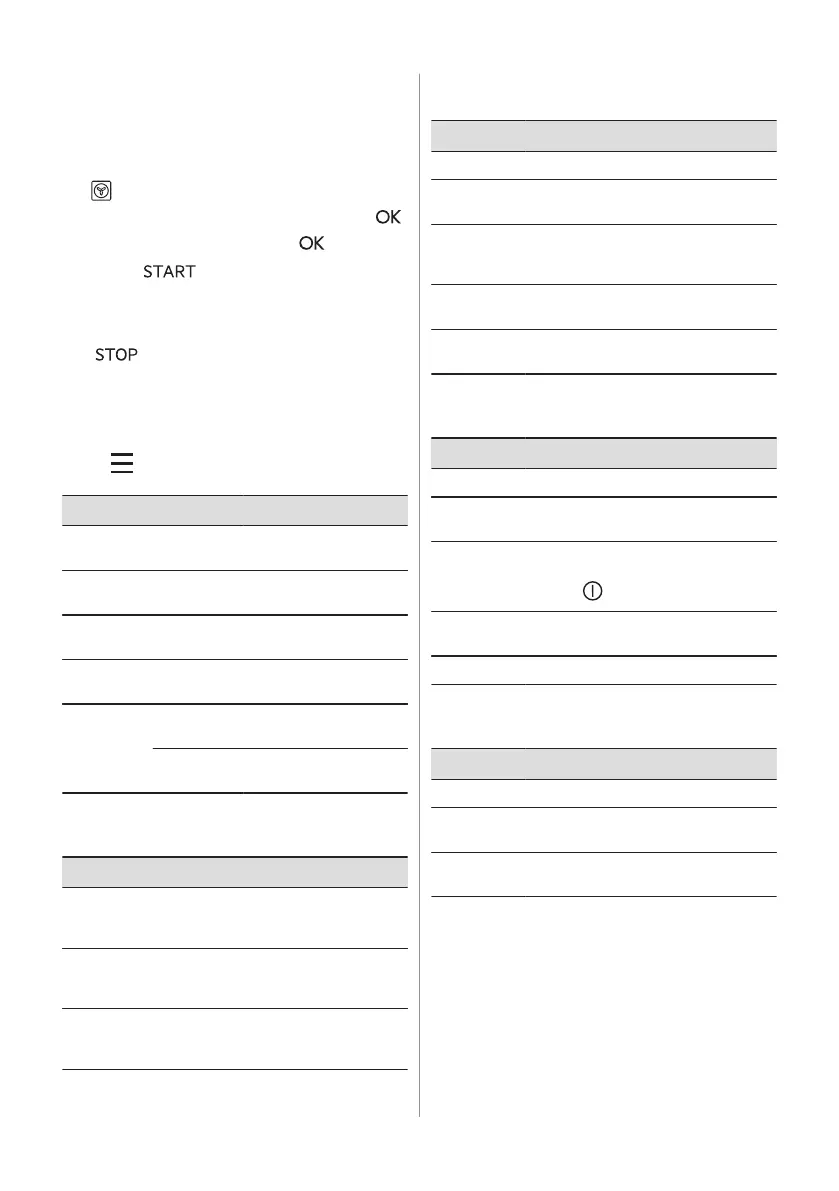
1. Turn on the appliance. The display shows
the default heating function and the
temperature.
2. Press the symbol of the heating function
to enter the submenu.
3. Select the heating function and press .
4. Set the temperature. Press .
5. Press .
Food Sensor - you can plug the sensor at any
time before or during cooking. Refer to "Using
the accessories, Food sensor" chapter.
6. - press to turn off the heating
function.
7. Turn off the appliance.
6.4 Menu
Press to enter the menu.
Menu item Application
Assisted Cooking Lists automatic pro‐
grammes.
Cleaning Lists cleaning pro‐
grammes.
Favourites Lists the favourite set‐
tings.
Options To set the appliance
configuration.
Settings Setup To set the appliance
configuration.
Service Shows the software ver‐
sion and configuration.
Submenu for: Cleaning
Submenu Application
Pyrolytic
cleaning,
quick
Duration: 1 h.
Pyrolytic
cleaning,
normal
Duration: 1 h 30 min.
Pyrolytic
cleaning, in‐
tense
Duration: 2 h 30 min.
Submenu for: Options
Submenu Application
Light Turns the lamp on and off.
Child Lock Prevents accidental activation of the
appliance.
Fast Heat Up Shortens the heat up time. It is availa‐
ble only for some of the heating func‐
tions.
Cleaning Re‐
minder
Turns the reminder on and off.
Digital Clock
Style
Changes the format of the displayed
time indication.
Submenu for: Setup
Submenu Description
Language Sets the appliance language.
Display
Brightness
Sets the display brightness.
Key Tones Turns the tone of the touch fields on
and off. It is not possible to mute the
tone for .
Buzzer Vol‐
ume
Sets the volume of key tones and sig‐
nals.
Time of Day Sets the current time and date.
Submenu for: Service
Submenu Description
Demo Mode Activation / deactivation code: 2468
Software
Version
Information about software version.
Reset All
Settings
Restores factory settings.
6.5 Setting: Assisted Cooking
Assisted Cooking submenu consists of a set
of additional functions and programs that are
designed for dedicated dishes. Each dish in
this submenu is provided with a suitable
setting. You can adjust the time and the
temperature during cooking.
ENGLISH 11





 To Next Page