Peace of Mind & Protection
Get more with product registration. Look for the photo icon on
your registration card to text and register, or visit us online.
2208-CR8JCQ7HPS
PHOTOREGISTER
SM
Sustainability,
together
We’re committed to
making food last
longer with our
TasteLock™ Plus
Crispers to help you
waste less.
electrolux.com
(877) 435-3287
10200 David Taylor Drive
Charlotte, NC 28262
electrolux.ca
(800) 265-8352
5855 Terry Fox Way
Mississauga, ON L5V 3E4
Getting Started
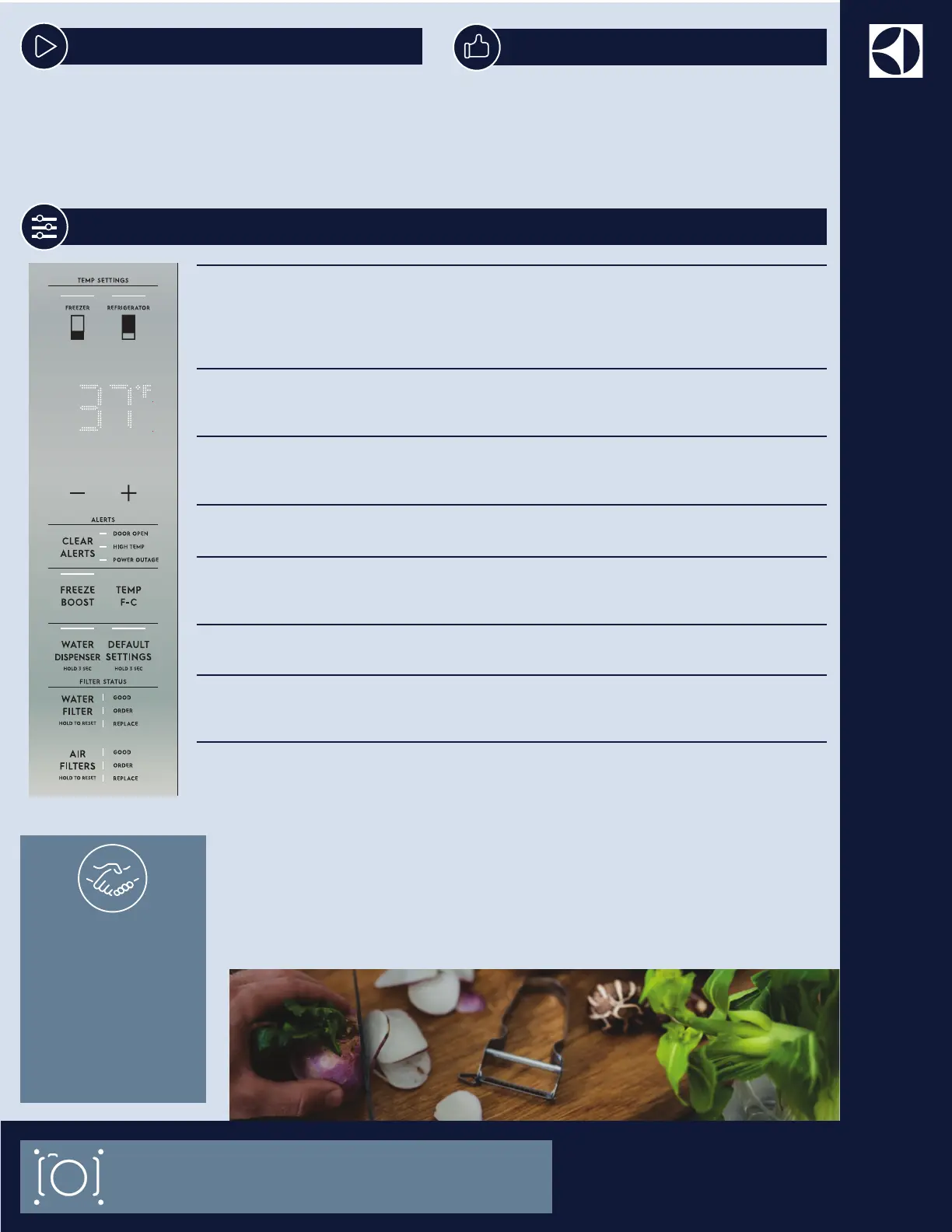
Once you plug the unit in, the settings icon illuminates
when you open the refrigerator door. Pressing the
settings icon illuminates all icons on the appliance
control display. All icons except the settings icon will
fade after 10 seconds of no interaction or if you close
the door.
CHANGE TEMPERATURE
Select the FREEZER or REFRIGERATOR icon to change the temperature.
Press +/— to set the temperature.
Freezer control range: -6˚F/-21˚C to 6˚F/-15˚C
Refrigerator control range: 34˚F/1˚C to 44˚F/7˚C
Manage Your Display
WATER DISPENSER
Press and hold for 3 seconds to turn off and on. When you turn the water dispenser on
the LEDs above WATER DISPENSER illuminate.
CLEAR ALERTS
Resets any active alarms illuminated on the appliance control display (DOOR OPEN,
HIGH TEMP, POWER OUTAGE).
FREEZE BOOST
Prior to grocery shopping, we recommend you activate FREEZE BOOST to lower the
temperature and freeze food faster.
F/C
Press to toggle between Fahrenheit (°F) and Celsius (°C).
DEFAULT SETTINGS
Press and hold for 3 seconds to reset to factory settings.
WATER FILTER
Press and hold for 3 seconds to reset the status after you replace the filter. The status
shown at the right of the button resets to GOOD.
AIR FILTERS
Press and hold for 3 seconds to reset the status after you replace the filters. The status
shown at the right of the button resets to GOOD.
Your Electrolux refrigerator is designed to
preserve a variety of foods with customizable
layouts. We recommend familiarizing yourself
with product features and terminology in your
Use & Care Manual.
Learn More



 To Previous Page