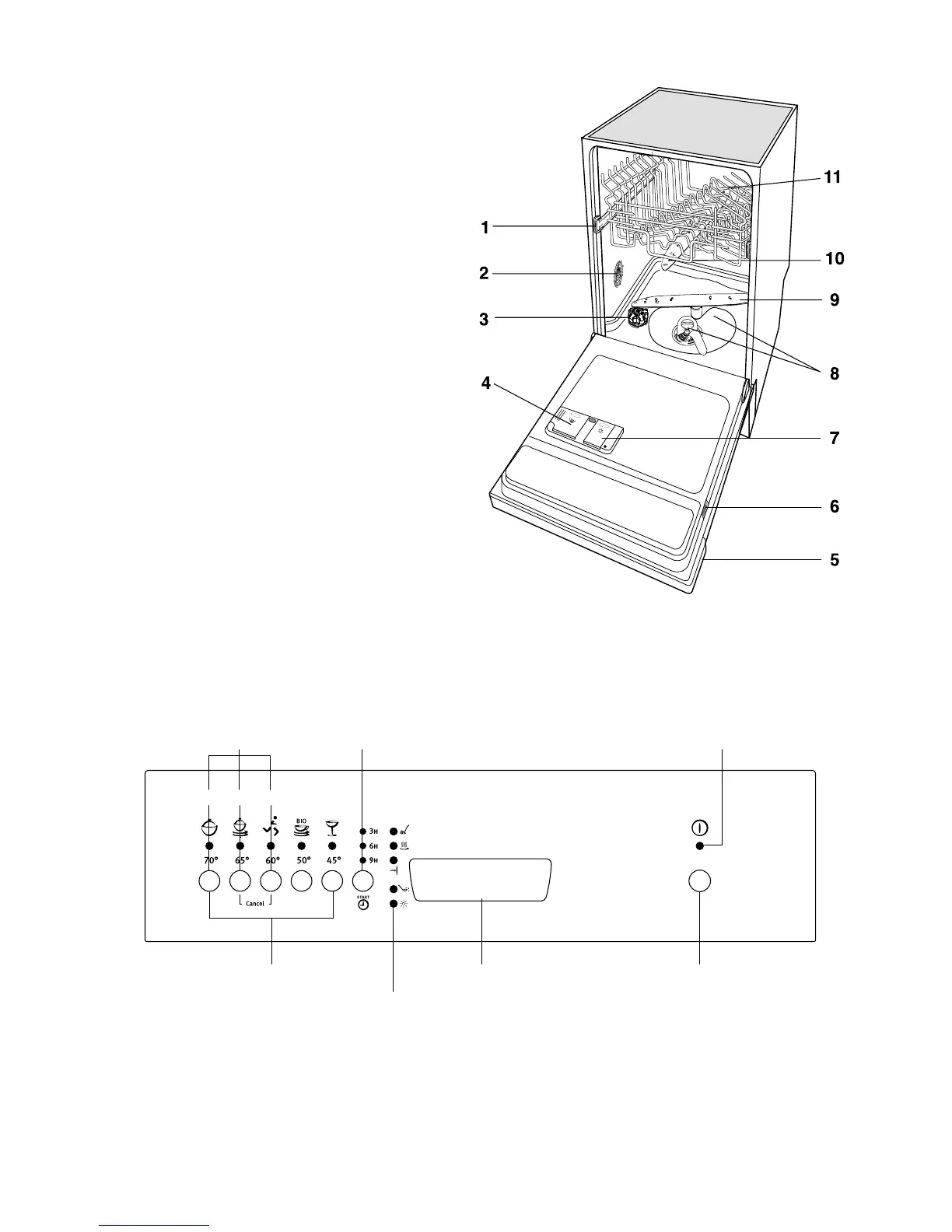
Function push buttons: in addition to the dishwashing
programme selected, the following functions can also be set
with the help of these buttons:
- the setting of the water softener,
- deactivation/activation of the inflow of rinse aid,
- the cancelling of a programme in progress.
Programme selection push buttons: the selection of
a washing programme occurs by pressing one of these push
buttons (see "Washing programmes" chart).
"Delay start" option push button: this option allows
the start of the programme to be delayed by 3, 6 or 9 hours.
The control panel
6
1. Upper basket stop
2. Water hardness switch
3. Salt container
4. Detergent dispenser
5. Control panel
6. Rating plate
7. Rinse aid dispenser
8. Filters
9. Lower spray arm
10. Upper spray arm
11. Upper basket
Description of the appliance



 To Next Page