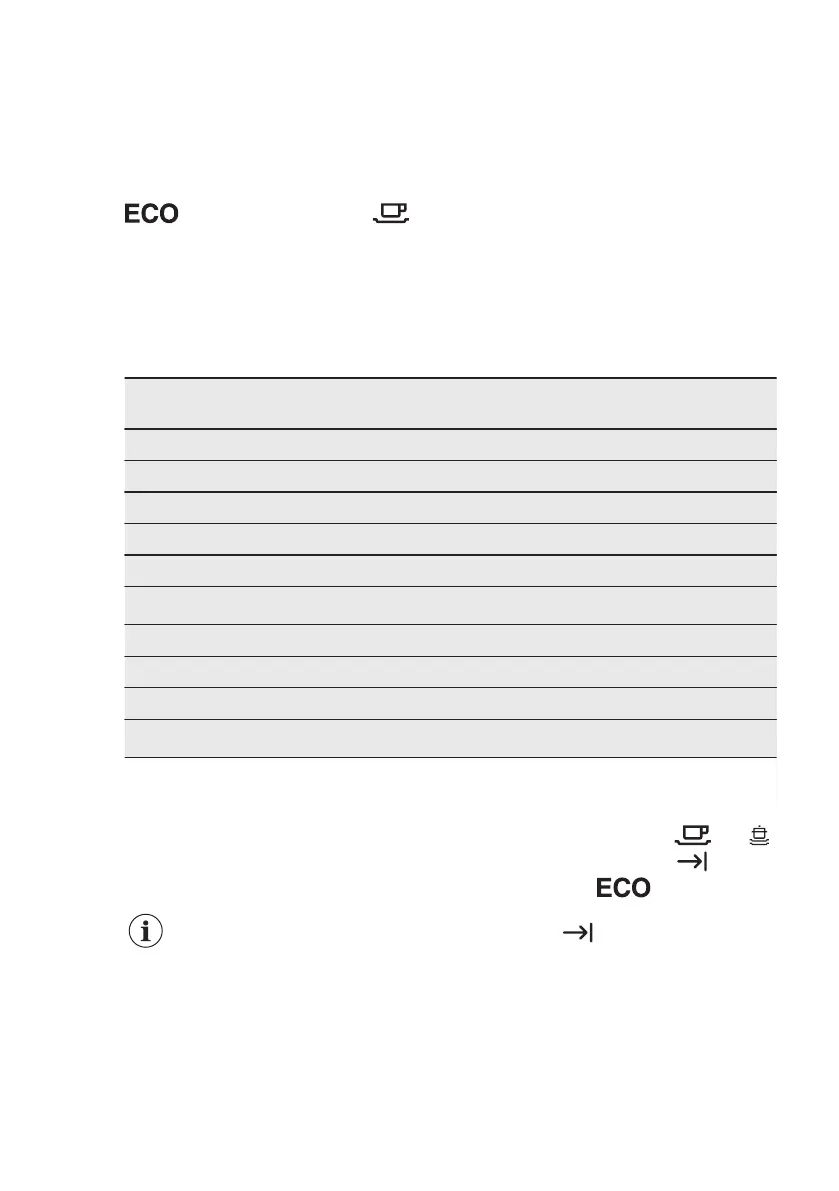
How to enter user mode
Make sure the appliance is in
programme selection mode.
To enter the user mode, press and hold
the programme button until the indicator
flashes and the indicator is
on.
6.2 The water softener
The water softener removes minerals
from the water supply, which would have
a detrimental effect on the washing
results and on the appliance.
The higher the content of these minerals,
the harder your water is. Water hardness
is measured in equivalent scales.
The water softener should be adjusted
according to the hardness of the water in
your area. Your local water authority can
advise you on the hardness of the water
in your area. It is important to set the
right level of the water softener to assure
good washing results.
Water hardness
German de‐
grees (°dH)
French de‐
grees (°fH)
mmol/l Clarke de‐
grees
Water softener
level
47 - 50 84 - 90 8.4 - 9.0 58 - 63 10
43 - 46 76 - 83 7.6 - 8.3 53 - 57 9
37 - 42 65 - 75 6.5 - 7.5 46 - 52 8
29 - 36 51 - 64 5.1 - 6.4 36 - 45 7
23 - 28 40 - 50 4.0 - 5.0 28 - 35 6
19 - 22 33 - 39 3.3 - 3.9 23 - 27
5
1)
15 - 18 26 - 32 2.6 - 3.2 18 - 22 4
11 - 14 19 - 25 1.9 - 2.5 13 - 17 3
4 - 10 7 - 18 0.7 - 1.8 5 - 12 2
<4 <7 <0.7 < 5
1
2)
1)
Factory setting.
2)
Do not use salt at this level.
Whether you use a standard detergent
or multi-tabs (with or without salt), set
the proper water hardness level to
keep the salt refill indicator active.
Multi-tabs containing salt are
not effective enough to
soften hard water.
How to set the water softener
level
Make sure the appliance is in user mode.
1. Wait until the indicators and
are off and the indicator flashes.
The indicator still flashes.
The intermittent flashing of the
indicator
shows the current
setting.
• e.g. 5 flashes + pause + 5 flashes
= level 5.
2. Press the programme button
repeatedly to change the setting.
Each pressing of the programme
button increases the level number.
After reaching level 10, the count
starts again from level 1.
www.electrolux.com8



 To Next Page