25
JJ NNOORRMMAALL MMAACCHHIINNEE UUSSEE
JJ..11 FFoorreesseeeenn uussee
Our appliances are designed and optimised to ensure high
performance and efficiency. This equipment must only be
used for its expressly designed purpose, i.e. washing dishes
with water and specific detergents. Any other use is deemed
improper.
This appliance does not carry out the rinse cycle should there
be no supply water; it stops all functions with an error
message “A1“ (also see Alarms).
JJ..22 CChhaarraacctteerriissttiiccss ooff ppeerrssoonnnneell eennaabblleedd ttoo
ooppeerraattee oonn tthhee mmaacchhiinnee
The Customer is responsible for ensuring that persons
assigned to the various duties:
• read and understand the manual;
• receive adequate training and instruction for their duties in
order to perform them safely;
• receive specific training for correct machine use.
JJ..33 SSttaarrttiinngg
• Open the water supply tap.
• Switch on at the mains.
• Open the door and check that all the components are in
their correct position.
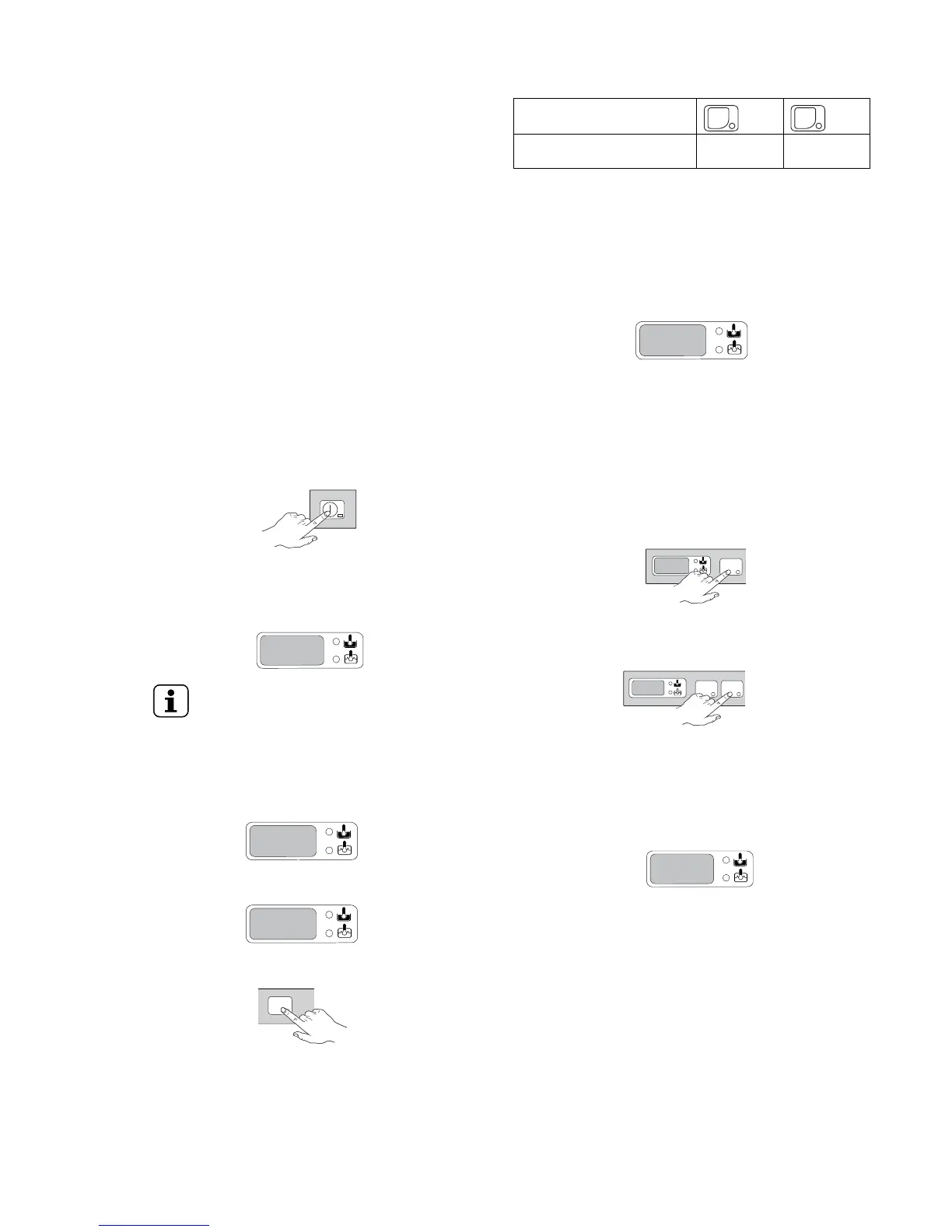
• Close the door and press On/Off button.
The indicator light of On/Off button comes on, indicating
that the dishwasher is powered and that water is being
introduced and heated. The word “FILL“ is shown on the
display during the entire filling and heating stage:
NOTE!
FFoorr aattmmoosspphheerriicc vveerrssiioonnss oonnllyy: this
dishwasher does the first tank filling through
several consecutive hot rinse cycles, while the
display shows the message “FILL“ (flowing).
This system let save up to 30% of time than
traditional models.
If the door is opened during this stage the message “CLOSE“
will appear on the display:
The filling and heating stage has finished when the display
shows the tank temperature:
To display the boiler temperature during heating of the tank,
open the door and press the WWaasshh ccyyccllee 11 button.
JJ..44 WWaasshh ccyycclleess
The wash cycle includes one wash with hot water and
detergent (min 55 ℃) and one rinse with hot water and rinse-
aid (min 82 ℃).
TTaabbllee ooff ttiimmeess:: ssttaannddaarrdd ccyyccllee ttiimmee wwiitthh ssuuppppllyy wwaatteerr aatt
5500 ℃℃
EUC...WS / NUC...WS /
ZUC...WS
120 sec 180 sec
A device lengthens the cycle time if the water in the boiler has
not reached the minimum temperature for correct rinsing. The
cycle times and the temperature may be personalised (e. g.
increase of the rinse time and temperature). The cycle times
should only be set by a specialised technician.
JJ..55 OOppeerraattiioonn
The filling and heating stage has finished when the display
shows the tank temperature:
The appliance is then ready for use:
• Open the door.
• Pour the required amount of detergent into the tank.
• Insert the rack containing the dirty dishes.
• Close the door and select the suitable wash cycle; the
corresponding indicator light comes on and the wash cycle
starts:
• CCyyccllee II
For lightly soiled dishes: press button WWaasshh ccyyccllee 11 (see
table of times).
• CCyyccllee IIII (recommended)
For very dirty dishes: press button WWaasshh ccyyccllee 22 (see
table of times).
• To stop the wash cycle, just press the selected cycle
button or open the door.
• To continue the wash cycle, press the cycle button again
or close the door. The cycle starts again from where it was
stopped.
• At the end of the wash, the dishwasher emits a series of
beeps and the message “END“ blinks on the display:
This dishwasher has a built-in counter which keeps track of
how many wash cycles can be carried out before a
regeneration cycle (see paragraph regeneration cycle)
must take place.
When the water softener device has an autonomy of just
15 cycles left, at the end of each wash cycle the display will
alternatively show the message “END“ and the number of
wash cycles (from 15 to 0) remaining before the message
“REG“ appears, indicating that generation is advised.
• Open the door and remove the rack containing the clean
dishes.


 To Next Page
 Loading...