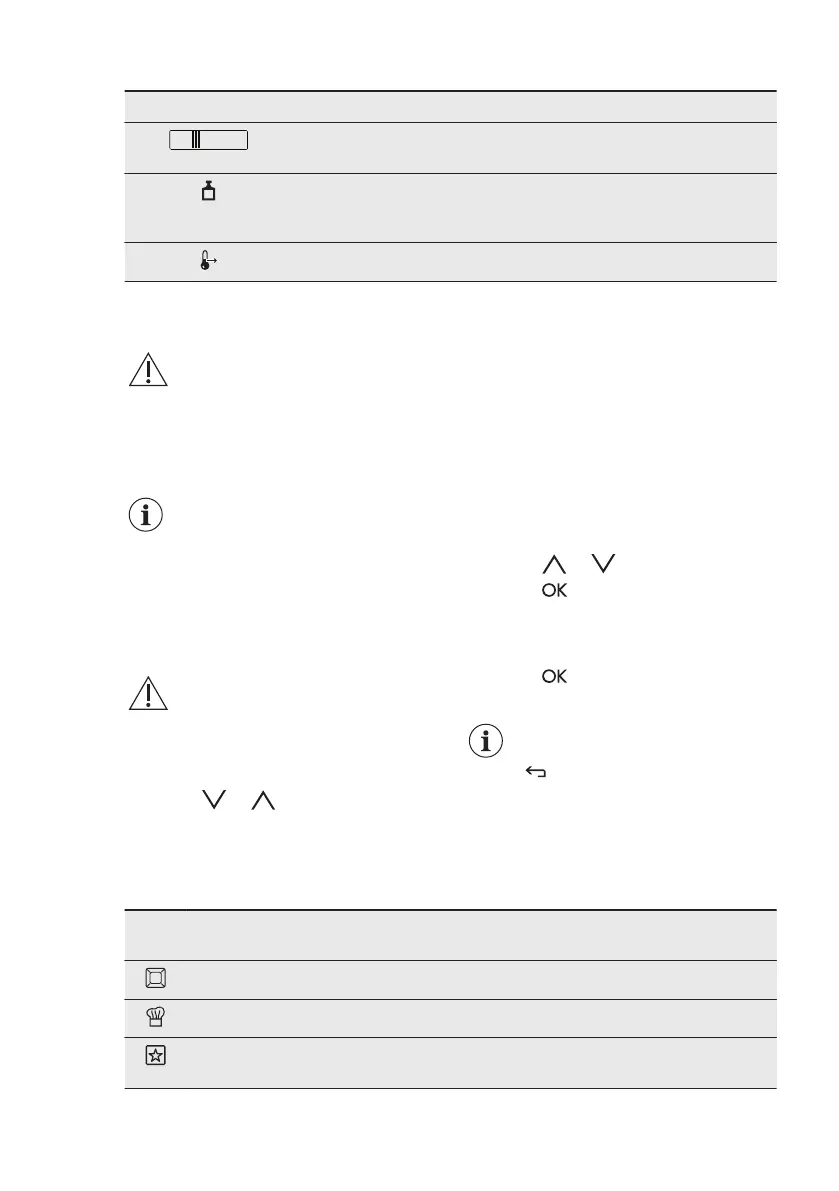
Symbol Function
Fast Heat Up Indicator The function is active. It decreases
the heat up time.
Weight Automatic The display shows that the automat‐
ic weight system is active or that
weight can be changed.
Heat + Hold The function is active.
5. BEFORE FIRST USE
WARNING!
Refer to Safety chapters.
5.1 Initial Cleaning
Remove all accessories and removable
shelf supports from the appliance.
Refer to "Care and cleaning"
chapter.
Clean the appliance and the accessories
before first use.
Put the accessories and the removable
shelf supports back to their initial
position.
5.2 First Connection
When you connect the appliance to the
mains or after the power cut, you have to
set the language, the display contrast,
the display brightness and the time of the
day.
1. Press or to set the value.
2. Press
to confirm.
6. DAILY USE
WARNING!
Refer to Safety chapters.
6.1 Navigating the menus
1. Activate the appliance.
2. Press or to select the menu
option.
3. Press to move to the submenu or
accept the setting.
At each point you can go
back to the main menu with
.
6.2 The menus in overview
Main menu
Sym‐
bol
Menu item Application
Heating Functions Contains a list of heating functions.
Assisted Cooking Contains a list of automatic programmes.
Favourite Programme Contains a list of favourite cooking pro‐
grammes created by the user.
www.electrolux.com10



 To Next Page