
 Need help?
Do you have a question about the Electrolux EW6C527G2 and is the answer not in the manual?
Safety guidelines for children and vulnerable individuals regarding appliance use and supervision.
General safety instructions for the appliance, including not changing its specification.
Instructions for safely installing the tumble dryer, including placement and leveling.
Guidelines for safely connecting the appliance to the electrical power supply.
Instructions for cleaning the appliance safely using appropriate materials and methods.
Procedures for safely disposing of the appliance and its components according to regulations.
Explanation of the symbols and indicators shown on the appliance's digital display.
Function to adjust the laundry dryness level, offering different options like Extra Dry.
Option to select a delicate drying programme with low temperature for sensitive fabrics.
Extends the anti-crease phase to reduce wrinkling of laundry after the cycle.
A table summarizing the available options that can be combined with different drying programmes.
Prevents children from operating the appliance by locking the touch buttons.
Indicates when the water container needs to be emptied or if a draining kit is installed.
Allows users to activate or deactivate the acoustic signals (buzzer) for the appliance.
Step-by-step guide to start a drying programme immediately without using the delay function.
Instructions on how to set a delayed start for a drying programme.
Information about what happens when a drying cycle is completed, including signals and indicators.
Description of the automatic deactivation function to reduce energy consumption.
Advice on how to prepare laundry items before placing them in the tumble dryer.
Detailed steps for cleaning the appliance's lint filter to ensure efficient operation.
Instructions on how to properly empty the water container after a drying cycle.
Guidance on cleaning the control panel and the external housing of the appliance.
Instructions on how to clean the airflow slots to maintain proper ventilation.
A concise visual guide for the basic daily operation of the tumble dryer.
A summarized table of drying programmes, loads, and fabric types for quick selection.
This document serves as a user manual for the Electrolux EW6C527G2 Tumble Dryer, providing comprehensive information on its safe operation, features, and maintenance.
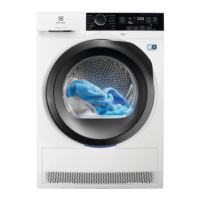
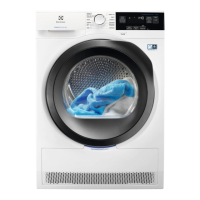
The Electrolux EW6C527G2 is a tumble dryer designed for household use, offering efficient and convenient drying of various fabric types. It is engineered to provide optimal drying results while prioritizing safety and ease of use. The appliance can be installed either freestanding or beneath a kitchen counter, provided there is adequate space. For installations where the tumble dryer is placed on top of a washing machine, a specific stacking kit, available from authorized vendors, must be used. It is crucial to follow the installation instructions provided with the accessory carefully. The appliance should not be installed behind a lockable door, a sliding door, or a door with a hinge on the opposite side, as this would obstruct the full opening of the appliance door. Proper ventilation is essential, and the ventilation opening in the base must not be covered by any floor covering.
The tumble dryer features a user-friendly control panel with a programme knob and various touch buttons for different options and settings. The display provides clear information about the selected programme, drying duration, and other relevant indicators. The appliance offers a range of programmes tailored for different fabric types and drying needs, including Cotton Eco, Cotton, Synthetics, Delicates, Easy Iron, Refresh, Shirts, Duvet, Bedlinen, Sport, Denim, and Mixed. Each programme is designed to achieve specific dryness levels and care for the laundry appropriately.
Key usage features include the ability to adjust the dryness level with options like Extra Dry, Cupboard Dry, and Iron Dry, allowing users to customize the drying intensity based on their preferences and the type of fabric. The "Delicates" option enables a low-temperature drying programme, suitable for sensitive fabrics such as acrylic and viscose. An "Extra Anticrease" function extends the anti-crease phase at the end of the drying cycle by 60 minutes, helping to reduce creases and making ironing easier. Users can remove laundry during this phase if desired. The "Time Dry" option allows for manual setting of the programme duration, ranging from 10 minutes to 2 hours, which is particularly useful for small quantities of laundry or single items.
The appliance also incorporates several settings to enhance user experience and safety. A "Child Lock" function prevents children from interacting with the appliance while a programme is running, locking the touch buttons while keeping the on/off button accessible. The user can also adjust the remaining laundry moisture level, which is a useful feature for fine-tuning drying results. The water container indicator alerts the user when the container needs to be drained or when a programme is completed. For added convenience, if a draining kit is installed, the appliance automatically drains the water, and the water container indicator can be deactivated. An audible buzzer provides acoustic signals, which can be activated or deactivated according to user preference.
Daily use involves preparing the laundry by closing zips and fasteners, removing items from pockets, and turning internal cotton layers inside out. It is important to sort laundry by colour and fabric type and to avoid overloading the appliance. The maximum load capacity is 7 kg. To start a programme, the user selects the desired programme and options, then presses the Start/Pause button. A delay start function allows users to postpone the start of a programme for up to 20 hours. At the end of a programme, an intermittent acoustic signal operates, and the display shows a completion indicator. The appliance also features a stand-by function to reduce energy consumption, automatically deactivating after 5 minutes if no programme is started or after 5 minutes from the end of a programme.
Maintenance features are crucial for the longevity and efficient operation of the tumble dryer. Regular cleaning of the lint filter is essential before or after each use, as lint accumulation can affect drying performance and pose a fire hazard. The water container must be emptied after each cycle, unless a draining kit is installed. The manual provides clear instructions for cleaning the heat exchanger, which should be done periodically to maintain optimal performance. The drum should be cleaned with a moist cloth and a neutral soap detergent, avoiding abrasive materials or steel wool. The control panel and housing can also be cleaned with a moist cloth and neutral detergent. Additionally, the airflow slots should be cleaned with a vacuum cleaner to remove any accumulated fluff.
The manual also includes a troubleshooting section to help users address common issues, such as the appliance not activating, programmes not starting, or unsatisfactory drying results. It provides possible solutions, like checking the mains plug, ensuring the door is closed correctly, cleaning the filter, or emptying the water container. The information provided in the manual is compliant with EU Commission regulations, ensuring the appliance meets relevant standards for energy efficiency and environmental considerations. The appliance is designed for recycling, and users are encouraged to dispose of packaging and the appliance itself in an environmentally responsible manner.
 General
| Door hinge | Right |
|---|---|
| Cord length | 1.45 m |
| Drum volume | 104 L |
| Control type | Rotary, Touch |
| Display type | LCD |
| Loading type | Front-load |
| Drum material | Galvalume |
| Drying system | Condensation |
| Product color | White |
| Reversible doors | Yes |
| Appliance placement | Freestanding |
| Drum interior light | No |
| Cycle time | 139 min |
| Noise level | 66 dB |
| Drying class | B |
| Drum capacity | 7 kg |
| Anti-Crease function | - |
| Current | 10 A |
| Heat source | Electric |
| Connected load | 2250 W |
| AC input voltage | 230 V |
| Energy consumption | 4.23 kWh |
| Annual energy consumption | 504 kWh |
 Weight and Dimensions
| Depth | 570 mm |
|---|---|
| Width | 596 mm |
| Height | 850 mm |
| Weight | 36960 g |



 To Next Page