3. Make sure you started a Wi-fi
connection in the washing machine.
If not, read the next paragraph
'Configuring the washing machine
wireless connection'.
4. Start the application. Select the
country and language and login with
Your email and password. If you do
not have an account, create a new
one following the instructions in "My
Electrolux".
5. Follow the instructions on the App for
the washing machine registration and
configuration.
9.2 Configuring the washing
machine wireless connection
1. Press the On/Off button for a few
seconds to activate the appliance.
Wait about 10 seconds before
proceeding with wireless
configuration.
2. Select a programme by turning the
programme dial.
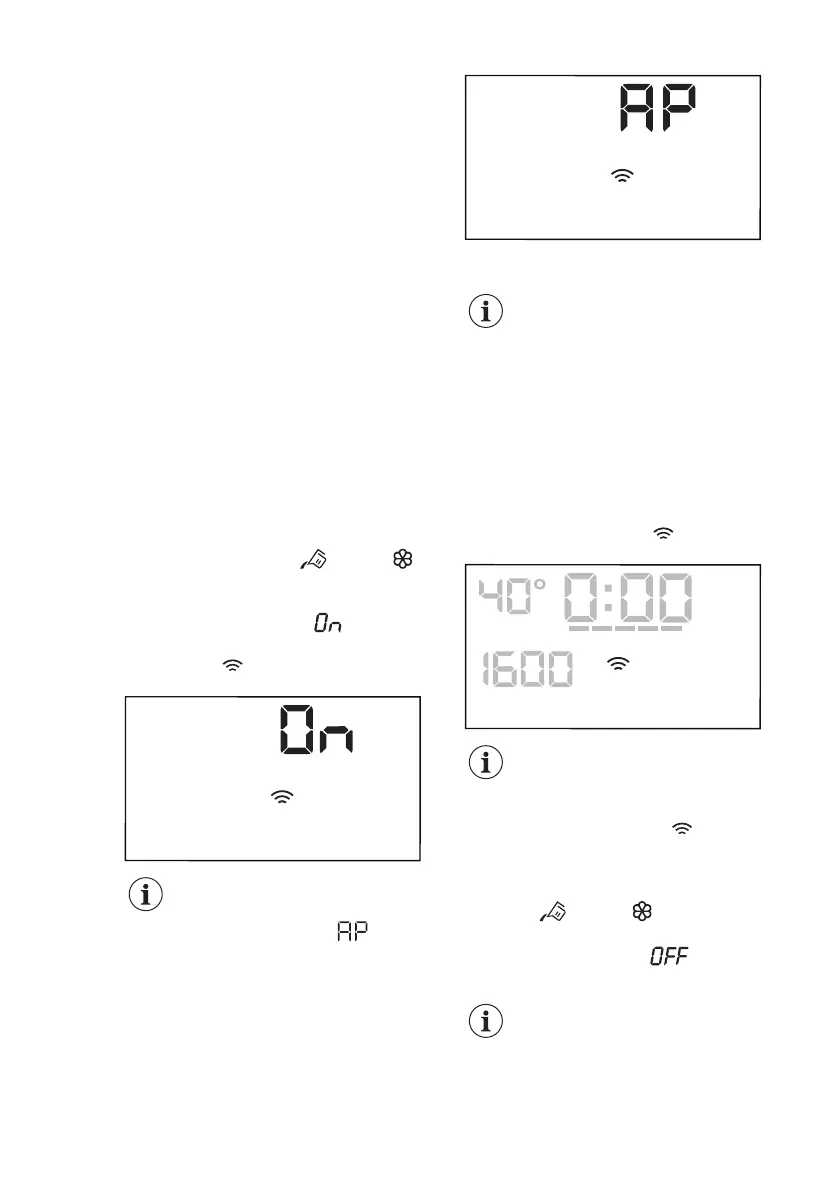
3. Press and hold the and the
buttons simultaneously for a few
seconds until a 'click' sounds.
Release the buttons. appears on
the display for 5 seconds and the
indicator starts blinking.
The wireless module begins starting up.
Make sure that you APP is
ready for connection.
4. After about 45 seconds,
(Access Point) appears on the
display.
The access point will be open for about 3
minutes.
As long as the appliance is
activated, it will keep trying
to connect with saved
credentials until the Wi-Fi is
deactivated or resets the
credentials.
5. Configure the "My Electrolux" app on
your smart device and follow the
instructions to connect the appliance
to your Wi-Fi network.
6. If the connectivity is configured, when
the programme information screen
returns, the indicator is on the
display.
Every time you switch the
appliance on, the appliance
takes 45 seconds to connect
to the network automatically.
When the indicator stops
blinking the connection is
ready.
To switch the wireless connection off,
touch the and the buttons
simultaneously for a few seconds until
the first acoustic signal: appears
on the display for 5 seconds.
If you switch the appliance
off and on again, the
wireless connection is
automatically off.
www.electrolux.com32




 To Next Page