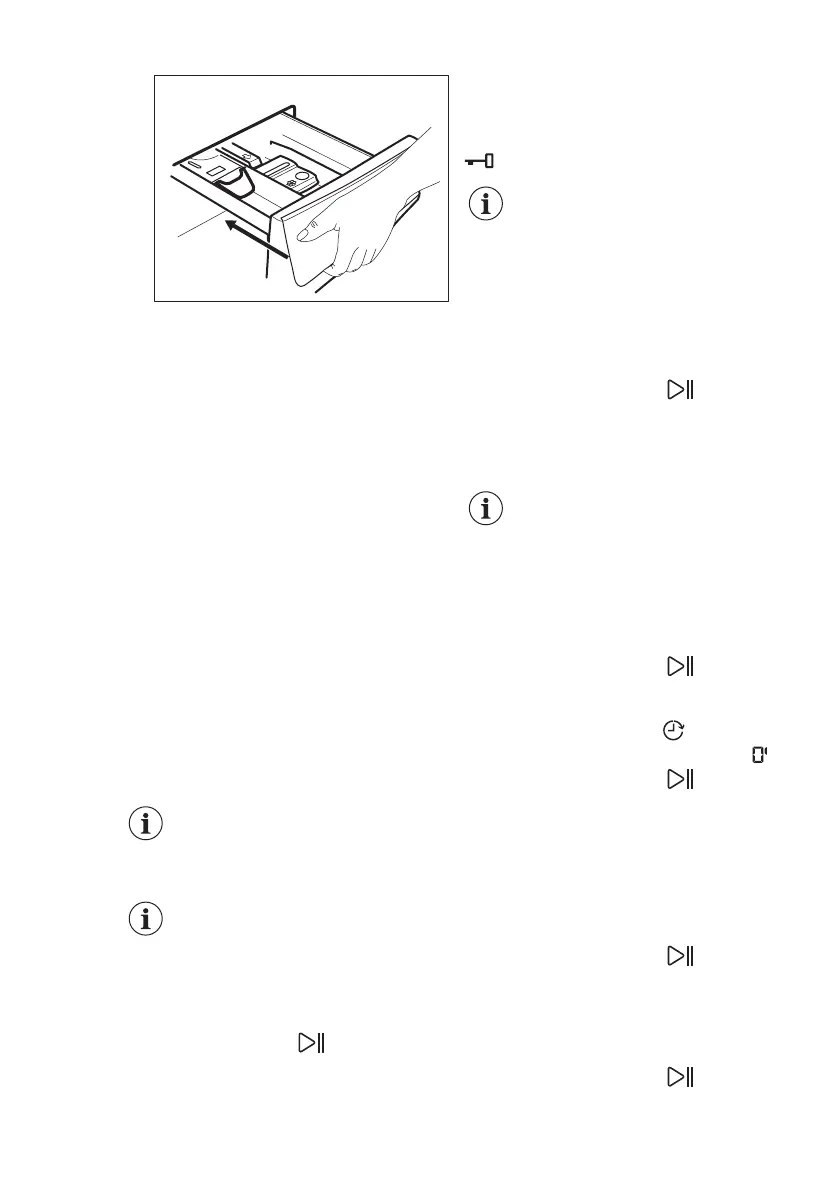
Make sure that the flap does not cause a
blockage when you close the drawer.
10.5 Setting a programme
1. Turn the programme dial to select the
desired washing programme. The
related programme indicator comes
on.
The indicator of the Start/Pause button
flashes.
The display shows the maximum
declared load for the programme, the
default temperature, the maximum spin
speed, the washing phase indicators
(when available) and an indicative
programme duration.
2. To change the temperature and/or
the spin speed, touch the related
buttons.
3. If desired, set one or more options by
touching the related buttons. The
related indicators come on in the
display and the given information
changes accordingly.
To perform washing only,
make sure that only the
Wash indicator is on above
the Mode button.
In case a selection is not
possible, no indicator
comes on and an acoustic
signal sounds.
10.6 Starting a programme
Touch the Start/Pause button to start
the programme.
The related indicator stops flashing and
stays on.
In the display, the indicator of the
operating phase starts flashing.
The programme starts, the door is
locked. The display shows the indicator
.
The drain pump can operate
shortly before the appliance
fills water.
10.7 Starting a programme with
the delay start
1. Touch this repeatedly until the
display shows the desired delay time.
The indicator Delay Start
comes on.
2. Touch the Start/Pause
button.
The appliance starts the countdown of
the delay start.
When the countdown is completed, the
programme starts.
The SensiCare estimation
starts at the end of the
countdown.
Cancelling the delay start after
the countdown has started
To cancel the delay start:
1. Touch the Start/Pause button to
pause the appliance. The related
indicator flashes.
2. Touch the Delay Start
button
repeatedly until the display shows
.
3. Touch the Start/Pause button
again to start the programme
immediately.
Changing the delay start after
the countdown has started
To change the delay start:
1. Touch the Start/Pause button to
pause the appliance. The related
indicator flashes.
2. Touch the Delay Start button
repeatedly until the display shows the
desired delay time.
3. Touch the Start/Pause
button
again to start the new countdown.
www.electrolux.com26



 To Next Page