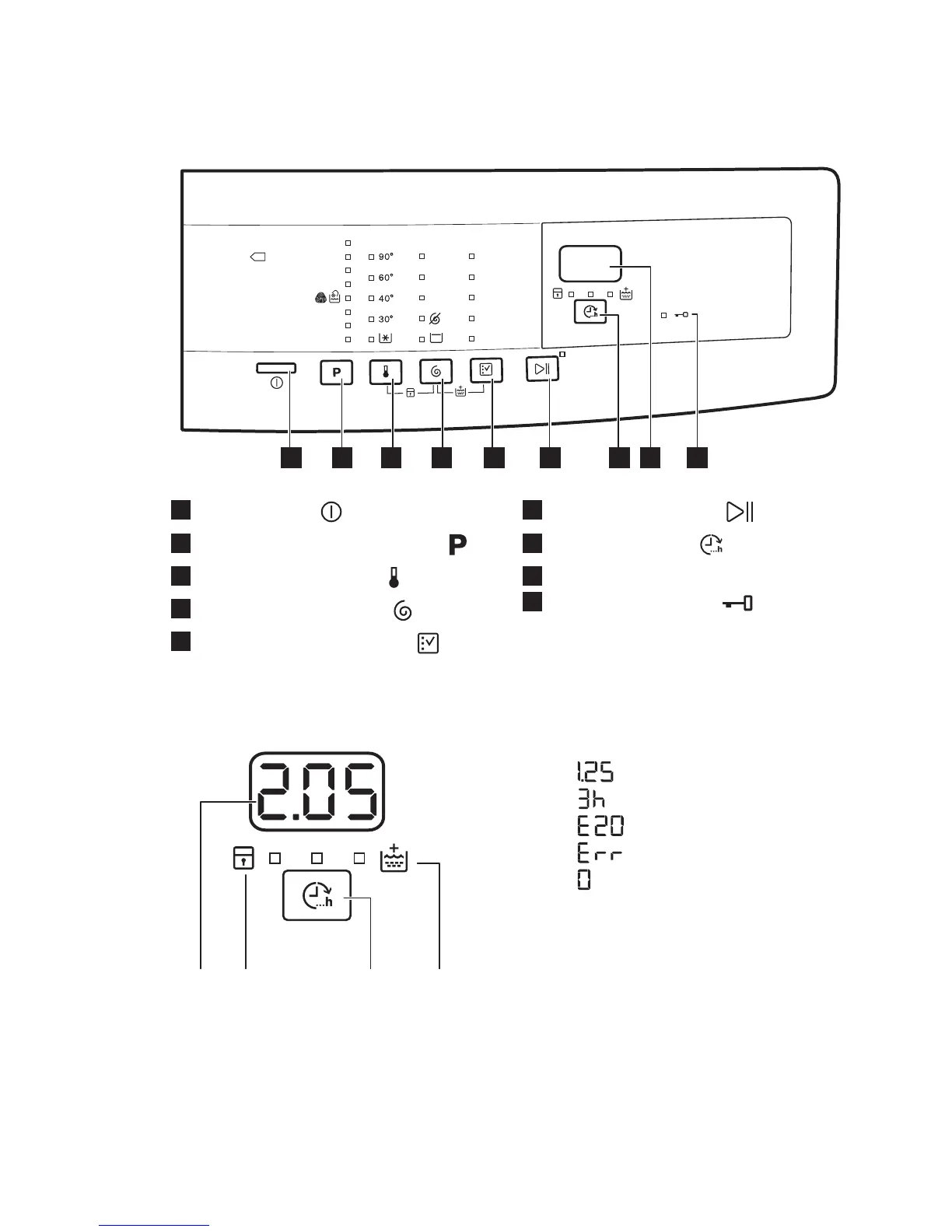
1
On / Off button (Açma/Kapama)
2
Programme selection touchpad
3
Temperature touchpad
4
Spin selection touchpad
5
Options selection touchpad
6
Start/Pause touchpad
7
Finish in touchpad (Erteleme)
8
Display
9
Door locked indicator
4.2 Display
A) The time area:
• : the programme duration
• : the "finish in" time
• : the alarm codes
•
: the message of error
• : the programme is completed.
B) The child lock indicator:
• The indicator comes on when you
activate this device.
C) The extra rinse indicator:
• The indicator comes on when you
activate this option.
D) The Erteleme touchpad.
www.electrolux.com6



 To Next Page