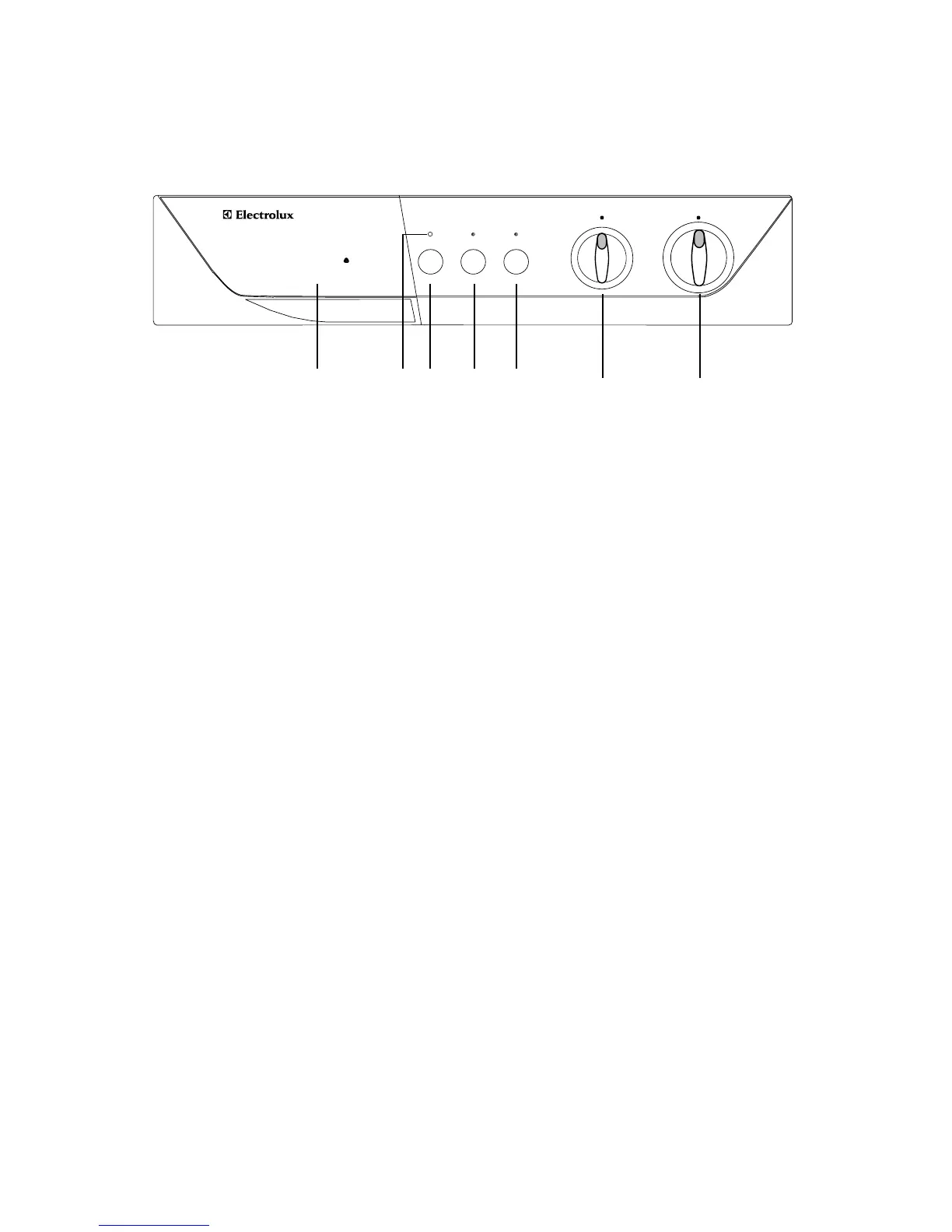
1 Detergent dispenser drawer and
programme guide
2 Mains-on light
This light illuminates when the machine starts
working and goes out at the end of the programme.
3 On-Off button
By depressing this button the machine starts
operating.
When depressed again, the machine stops.
4 Half Load button
Select this button to reduce water consumption on
the rinse cycle when washing a smaller load of
cottons (maximum load size = 2,5 kg).
Use
Control panel
5 Super Rinse button
Can be used only for cotton programmes 1-2-3-4.
The machine will perform the rinses with more water.
This option is recommended for people who are
allergic to detergents and in areas where the water is
very soft.
6 Temperature selector dial
Turn the dial clockwise or anticlockwise to select
the washing temperature.
Position Cold= cold wash.
7 Programme selector dial
Turn the dial clockwise to select the required wash
programme.
Before setting the dial to any position the machine
must be switched off by depressing the ON-OFF
button again.
8



 To Next Page